
I was sitting in a two hour meeting last month.
Everyone was talking fast. Ideas flying everywhere.
I tried taking notes but I kept missing stuff while writing.
Halfway through I just gave up and hit record on my phone instead.
Then I sat there afterward wondering how I was supposed to turn an hour of talking into something I could actually read.
That is when I went down a rabbit hole looking for a way to get an audio transcript without typing everything myself.
I ended up using audiototextify.com for that first meeting and never looked back since.
What I found changed how I handle every recording since then.
Why We Even Need An Audio Transcript
Think about how much talking happens in a day.
Meetings. Interviews. Voice notes. Lectures.
Most of that information just disappears once the audio ends.
Unless you write it down, you forget it.
I forget things constantly, so this became a real problem for me.
Getting everything turned into text means I can actually search through it later.
That alone makes a huge difference.
My First Try At Audio To Transcript Tools
I uploaded that meeting recording to a transcription tool.
Waited a few minutes.
Got back a full text version of everything that was said.
I sat there rereading it in shock because I expected way more effort on my part.
We assume stuff like this takes forever, but it really doesnt anymore.
Convert Audio To Transcript Without Wasting Hours
Before I found a good tool, I actually tried typing out a recording myself.
Fifteen minutes of audio took me almost an hour to type.
That was the moment I knew I needed a better system.
Now I just upload the file and let the tool handle it.
No pausing every few seconds to catch up.
No rewinding the same sentence five times.
I got my time back completely.
Audio Transcription That Actually Works
Not every tool out there does a good job.
Some give you text full of random errors.
Some mess up names or technical words completely.
I tested a bunch during this process and only a few actually impressed me.
The good ones handle background noise well.
They catch different accents without turning everything into gibberish.
Once I found tools like that, I stopped worrying about accuracy.
Audio Transcription Online Vs Doing It Yourself
I already mentioned typing it out myself once. Never again.
Doing it online means I skip all of that manual work.
Open a tab. Upload the file. Wait a bit. Download the text.
That is the whole process now.
We dont need to sit there with headphones on pausing and rewinding anymore.
How I Transcribe Audio For Interviews
This is where it helps me the most honestly.
I record voice notes and short interviews pretty often for different projects.
Going back through hours of audio to find one quote used to eat up my whole afternoon.
Now I just search the text file for a keyword and jump straight to that part.
That single change saved me more time than almost anything else I do.
We waste so much time hunting for information that is already sitting right there in a recording.
Speech To Text For Everyday Stuff
This isnt just for big projects.
I use speech to text for random voice memos I send myself while driving.
Ideas, reminders, random thoughts that pop into my head.
Instead of listening back later, I just read the text version.
Way faster than replaying an entire memo to catch one sentence.
I do this almost every single day now without even thinking about it.
Voice To Text On My Phone
Most of my recordings happen on my phone anyway.
Good thing most tools work fine straight from a mobile browser.
No extra app needed.
I record something, upload it right from my phone, and get the text back within minutes.
We live our whole lives on our phones now, so this just fits naturally into that.
Automatic Audio Transcription And What Changed For Me
The word automatic used to make me nervous.
I figured automatic meant sloppy or full of mistakes.
That assumption was wrong.
The tools I use now handle full sentences, punctuation, and even paragraph breaks without me touching anything.
I still skim through it after just to double check, but the heavy lifting is already done.
We got used to doing things the hard way for so long that the easy way feels almost suspicious at first.
Free Audio Transcription Options Worth Trying
I am not going to pretend every free tool is amazing.
Some limit how long your file can be.
Some slow down when the audio gets long.
But there are solid free audio transcription tools out there if you know what to look for.
Fast processing.
Clean text output.
No forced sign up just to see your results.
If a tool checks those boxes, I stick with it.
Audio Transcript Generator For Longer Recordings
Longer files used to worry me the most.
I figured a two hour lecture would break every tool I tried.
Turns out a solid audio transcript generator handles long recordings just fine.
It just takes a little more time to process, which makes sense.
I let it run in the background while I do something else and come back to a finished transcript.
We dont need to babysit the tool while it works.
Audio Transcription Tool Features I Actually Care About
After testing a bunch of these, I built a short list of things that matter to me.
Fast turnaround time.
Clean formatting with proper punctuation.
Support for longer files without crashing.
No confusing steps or hidden fees.
If a tool checks all of those, it earns a permanent spot in my bookmarks.
Transcribe Audio Online For Group Projects
I work with a small team on certain projects.
We record our calls sometimes just to keep track of decisions we made.
Instead of someone taking notes during the call, we just transcribe the whole thing afterward.
Everyone gets the same accurate record instead of relying on someone else's memory.
That single habit fixed so many disagreements about what was actually said.
We stopped arguing about details once we had the text right in front of us.
Audio File Transcription For Students
I have a few friends still in school who record their lectures.
They used to rewatch entire lectures just to find one explanation they missed.
Now they just search through the transcript instead.
Takes seconds instead of scrubbing through an hour of video.
I showed one of them this trick and they immediately asked why nobody told them sooner.
Convert Speech To Text Without Losing Meaning
One thing I worried about early on was tone getting lost in text.
Turns out good transcription tools keep sentence structure natural.
It doesnt read like a robot wrote it.
It reads like an actual conversation, just typed out.
That was honestly the biggest relief once I started trusting these tools more.
AI Audio Transcription And Why It Got So Good
I remember using transcription tools years ago that were pretty rough.
Missed words constantly. Weird formatting. Broken sentences everywhere.
The newer AI audio transcription tools are nothing like that anymore.
They pick up context way better now.
They handle accents, slang, and even overlapping voices better than I expected.
We got here faster than I thought technology like this ever would.
Accurate Audio Transcription Tips From My Own Testing
A few things helped me get cleaner results every time.
Recording in a quiet space instead of somewhere noisy.
Speaking a little slower during important parts.
Avoiding multiple people talking over each other when possible.
Small changes like that made a noticeable difference in the final text.
We can control a lot of the accuracy just by how we record in the first place.
Audio Transcription Software Vs Simple Online Tools
I tested both routes here too, just like I did with other tools before.
Software felt heavier. Installs, updates, storage space taken up.
Online tools felt lighter and way more convenient for what I actually need.
Open a tab, upload, done.
I stopped installing software for this kind of task a long time ago.
Transcription Service Options When You Need Extra Help
Sometimes automatic tools arent enough, especially for really technical audio.
That is when a proper transcription service comes in handy.
Real humans review the text for accuracy in cases like that.
I dont need this often, but its good to know the option exists for tricky recordings.
We should always have a backup plan for when automatic tools hit their limits.
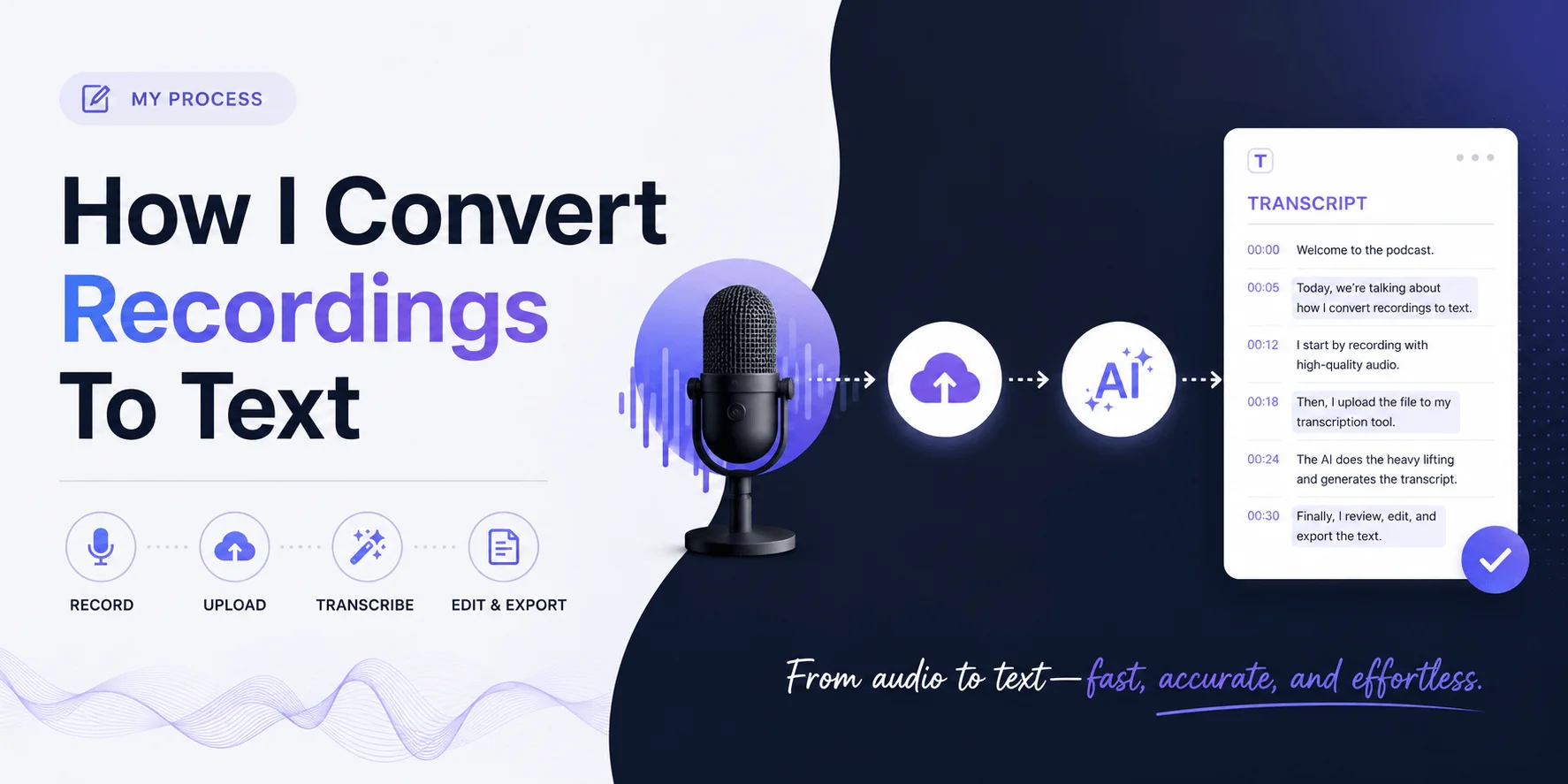
My Honest Process Every Time I Transcribe Something
Let me walk through exactly what I do now.
I record the audio, whether its a meeting, a lecture, or a random voice memo.
I upload the file to audiototextify.com since thats the tool I trust for this now.
I wait a few minutes depending on the length.
I skim the text for any obvious mistakes.
I save the file with a name I will actually remember later.
That is it. Simple, repeatable, and it barely takes any effort at all now.
Keeping Your Transcripts Organized
This part gets overlooked way too often.
I used to have random text files scattered everywhere with names like untitled and download one.
Now I rename every transcript right after downloading it.
Takes a few seconds and saves me from digging through a mess later.
I keep a separate folder just for meeting transcripts and another one for personal voice notes.
Small habit, but it makes finding anything later so much faster.
We forget how much time gets wasted searching for a file we already had sitting on our device.
Why I Stopped Manually Note Taking Almost Completely
I used to feel guilty putting my pen down during meetings.
Felt like I wasnt paying attention if I wasnt writing something.
Turns out recording and transcribing later actually helped me focus more, not less.
I could actually listen instead of splitting my attention between listening and writing fast enough to keep up.
We think multitasking helps us but most of the time it just makes us miss things.
Letting a tool handle the writing part freed me up to actually be present in the conversation.
Common Mistakes People Make With Transcription Tools
I made a few of these myself early on.
Uploading really noisy audio and expecting perfect results.
Skipping the proofread step completely.
Using random tools without checking reviews first.
Forgetting to save the file somewhere organized.
Learn from what I messed up so you dont waste time repeating it.
FAQs
Is audio transcription free to use?
Yes. Plenty of tools let you convert audio to transcript without paying anything.
How accurate is automatic transcription?
Very accurate for clear audio, though noisy recordings may need a quick proofread.
Can I transcribe audio from my phone?
Yes. Most online tools work fine directly from a mobile browser.
Do I need to install any software?
No. Online audio transcription tools work through your browser with no installs.
How long does transcription usually take?
Usually just a few minutes, depending on how long the audio file is.
Can these tools handle different accents?
Most modern tools handle accents and background noise pretty well now.
Is my audio file kept private?
Reputable tools process your file securely without sharing it publicly.
Final Thoughts
I never thought I would care this much about turning talking into text.
But once I started using these tools regularly, I realized how much time they actually save.
Meetings, lectures, interviews, random voice notes, all of it becomes searchable text within minutes.
We spend so much of our day talking and so little of it gets remembered properly.
Having a clean audio transcript fixes that without much effort on our part at all.
If you want to try it out for yourself, audiototextify.com is the exact tool I use every time.
Read more: Transcribe Audio to Text Free: Fast & Accurate AI