The safest way to download music from YouTube is through YouTube Premium or YouTube Music Premium, which let you save songs, albums, and playlists directly for offline listening. If you don't want a subscription, third-party downloaders like 4K Video Downloader work too — but they carry copyright and security risks you need to know about before you use them. Below, I'll walk you through both methods, step by step.
Let's get into it.
Why People Want to Download Music From YouTube
Here's the thing — YouTube is basically the world's biggest free jukebox. Millions of songs. Every genre imaginable. But there's a catch: you need an internet connection to stream any of it.
That's annoying if you're on a flight. Or commuting through a dead zone. Or just trying to save your mobile data plan.
So naturally, people look for ways to get offline listening without paying for a subscription. And honestly? I get it. Downloading music from YouTube gives you flexibility that streaming just can't match — no buffering, no data overages, and your music travels with you.
But — and this is important — not every method is created equal. Some are 100% legit. Others can land you in murky legal territory. Let's break both down.
(If you're also working with YouTube audio for other purposes, check out our guide on converting YouTube videos to transcripts or cutting and trimming audio files online.)
Method 1: YouTube Premium — The Official (and Safest) Way
If you want zero risk and full peace of mind, this is your route.
YouTube Premium and YouTube Music Premium let you download songs, albums, and entire playlists directly through the app. No sketchy websites. No malware roulette. Just a clean, built-in download button — and it's fully compliant with YouTube's official Terms of Service, which prohibit downloading content unless YouTube itself provides that option.
Here's how simple it is:
Open the YouTube Music app on your phone or tablet.
Find your song or playlist using the search bar.
Tap the download arrow next to the track or album.
Choose your download scope — single track or the whole playlist.
Access it offline, anytime, anywhere.
That's it. Five steps and you're done.
If you listen to YouTube music constantly, honestly, the subscription pays for itself in convenience alone. No more digging through sketchy converter sites. No more wondering if your download is going to come bundled with adware.
Method 2: Third-Party YouTube Downloaders (Proceed With Caution)
Now, if you're not ready to commit to a subscription, you've probably seen dozens of third-party tools promising free downloads. And look — some of them do work. But you need to know what you're getting into.
What Tools Are Out There?
These tools generally fall into three buckets:
Desktop applications — things like 4K Video Downloader, which offer batch downloads and multiple format options (MP3, AAC, WAV).
Online converters — quick, browser-based tools that don't require installation. Great for one-off downloads.
Mobile apps — convenient, but usually with fewer features.
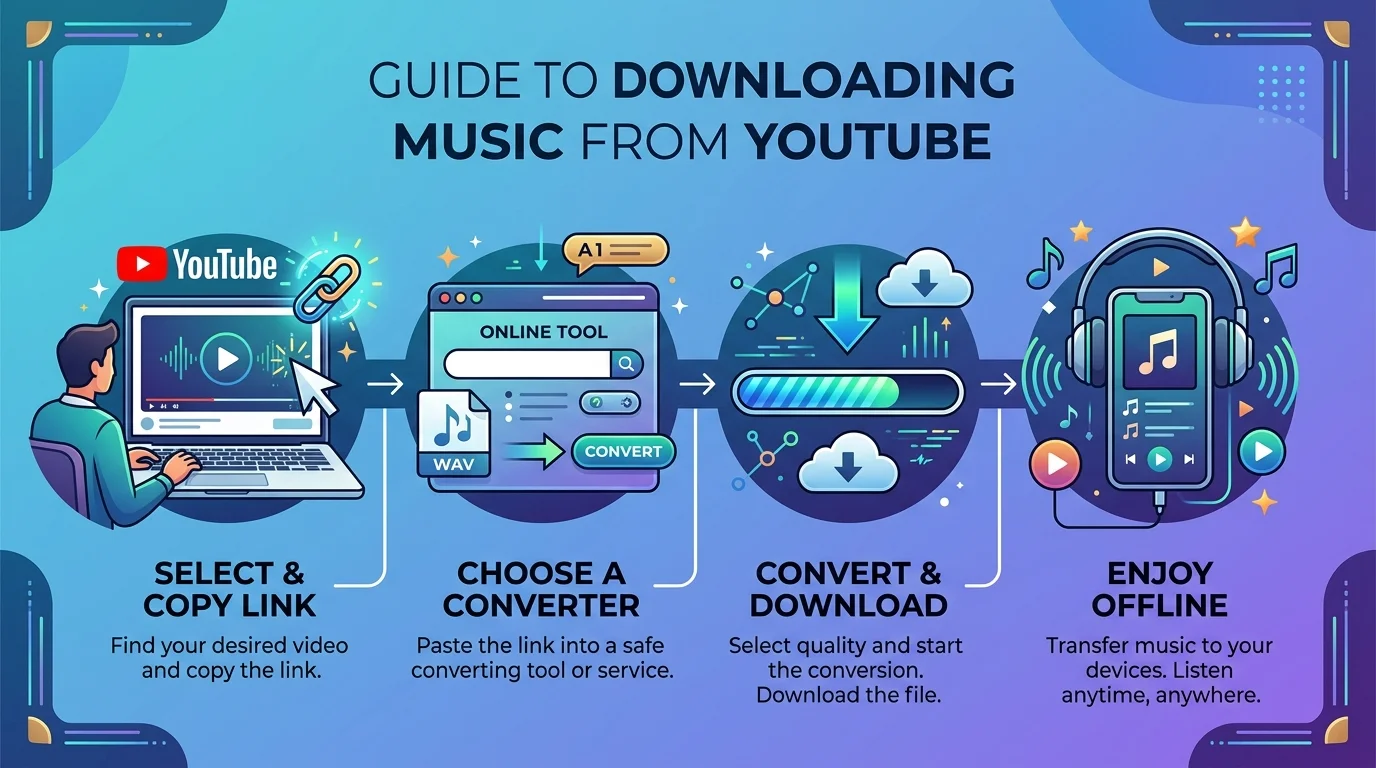
The basic process is pretty simple:
Find a reliable YouTube downloader tool.
Copy the video URL from your browser's address bar.
Paste the URL into the downloader.
Convert and download the audio file.
Sounds easy, right? It is. But here's my honest take.
The Risk You Can't Ignore
A lot of these sites are riddled with sketchy ads, fake "download" buttons that install malware, and — this is the big one — potential copyright infringement issues. Using a random converter site to rip a copyrighted track technically isn't playing by YouTube's rules.
That doesn't mean every use case is off-limits, though. If you're downloading royalty-free music, public domain tracks, or your own uploaded content, you're generally in safe territory — the key is making sure whatever you're ripping is actually legal to download.
My honest recommendation? If you're going to use a third-party tool, stick to well-reviewed, established options — and always pair it with a solid ad blocker and malware protection. A good browser-level shield can actively block malicious download sites before they ever touch your device.
YouTube Premium vs. Third-Party Downloaders: Quick Comparison
Feature | YouTube Premium | Third-Party Downloader |
|---|---|---|
Legality | 100% compliant with ToS | Gray area / risk of infringement |
Cost | Paid monthly subscription | Usually free |
Safety | No malware risk | Malware/ad risk on some sites |
Format options | Native app playback | MP3, AAC, WAV depending on tool |
Batch downloads | Yes (playlists/albums) | Varies by tool |
Best for | Regular listeners | Occasional, royalty-free downloads |
Format Matters More Than You'd Think
Here's something a lot of guides skip over — the file format you choose actually matters.
Format | Quality | File Size | Best For |
|---|---|---|---|
MP3 | Standard | Small | Casual listening, universal compatibility |
AAC | Better than MP3 at same size | Small–medium | Apple devices, slightly cleaner sound |
WAV | Highest (lossless) | Large | Audiophiles, editing/production |
If you're just building a casual offline playlist for your commute, MP3 is fine. If you're an audiophile, dig into AAC or WAV options — most solid desktop downloaders support all three.
Don't forget metadata tagging either. Nothing's worse than a music library full of files just named "audio_1247.mp3." A good downloader will auto-tag artist, album, and track info so your library actually looks organized.
Building a Clean, Organized Offline Library
Once you've got your downloads sorted, don't just dump them all into one messy folder. Trust me — future you will thank present you for organizing things properly.
Here's a quick system that works:
Create folders by genre or mood — road trip playlist, workout mix, focus music, whatever fits your life.
Batch download playlists where possible instead of grabbing songs one by one — it saves a ton of time.
Double-check metadata after each download so search and sorting actually work.
Back up your library somewhere — cloud storage or an external drive — so you're not starting from scratch if your device dies.
Frequently Asked Questions
Is it legal to download music from YouTube?
It depends on the method. Using YouTube Premium's official download feature is fully legal. Using third-party converters to download copyrighted songs without permission violates YouTube's Terms of Service and copyright law — even if the tool itself isn't illegal to use.
What's the best free way to download music from YouTube in 2026?
If the track is royalty-free, public domain, or your own upload, a reputable desktop tool like 4K Video Downloader is a solid free option. For copyrighted music, the only fully compliant free-ish route is a YouTube Premium free trial.
Does YouTube Music let you download songs as MP3 files?
No — YouTube Music Premium downloads are stored within the app for offline playback, not exported as standalone MP3 files you can move to another device or player.
How much does YouTube Premium cost?
YouTube Premium and YouTube Music Premium pricing varies by region and periodically changes — check YouTube's official pricing page for the current rate in your country before subscribing.
Are YouTube to MP3 converter websites safe?
Some are, many aren't. Stick to well-known, well-reviewed tools, run an ad blocker, and avoid sites that prompt you to install extra software or browser extensions.
So, Which Method Should You Actually Use?
Honestly? If you listen to YouTube music often and want zero legal or security headaches, YouTube Premium is the smartest long-term investment. It's clean, it's official, and it just works — no second-guessing every download link you click.
If you're an occasional user who just wants the odd royalty-free track, a reputable third-party tool paired with strong ad-blocking protection can get the job done — just go in with your eyes open about the risks.
Either way, now you know exactly how to do it right.