
Typing out a recording word by word is nobody's idea of a good afternoon. That is exactly why so many people now search for an easy way to transcribe audio to text instead of doing it by hand. Modern AI transcription tools have replaced hours of manual typing with a process that takes just minutes, powered by advanced speech recognition technology. Whether you have a podcast episode, a college lecture, or a client call sitting on your phone, you want clean words on a screen without the wasted afternoon. This guide walks you through everything worth knowing, including how online transcription works, why transcription accuracy has improved so much, and where to find genuinely useful free transcription options. Grab a coffee, and let's get into it.
How to Convert Audio to Text in 3 Simple Steps
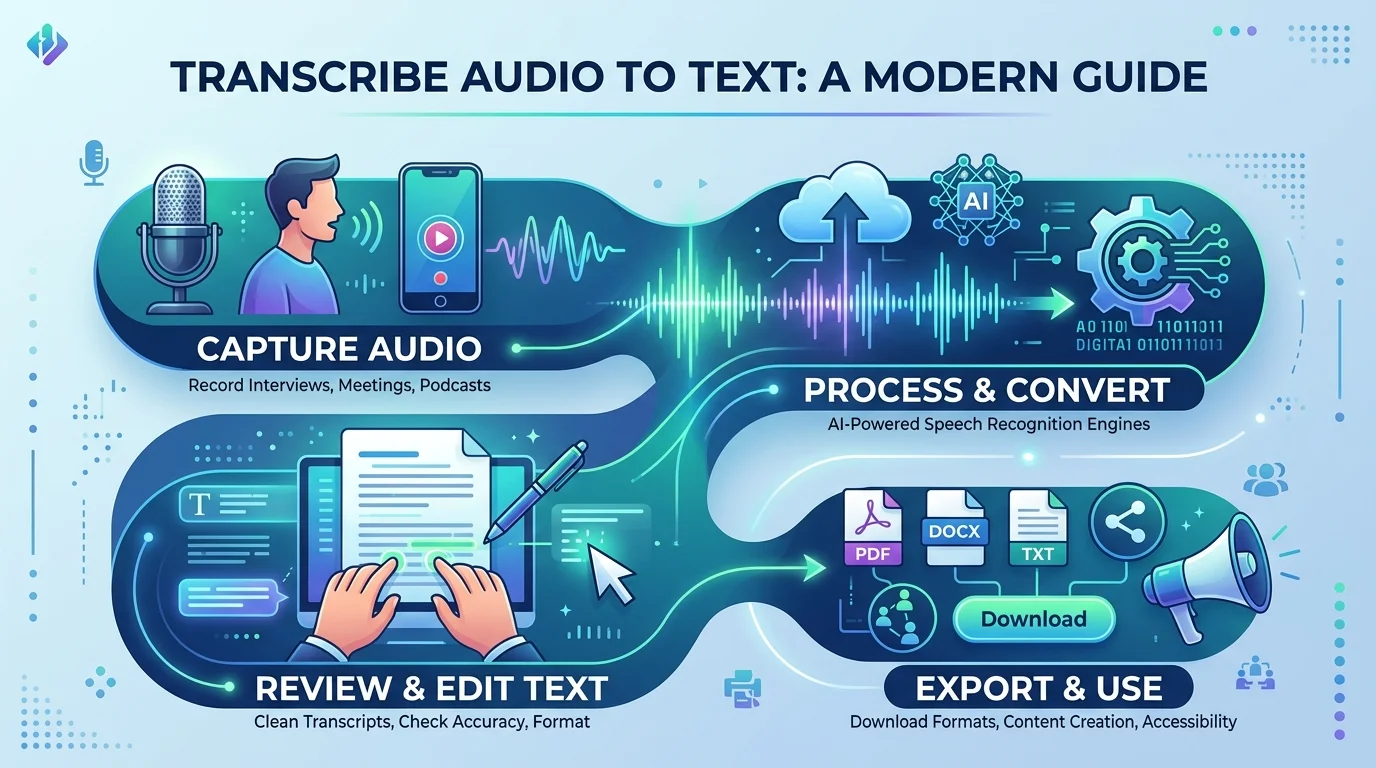
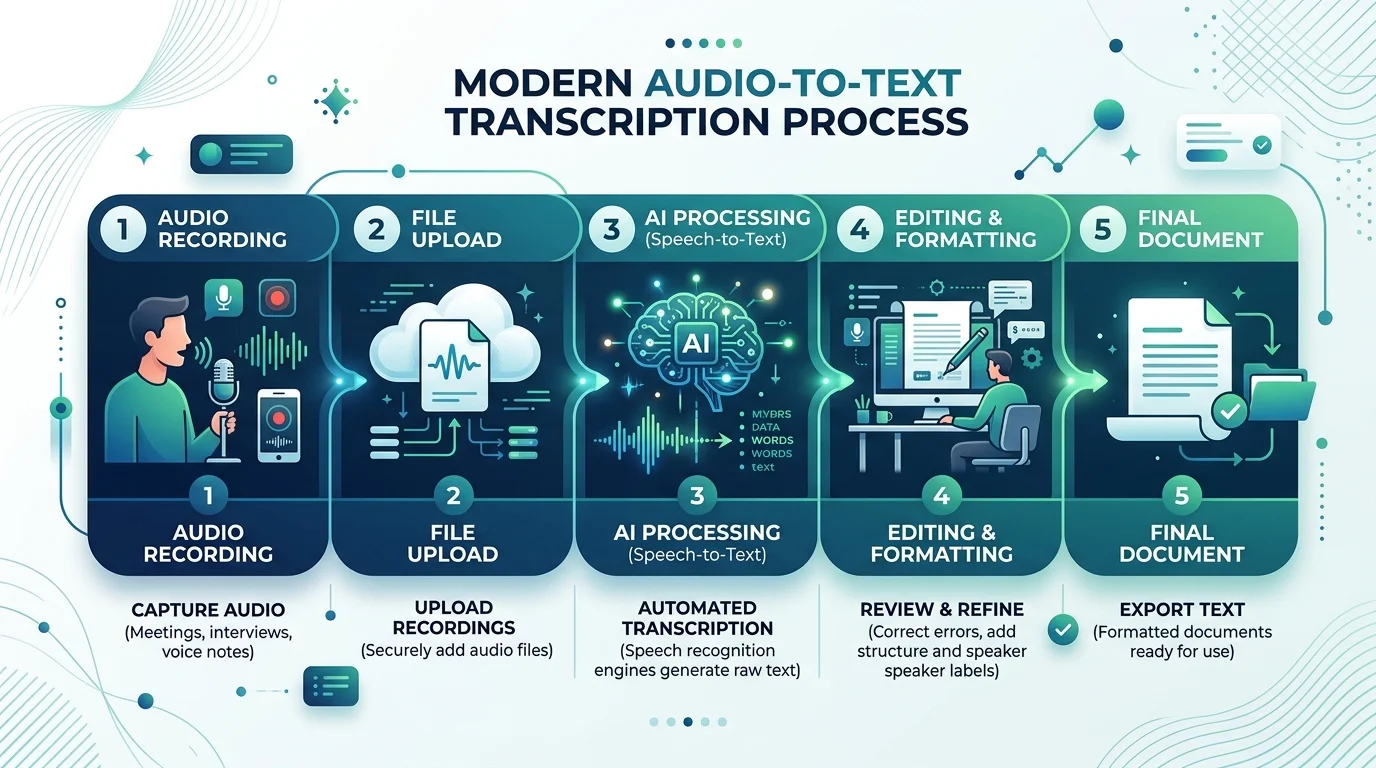
Good news first: you do not need any technical skill to convert audio to text today. Modern transcription software has stripped the process down to three steps, and most of the heavy lifting happens behind the scenes through speech recognition technology. You upload, you choose a setting, and you walk away with a finished document.
This simplicity is a big reason online transcription tools have exploded in popularity across the United States. Students, lawyers, and marketing teams all use the same basic workflow, just for different reasons. Let's break each step down so you know exactly what to expect.
Upload Your Audio File
Start by adding your recording through file upload, drag and drop, or by choosing paste link if your audio lives on YouTube or a cloud drive. Most platforms accept files straight from your phone, laptop, or a voice recorder app, so there is no extra conversion step needed beforehand.
Select Language & Start Transcription
Next, pick your language, or let auto-detect language handle it for you. This step matters because language detection directly affects your final transcription accuracy rate, especially with accent detection in noisy or fast-paced audio.
Download or Export Your Transcript
Once processing finishes, you can review, edit, and then download transcript files in your preferred format. Good tools let you skim the text first using a built-in transcript editor before sending the final version anywhere else.
Why Choose a Modern Tool for Audio Transcription
Not all transcription software is built the same, and the gap between a clunky tool and a great one shows up fast once you are staring at a messy, half-correct document. The best platforms combine strong speech-to-text engines with thoughtful features that save you time after the transcript is generated, not just during it.
Here is the honest truth: free tools used to mean low accuracy and limited transcription quota. That has changed. Many platforms now offer free transcription with surprisingly strong results, thanks to better automatic transcription models trained on millions of hours of real conversation.
Fast, AI-Powered Transcription
AI transcription engines process audio far quicker than a human typist ever could, often delivering results 10x faster than manual work. This speed comes from neural networks trained specifically for voice to text conversion across countless accents and speaking styles.
90+ Languages & Accents Supported
Strong platforms support multilingual transcription and bilingual transcription for mixed-language conversations. Coverage ranges from 90+ languages to 150+ languages depending on the provider, including English, Spanish, French, German, Italian, Portuguese, Dutch, Chinese, Japanese, Korean, Russian, Arabic, Hindi, Swedish, Polish, and Turkish.
Industry-Leading Accuracy (95%+)
Accuracy is everything when you transcribe audio to text for professional use. Top-tier tools advertise figures like 95%+ accuracy, 98.86% accuracy, or even 99% accuracy on clear recordings, with smart noise handling reducing errors from background noise.
Secure, GDPR/SOC 2-Compliant Data Handling
Privacy matters, especially for business recordings. Look for GDPR compliant and SOC 2 certified platforms, ideally with SOC 2 Type II, ISO 27001, CCPA, or HIPAA compliant status, plus data encryption and end-to-end encryption for every file.
Built-In Editor for Quick Corrections
A solid transcript editor lets you fix small errors, adjust punctuation and formatting, and add timestamps without leaving the browser. This turns a rough draft into a clean transcript in minutes, not hours.
Supported Audio Formats
File compatibility sounds boring until your recording will not open anywhere. Thankfully, most modern platforms support a wide range of inputs, so you rarely need to convert anything before you transcribe audio to text. This flexibility matters whether you recorded on an iPhone, a digital recorder, or a laptop microphone during a Zoom call.
The table below shows the most common formats accepted by leading transcription service providers, several of which support 16 formats or more, with some reaching 45+ formats for power users. If you want format-specific guidance, our dedicated MP3 to text and WAV to text pages walk through each conversion in more detail.
Format | Common Use |
|---|---|
MP3 | Standard recordings, podcasts |
WAV | High-quality, uncompressed audio |
M4A | iPhone voice memos |
FLAC | Lossless, studio-grade audio |
OGG | Open-source audio files |
AAC | Streaming and mobile audio |
WMA | Windows Media recordings |
AIFF | Professional Mac audio |
Export Your Transcript in Any Format
Getting a transcript is only half the job. What you do with it next depends entirely on the export formats available. A journalist needs a simple text file. A video editor needs subtitle files. A data analyst might need something spreadsheet-friendly.
This is where flexible transcription software earns its keep. The best online transcription platforms let you choose your output format right after processing, so you are not stuck converting files yourself using a separate program.
Format | Best For |
|---|---|
TXT | Quick, plain-text reading |
DOCX | Editable Word documents |
Sharing finished reports | |
SRT | Video subtitles |
VTT | Web video captions |
CSV | Data analysis and spreadsheets |
JSON | Developer and API use |
Markdown | Blog posts and documentation |
Who Uses Audio to Text Transcription
The appeal of converting audio to text reaches far beyond any single profession. Almost anyone who deals with spoken information regularly can benefit from a faster way to turn that audio into searchable, shareable documentation. That is part of why this category of tool has grown so quickly across the USA.
Below is a quick look at how different groups actually put transcription accuracy and speed to work in their daily routines.
Journalists & Media
Journalists rely on fast turnaround to pull accurate quotes from interviews without missing a deadline.
Students & Researchers
Students and researchers convert lectures and focus groups into structured transcript notes for easier studying and analysis.
Podcasters & Content Creators
Podcasters and content creators repurpose episodes into blog posts, captions, and closed captions for wider reach.
Business Teams & Meetings
Business teams turn calls into meeting notes, often supported by an AI note taker or meeting assistant tool.
Legal & Medical Professionals
Legal professionals and medical professionals depend on precise, word-for-word transcript accuracy for sensitive documentation.
Customer Research & UX Teams
Customer research teams and UX teams transcribe interviews to surface key takeaways and patterns across sessions. For a deeper dive, see our guide on how to analyze interview transcripts for qualitative research.
Key Benefits of Converting Audio to Text
Why bother converting audio at all instead of just keeping the recording? Because text does things audio simply cannot. You can scan it in seconds, search it instantly, and paste pieces of it directly into a report or article. That single shift changes how people work with information day to day.
There is also a real cost argument here. Manual transcription can take four to five times the length of the original recording, while modern tools deliver a finished draft in a fraction of that time, often while you grab lunch.
Searchable, Organized Content
Text turns a recording into searchable content, so finding one specific quote no longer means replaying an entire file from the start.
Improved Accessibility
Transcripts support accessibility for Deaf and hard-of-hearing audiences, helping content meet modern compliance expectations.
Faster Documentation & Note-Taking
Automatic transcripts speed up documentation, freeing teams from typing notes manually during calls or interviews.
Time Savings vs. Manual Transcription
AI transcription consistently beats manual typing on speed, often finishing in minutes what once took hours of focused work.
Pricing Plans
Budget plays a big role in choosing the right transcription service, and thankfully there is something for nearly every situation. Many providers structure their pricing plan around usage, meaning casual users pay nothing while businesses pay for scale, extra minutes, and team features.
It is worth comparing a few providers before committing, since features like transcription quota, integrations, and support quality vary more than people expect.
Plan Type | Typical Inclusions |
|---|---|
Free Plan | Limited minutes monthly, no credit card required, no sign-up required for quick tasks |
Pro Plan | More minutes, priority processing, advanced export formats |
Business/Enterprise Plan | Unlimited or high-volume minutes, team seats, enterprise-grade security and admin controls |
Free Plan
A free plan suits occasional users who just need to transcribe audio to text once in a while without committing to a subscription. If you want zero friction, check out this guide on a free audio to text converter that needs no signup at all.
Pro Plan
A pro plan fits regular users needing more minutes, faster processing, and extra export formats like SRT or DOCX.
Business/Enterprise Plan
Enterprise-grade plans serve teams needing Salesforce integration, Zapier integration, security reports, and usage analytics.
Customer Reviews
Real feedback tells you more than any feature list ever could. Across the industry, customer reviews consistently highlight speed, accuracy, and time saved as the biggest wins for people who switch from manual note-taking to automated tools.
"I used to spend my entire Sunday transcribing interview audio. Now it takes fifteen minutes, and I spend the rest of my day actually writing." — a freelance journalist sharing feedback online
Platforms like HappyScribe, Notta, Rev, Trint, Sonix, Otter.ai, Fireflies.ai, tl;dv, and Fathom have built strong reputations in this space, with several maintaining a solid Trustpilot rating above 4.7/5 rating, and some reporting bases of 6M+ users or more across 41,000+ teams and 6,000+ enterprises.
Frequently Asked Questions
Got lingering questions before you try it yourself? You are not alone. Here are the ones people ask most often when researching how to transcribe audio to text for the first time.
How do I convert audio to text for free?
Upload your file to a tool offering a free plan, select your language, and download the result. Most platforms require no credit card required for basic use.
Can AI transcribe audio accurately?
Yes. Modern speech recognition models reach 95%+ accuracy on clear audio, with some providers reporting 98.86% accuracy under ideal conditions.
What audio formats are supported?
Most tools accept MP3, WAV, M4A, FLAC, OGG, AAC, WMA, and AIFF, with some supporting 16 formats or even 45+ formats total.
How fast is the transcription process?
Real-time transcription and batch processing mean most files finish in minutes, often 10x faster than typing manually.
Is my audio data secure?
Reputable platforms use secure transcription practices, including data encryption, GDPR compliant policies, and SOC 2 certification.
What languages are supported?
Leading tools support anywhere from 90+ languages to 150+ languages, plus multilingual transcription for mixed conversations.
Can I transcribe audio from a video file?
Yes. Most platforms double as a video to text converter, pulling audio directly from MP4 or YouTube links automatically.
What text formats can I export?
Common export formats include TXT, DOCX, PDF, SRT, VTT, CSV, JSON, and Markdown, depending on the provider you choose.
Explore More Tools & Related Features
Audio transcription rarely happens in isolation. Most people who need to transcribe audio to text also need a handful of related tools, and the best platforms bundle these features together instead of forcing you to juggle five different apps.
Video to Text Converter
Pull spoken words directly from video files using the same engine that powers video to text transcription.
Live Transcription / AI Note Taker
Capture conversations in real time during Zoom, Google Meet, or Microsoft Teams calls using an AI note taker.
Subtitles Generator
A subtitle generator or caption generator creates closed captions automatically, often through a built-in SRT generator.
Speech to Text
Convert live or recorded speech instantly using core speech-to-text functionality across desktop and mobile.
Podcast/Audio Summarizer
Turn long recordings into short briefs using an AI summary tool, also known as a content summarizer.
How to Analyze Interview Transcripts for Qualitative Research
A practical guide for researchers and UX teams turning raw transcripts into usable insights. Read it here.
Most platforms in this space also offer a mobile app for iOS app and Android app users through the App Store and Google Play, alongside a full web app, desktop app, and sometimes a Chrome extension. If you are recording on the go, our step-by-step guides on how to transcribe audio on iPhone and how to transcribe audio on Android cover exactly what to do. Many also connect to your existing workflow through Notion integration and Google Docs integration, plus broader API access for developers building custom workflows. Whichever tool you land on, converting your audio into text has never been faster, cheaper, or easier to fit into a normal day.
Read more: Audio Transcript: How I Convert Recordings To Text