A Mortal Kombat text to speech tool uses AI voice cloning to recreate the game's iconic announcer and character voices — you type a line, the AI generates audio, and you get a downloadable clip in seconds. The best options right now are Fish Audio (most popular), Komiko AI (most authentic), and TopMediai (easiest for beginners). Here's everything you need to know, updated for early 2026.
I still remember the first time I heard "FINISH HIM!" blast out of a CRT television in 1993. That voice — deep, cinematic, a little terrifying — became part of gaming culture forever.
So here's a fun question I get asked a lot these days: can you actually get that voice for your own content? Your YouTube videos? Your TikTok clips? Your indie game?
Short answer: yes. And I'm going to show you exactly how.
I spent the last few days testing and researching every major Mortal Kombat text to speech tool I could find. This guide is the result. Let's dive in.
If you're newer to AI voice tech in general, it's worth also reading my breakdown of Eric Voice text to speech, which covers a lot of the same underlying voice-cloning concepts I reference below.
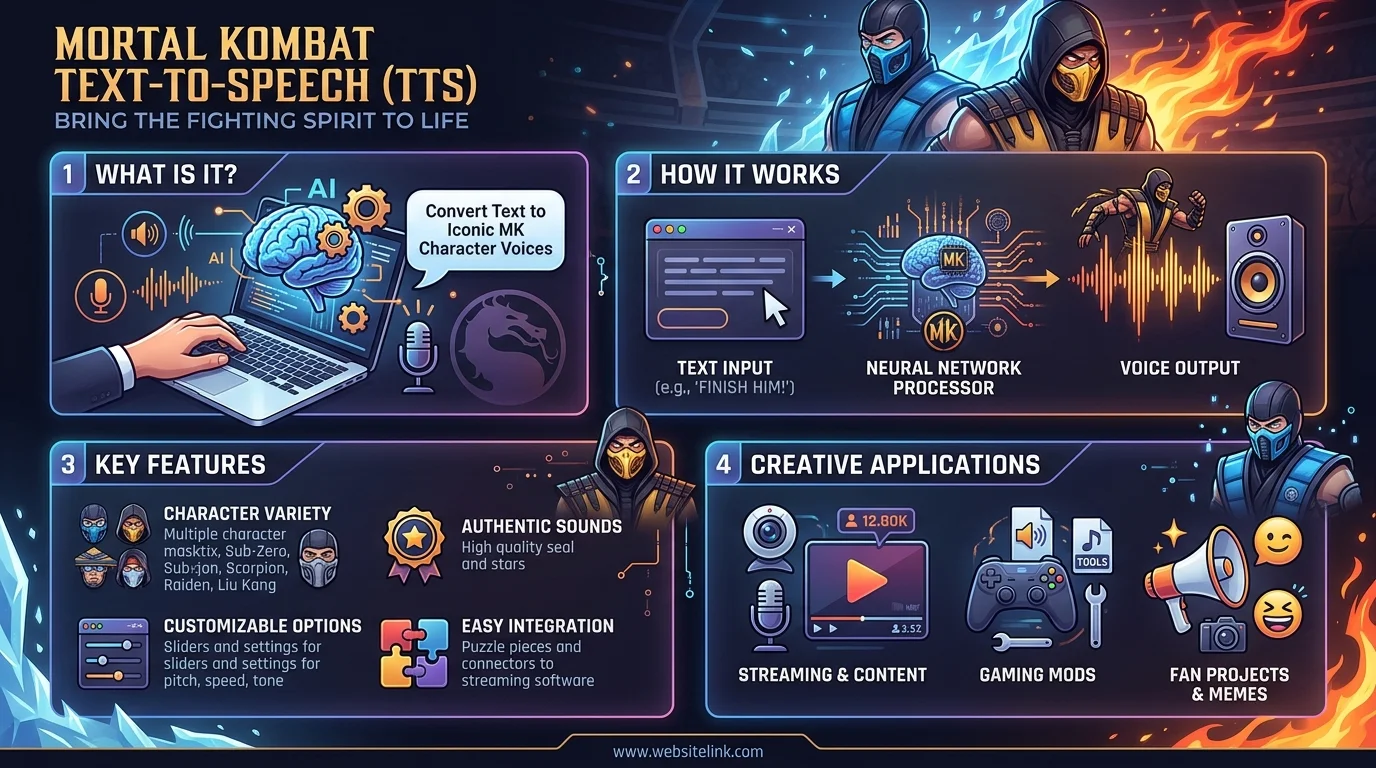
What Is Mortal Kombat Text to Speech, Exactly?
Before you go download the first tool you see, let's get on the same page.
A Mortal Kombat voice generator is an AI tool that uses voice cloning technology to recreate the sound of the game's characters — most commonly the legendary announcer voice, but also fighters like Scorpion, Sub-Zero, and Liu Kang.
You type in text. The AI processes it. Out comes audio that sounds like it belongs in the arena.
That's it. No microphone. No voice acting talent required. Just you, a keyboard, and a few seconds of processing time.
And honestly? The tech has gotten scary good.
Why This Technology Actually Works So Well
Here's the thing most people don't realize.
These tools aren't just slapping a filter on your voice. They're using neural text-to-speech models trained on hundreds of hours of actual game audio. That means the AI learns the rhythm, the breathing patterns, the specific way the announcer stretches out the word "FIGHT."
One tool I tested, Mortal Kombat Text to Speech by AI Voice Lab, puts it well — their system captures "subtle breathing patterns, vocal inflections, and commanding presence" rather than just mimicking pitch. That distinction matters a lot once you actually hear the output.
The Best Mortal Kombat Voice Generators (Tested and Ranked, 2026)
I'm not going to make you scroll through ten mediocre options. Here's a quick side-by-side, followed by the full breakdown.
Tool | Best For | Price | Standout Feature |
|---|---|---|---|
Fish Audio | Volume & variety | Free to try | 3M+ users, multiple voice styles |
Komiko AI | Authenticity | Free / no signup | Voiced by actual MK9 voice actor |
TopMediai | Beginners | Free browser tool | No downloads, pick emotion + language |
AnyVoiceLab | Editing control | Free (subscription tiers) | Built-in timeline editor |
Vondy | Quick memes | Free | One-click preset phrases |
Now let's go deeper on each one.
1. Fish Audio — Best for Volume and Variety
Let's start with the big one.
Fish Audio's Mortal Kombat model is trusted by over 3 million creators. That's not a typo. Three. Million.
Their dedicated Announcer voice alone has over 1.2 million users. This isn't some niche hobbyist tool — it's genuinely mainstream at this point.
Pros
Massive, proven user base
Multiple styling options (male, old, character voice)
Free to try before committing
Cons
Can feel overwhelming with so many voice model variants
Quality varies slightly across community-uploaded models
2. Komiko AI — Best for Authenticity Nerds
If you're the type of person who cares who actually voiced the character (I am), this one's for you.
Komiko's Announcer TTS is voiced by Jamieson Price — the actual voice actor from MK9 — and it shows. The output feels less "AI approximation" and more "genuine performance."
You also get support for English, Japanese, Chinese, and Korean, which is huge if your audience isn't purely US-based.
Pros
Real voice-actor-sourced training data
Multilingual support
No account needed to preview
Cons
5,000-character limit per generation
Fewer character options than Fish Audio
3. TopMediai — Best for Beginners
Not a techy person? No worries.
TopMediai's tool is entirely browser-based — no downloads, no plugins, no editing skills needed. You pick a character, choose a language and emotion, type your line, and hit generate.
Genuinely, that's the whole workflow.
Pros
Zero learning curve
Emotion + language selection built in
Works entirely online
Cons
Character roster smaller than competitors
Free tier has usage limits
4. AnyVoiceLab — Best Free Editor Built In
Here's a nice surprise: AnyVoiceLab's converter comes with a full timeline editor baked right in. You can split tracks, add silence, adjust speed, and merge clips — all without leaving the site.
For creators who want to fine-tune their audio rather than just export raw output, this is a genuinely underrated feature.
Pros
Full audio editing suite included
No login required for basic use
Great for multi-line scenes
Cons
Subscription required for unlimited generations
Interface has a slight learning curve
5. Vondy — Best for Quick, Meme-Ready Clips
Want to just smash out a quick "FATALITY" clip for a Discord server or group chat? Vondy has pre-loaded prompts for exactly that — FATALITY, FIGHT, GET OVER HERE, TEST YOUR MIGHT — one click away.
Pros
Fastest option for common phrases
Zero setup required
Great for casual, non-commercial use
Cons
Less flexible for long-form scripts
Limited customization compared to Fish Audio
How to Generate Mortal Kombat Voice Lines (Step-by-Step)
Okay, let's actually get you making audio. Here's the process, broken down simply.
Step 1: Pick your tool. Match the tool to your need. Want authenticity? Go Komiko. Want speed? Go Vondy. Want raw volume of options? Go Fish Audio.
Step 2: Choose your character or voice model. Most platforms let you pick between the announcer, Scorpion, Sub-Zero, and a growing roster of others.
Step 3: Type your script. This is where you get creative. You don't have to stick to canon lines. In fact — and I really want you to hear this — original content built on the announcer's speech pattern works incredibly well. Think imperative sentences, punchy delivery, and a strong final beat. "[Character/thing], [descriptor]" is a proven template — "Adobe Premiere, editor of champions" is a genuinely great example pulled from real creator use.
Step 4: Preview before you commit. Almost every tool lets you preview for free, no account needed. Use this. Don't waste generations on guesswork.
Step 5: Generate and download. Most output as WAV files, ready to drop straight into your video editor, game engine, or podcast timeline. If you also work with recorded audio in the other direction, my guide on transcribing audio files for free covers the reverse workflow — turning speech back into text.
Step 6: Layer in sound design. Here's a pro tip nobody tells you: the raw voice line is only half the magic. Add a subtle reverb or arena echo, and suddenly your clip sounds ten times more legitimate.
A Quick Word on the Legal Side
I'd be doing you a disservice if I skipped this.
Voice cloning does sit in a legally gray area. Most reputable platforms are upfront about this — AnyVoiceLab explicitly states that while their tool generates similar-sounding voices, it cannot exactly replicate a specific individual's voice, and doing so intentionally could raise copyright or personality-rights concerns.
My honest advice? Use these tools for fan content, parody, personal projects, and non-commercial fun — the exact use case they're built for — and you'll be totally fine.
Frequently Asked Questions
Is Mortal Kombat text to speech free to use?
Yes, most tools — including Fish Audio, Komiko AI, TopMediai, and Vondy — offer free tiers with no signup required for basic generations. Paid plans typically unlock longer scripts and unlimited usage.
Which Mortal Kombat voice generator sounds the most authentic?
Komiko AI currently stands out because its Announcer voice model is sourced from Jamieson Price, the actual MK9 voice actor, rather than a purely synthetic approximation.
Is it legal to use AI-generated Mortal Kombat voices?
For personal, fan, and non-commercial content, it's generally considered fair use territory. For commercial projects, you should proceed carefully, since voice cloning can raise copyright and personality-rights issues depending on how closely it replicates a specific person.
Can I make characters say anything I want?
Yes. Every tool covered here accepts custom text input, not just pre-set game lines. Many creators write entirely original scripts using the announcer's signature speech patterns.
What file format do these tools export?
Most platforms export in WAV format, which is compatible with virtually every video editor, game engine, and podcast tool.
Read Also: What Is Constructive Criticism? A Simple Guide
Why You Should Actually Try This Today
Look, I get it. You might be thinking "this is just a novelty."
But here's what I've noticed watching creators use these tools: the announcer voice instantly signals hype. It's a shortcut to excitement that took the original game decades to build culturally — and now you get to borrow it.
Whether you're editing a gaming montage, building hype for a tournament stream, adding personality to a Discord bot, or just making your friends laugh in a group chat — this is one of those rare tools that's genuinely fun and genuinely useful.
So don't just read about it. Go pick one of the tools above, type "Round One... FIGHT!", and hit generate.
You'll be hooked in about eight seconds. I promise.