
Ever watched a YouTube video and wished you could just read it instead? Maybe you needed a quote for a paper, or wanted to skim a long podcast fast. Whatever the reason, a solid youtube to transcript tool solves this instantly. These converters turn spoken video content into clean, searchable text, no software required. Whether you need a transcript with timestamps for research, a YouTube video to text copy for note-taking, or a full speech to text breakdown of a podcast episode, the process takes seconds. This guide covers how it works, why it matters, and how to pair your transcript with AI tools like ChatGPT and Claude.
What is a YouTube Transcript?
A YouTube transcript is simply the written version of everything said in a video. Think of it as closed captions stripped out and turned into a clean block of text you can read, copy, or search through. Most transcripts pull from auto-generated captions or manually uploaded subtitle files, so the accuracy often depends on how clearly the speaker talks. If you're curious how this compares to converting other formats, our guide to a general audio transcript covers the same core idea, just applied to audio files instead of video links.
Unlike YouTube's built-in caption panel, a dedicated YouTube to text converter gives you a usable document. You get transcript with timestamps, one-click copying, and often a transcript without timestamps option too. It's the difference between glancing at scrolling subtitles and actually owning the text.
How to Convert a YouTube Video to Transcript (Step-by-Step)
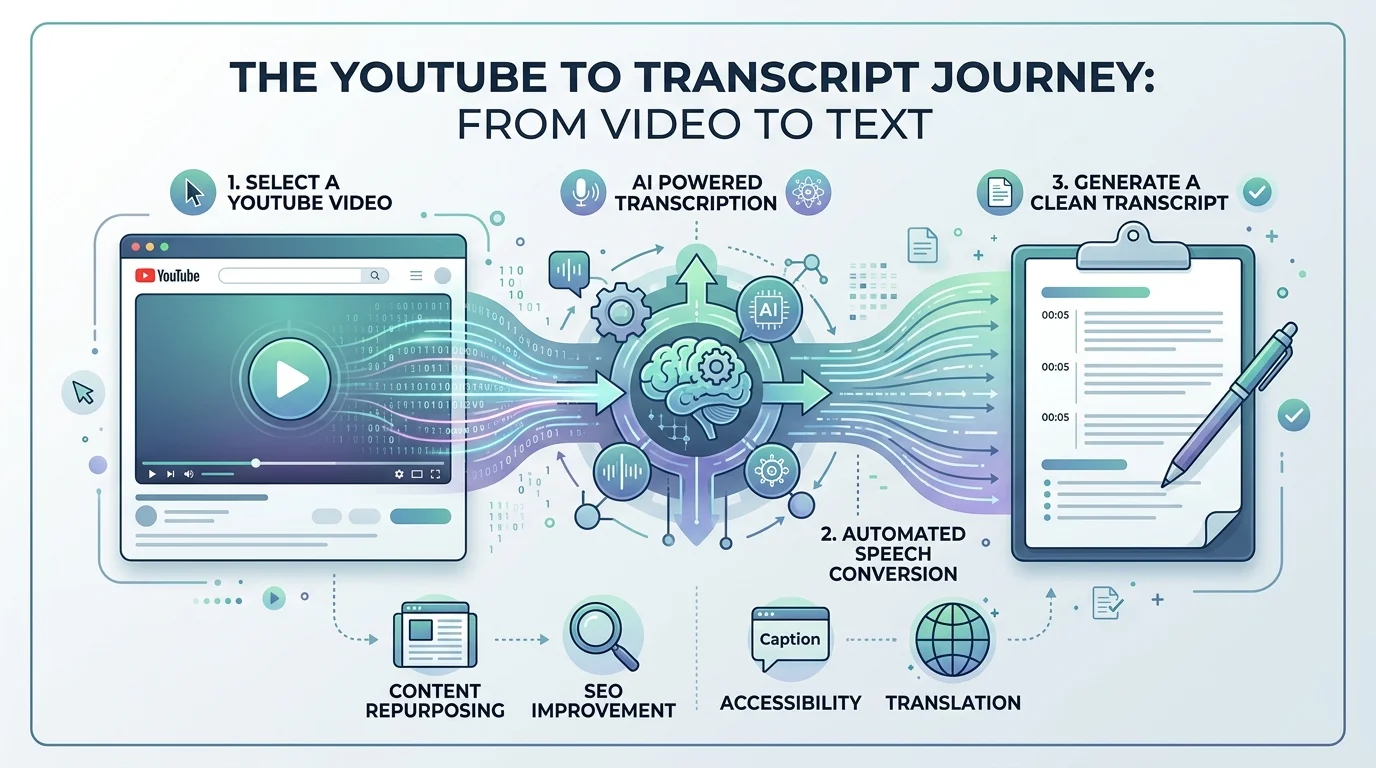
Converting a video into text is far simpler than most people expect. There is no software to install and no waiting around. A good YouTube transcript downloader handles the heavy lifting in the background while you just paste and click. The overall approach is close to how you'd transcribe audio to text from any other source, just applied directly to a video link instead of a file upload.
Here is the process broken into three clear steps, from link to finished document.
Step 1 – Paste the YouTube Link
Copy the YouTube link from your browser or the YouTube app and drop it into the tool's search bar. It works with full URLs, shortened youtu.be links, or even just the raw video URL ID. There's no need to trim or format anything first.
Step 2 – Generate the Transcript
Click generate, and the tool pulls the video captions straight from YouTube's servers. Most transcripts appear in under ten seconds, even for videos over an hour long. Behind the scenes, this is essentially speech to text processing applied to existing caption data.
Step 3 – Copy, Download, or Translate
Once the text loads, you get three options. Copy it straight to your clipboard, save it as a text file for later, or run it through a built-in transcript translator. You can also toggle timestamp navigation on or off, depending on whether you need to jump back to a specific moment in the video.
Key Features of Our YouTube Transcript Tool
A transcript tool is only as good as the features behind it. Speed matters, but so does accuracy, language support, and how easily you can move the text somewhere else once you have it.
Below is a breakdown of what separates a genuinely useful YouTube transcript generator from a basic one that just dumps raw text on the screen.
Free & Unlimited Extraction
There's no paywall and no hidden cap on how many transcripts you can pull. This is a truly free online tool, and no sign-up required means you can start converting the moment you land on the page. If you're also converting standalone audio files, our free audio to text converter with no sign-up guide covers that workflow too.
Fast, Accurate Results
Speed and accuracy go hand in hand here. Most transcripts generate in seconds, not minutes, and the text closely matches what was actually said, punctuation and all.
Multi-Language Support & Translation
Support stretches across 125+ languages, covering everything from English, Chinese, Spanish, Japanese, Korean, Portuguese, French, Arabic, and dozens more. You can request a multi-language transcript or translate an existing one on the spot, which is a huge help for anyone learning a new language or researching foreign content.
AI-Powered Summarization
Beyond raw text, a built-in transcript summarizer condenses long videos into a few key paragraphs. This AI-generated summary saves you from reading ten thousand words just to grasp the main argument.
Copy, Download & Export Options
Once your transcript is ready, exporting it takes one click. Choose a TXT export, copy and paste directly, or send it to a docs page via email delivery for safekeeping.
Works on Any Public Video
This works even on videos that never had closed captions uploaded by the creator. Using AI transcription, the tool listens to the audio directly and builds a transcript from scratch, something many competing tools genuinely cannot do.
The table below compares typical free tools against premium options, so you know exactly what you're getting.
Feature | Free Tool | Paid/Premium Tool |
|---|---|---|
Basic transcript extraction | Yes | Yes |
Batch transcription for multiple videos | Rarely | Yes |
Playlist transcription | No | Often |
Speaker detection / separation | No | Sometimes |
YouTube Transcript API access | No | Yes, with bulk pricing |
Remove sponsored segments automatically | No | Sometimes |
Why You Need a YouTube Transcript
It's easy to underestimate how useful a transcript is until you actually need one. Whether you're studying, creating content, or just trying to save time, having text instead of video opens up options that watching alone never will.
Here's a closer look at exactly who benefits and how.
For Note Takers & Students
Pausing and rewinding a lecture video gets old fast. With a full transcript, students can skim, highlight, and paste sections straight into their notes app. It's a genuine note-taking tool upgrade, especially when paired with AI to turn raw text into a study guide generator output. For a deeper look at options built specifically for coursework, see our guide to the best AI transcription tool for students.
For Content Creators
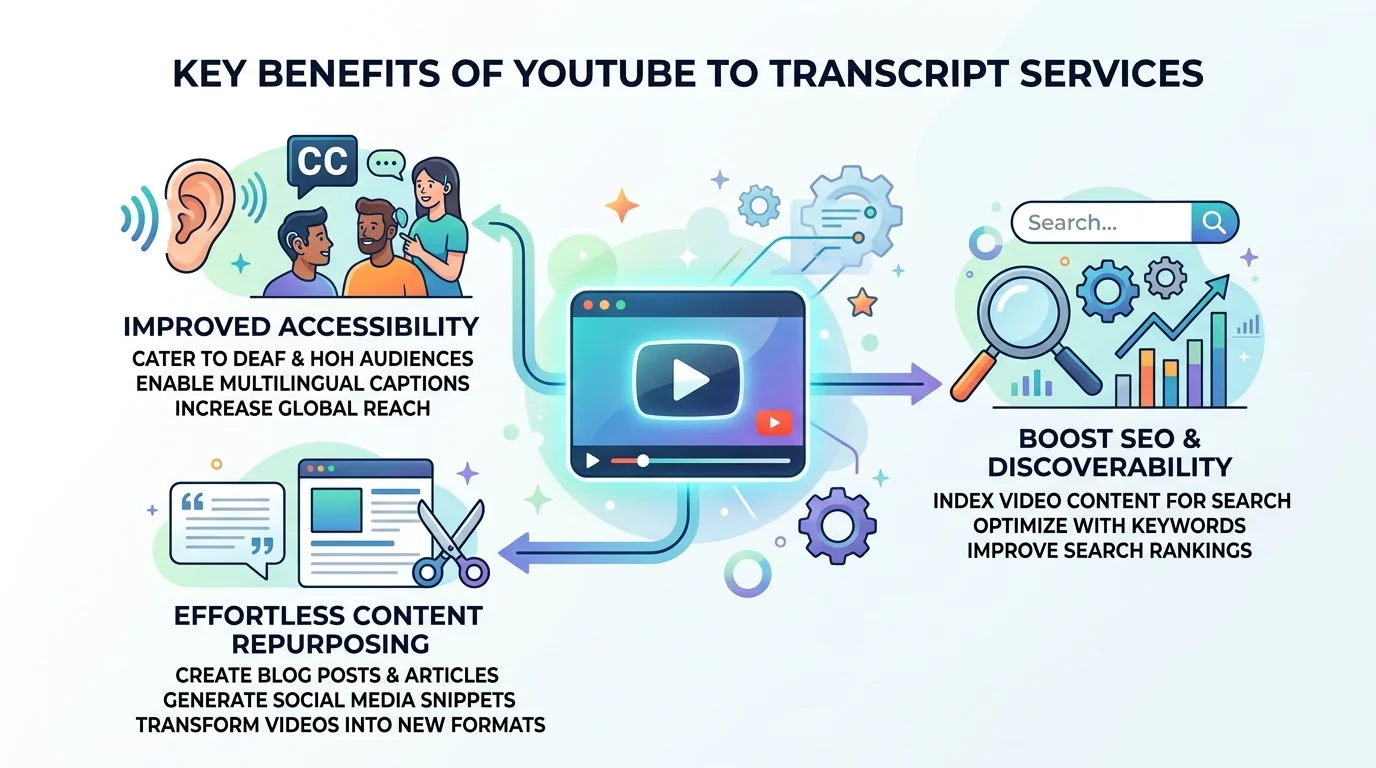
Content creators use transcripts as raw material for blog posts, tweet threads, and newsletters. This is called content repurposing, and it lets one video become five different pieces of content without filming anything new.
For Researchers & Professionals
Students and researchers, along with professionals / consultants, rely on transcripts to pull direct quotes for citations. A meeting/interview transcript also creates a written record that's far easier to search than scrubbing back through video footage. If you're conducting formal research, our guide on how to analyze interview transcripts for qualitative research walks through the full process.
For SEO & Repurposing Content
Pasting a summarized transcript into your SEO video description can genuinely help a video rank better on YouTube itself. It also gives search engines more crawlable text tied to your content, which is something video alone can never provide.
Pair YouTube Transcripts with AI Tools (ChatcPT, Claude, etc.)
Once you have a transcript, the real magic starts. Copy the text and paste it into ChatGPT, Claude, or Gemini, then ask it to summarize, translate, or pull out the key points. This simple workflow has quietly become one of the most popular reasons people search for a youtube to transcript tool in the first place.
Some tools now go a step further with MCP (Model Context Protocol) integration, letting AI tools / AI chat platforms read a transcript directly without manual copy-pasting. Others work well alongside NotebookLM for deeper research projects. However you use it, pairing a transcript with AI turns a passive video into an interactive, searchable resource you can question and reshape however you like.
Read Also: Download Music From YouTube: 2026 Legal Guide
Use Cases: Who Uses YouTube Transcripts?
People from wildly different backgrounds rely on the same basic tool for very different reasons. A marketing specialist might pull quotes for a campaign, while an educator turns a lecture into a printable handout. Podcasters often repurpose their own episodes into blog content, and journalists use transcripts to fact-check quotes without replaying an entire interview.
One group that rarely gets mentioned is the deaf and hard-of-hearing community, who depend on accurate transcripts simply to access video content at all. This accessibility angle matters just as much as convenience, and it's a strong reason platforms should treat transcript accuracy as a genuine responsibility rather than a nice-to-have feature. Working with videos hosted outside YouTube? Our guide on downloading Vimeo transcriptions step-by-step covers a similar process for that platform.
What Our Users Say
"I used to spend an hour rewatching lecture clips before exams. Now I just paste the transcript into my notes app and I'm done in fifteen minutes," says Maria, a graduate student.
James, a podcast host, put it simply: "Turning old episodes into blog posts used to take me all weekend. With a transcript ready in seconds, I get a full week's worth of content from one recording."
Frequently Asked Questions
Is YouTube Transcript free to use?
Yes. Most core features are completely free, with no sign-up required to get started right away.
Can I generate transcripts in other languages?
Absolutely. Support covers 125+ languages, including bilingual subtitles for videos that mix two languages together.
How accurate are the transcriptions?
Accuracy is generally very high for clear audio, though background noise or heavy accents can occasionally affect results slightly.
Can I edit or export the transcript?
Yes, you can edit the text freely before exporting it as a text file or copying it directly into another document.
Is there a video length limit?
Most tools handle videos of any length, including multi-hour lectures or full-length podcasts, without trouble.
Does this work with non-English videos?
Yes, as long as the video has spoken audio or existing captions, the tool can process it regardless of the original language.
How do I use the transcript with AI tools like ChatGPT?
Simply copy the finished transcript and paste it into ChatGPT, Claude, or your preferred AI tools / AI chat platform, then ask it to summarize or analyze the content.
Start Converting YouTube Videos to Transcripts — Free
There's no reason to keep pausing and rewinding videos just to catch a missed line. A reliable youtube to transcript tool turns any video into clean, usable text in seconds, completely free, with no account needed. Paste your link, generate your transcript, and see how much time you save starting today.
Read more: AI Transcription Tool For Students: My Cousin's Story