The best virtual games to play on Zoom in 2026 fall into three buckets — quick energizers (5-10 min) like scavenger hunts, mid-length team games (15-30 min) like trivia and bingo, and bigger events (45+ min) like escape rooms. Below, I'll walk you through all 21 Zoom Games plus exactly how to run them, a comparison table, and a simple scoring method to pick the right one for your team.
Let's be honest with each other for a second.
You've sat through a Zoom call where everyone's mic is muted, half the cameras are off, and someone's cat is the most engaged participant in the room. I've been there too. And if you're reading this, you're probably looking for a way to fix that exact problem.
Here's the good news: you don't need a big budget or fancy software to turn a flat, awkward call into something people actually look forward to. You just need the right games — and I'm going to show you exactly which ones work, why, and how to run them without a hitch.
Why Zoom Games Actually Matter (The Data Behind It)
Before I hand you the list, let's talk about why this matters, because I don't want you to think this is just "nice to have" fluff.
Remote work isn't going anywhere. According to the U.S. Bureau of Labor Statistics, 22.6% of U.S. workers teleworked in March 2026 — and that rate has held steady for years. That's millions of people who might go days without a real, unscripted conversation with a colleague.
And the isolation is measurable, straight from the source. Gallup's own research shows that engaged employees are 64% less likely to report feeling lonely than disengaged ones. On top of that, fully remote employees report loneliness at 25%, compared to 16% for on-site workers.
So yeah — this isn't just about "fun." It's about remote team engagement, company culture, and honestly, keeping good people from quietly checking out. If you're also managing a hybrid setup, it's worth reading through our guide on how to work from home effectively, since a well-run remote routine makes team activities land better.
What Exactly Are "Zoom Games"? (Quick Definition)
Zoom games are virtual games you run inside a Zoom meeting using built-in features — screen sharing, chat, reactions, polls, and breakout rooms. You don't need sketchy third-party downloads, though a few tools do make things smoother.
Before you start, it also helps to know your way around Zoom's basic controls — for example, knowing how to raise your hand in Zoom makes turn-based games (like trivia buzzers or bingo call-outs) run a lot smoother.
Now let's get into the actual list.
Quick Energizers (5–10 Minutes)
These are your go-to when you just need to wake a room up before a meeting starts.
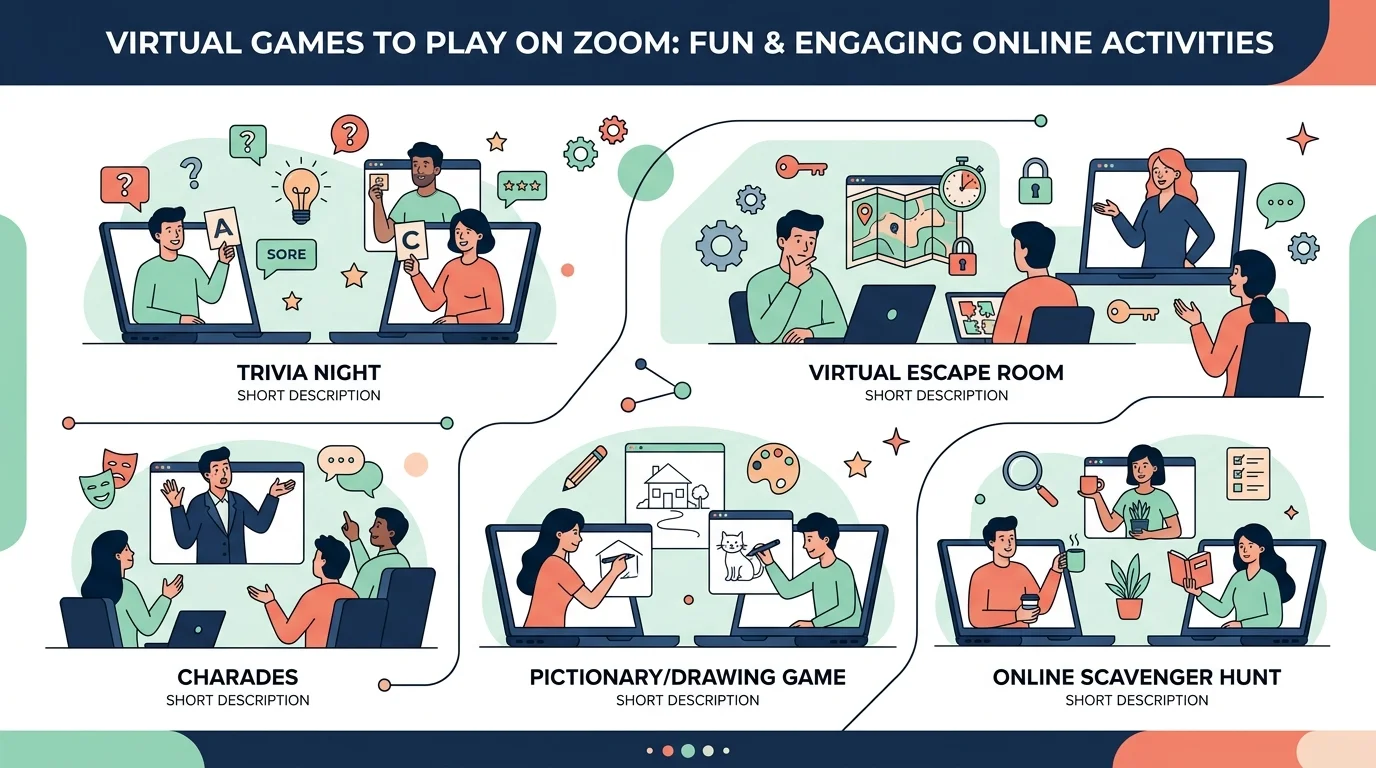
Lightning Scavenger Hunt — one of the most effective games for an instant energy boost. Call out an item, everyone races to find it on camera.
Emoji Reactions Race — a fast icebreaker that works well for large groups.
Object Matching — someone holds up an object, and everyone has 10 seconds to find a matching item and hold it up too. Simple, but surprisingly funny.
Mid-Length Team Games (15–30 Minutes)
If you've got more time, this is where the real team bonding happens. And if you want more prompts to keep the conversation going once the game wraps up, check out our list of icebreaker questions for team meetings — they pair really well with these formats.
Virtual Bingo — turns everyday experiences into a game, great for team socials.
Codenames or Virtual Trivia — these top-rated activities build problem-solving and collaborative strategy, which makes them an easy sell to leadership too.
Something in Common — send teams into breakout rooms and challenge them to find shared traits. Simple setup, real connection.
Bigger Events (45+ Minutes)
For company-wide socials or offsites, you'll want more production value.
Virtual Escape Rooms — teams work together to solve timed puzzles through a shared platform, best for 4-10 people per room.
Virtual Murder Mystery — some providers run this for up to 100 players at once.
Office Olympics — inspired by The Office, this is one of the most popular virtual team building activities and scales well for larger groups.
Comparison Table: Which Game Fits Your Situation?
Game | Time Needed | Best Group Size | Tool Required | Best For |
|---|---|---|---|---|
Lightning Scavenger Hunt | 5-10 min | Any size | None | Quick energy boost |
Emoji Reactions Race | 5-10 min | Large groups | Zoom reactions | Icebreakers |
Object Matching | 5-10 min | Any size | None | Warm-ups |
Virtual Bingo | 15-20 min | Small-medium | Bingo card link | Long meetings |
Codenames / Trivia | 15-30 min | Small teams | Trivia platform | Problem-solving |
Something in Common | 15-20 min | Any size | Breakout rooms | New team bonding |
Virtual Escape Room | 45-60 min | 4-10 per room | Escape room provider | Collaboration challenge |
Virtual Murder Mystery | 60+ min | Up to 100 | Murder mystery platform | Big socials |
Office Olympics | 45-60 min | Large groups | Varies | Company-wide events |
How To Set Up Your Zoom Environment (Step-By-Step)
You could have the best game idea in the world, but a clunky setup kills engagement in about 30 seconds. Trust me.
Enable breakout rooms in your Zoom settings ahead of time — don't scramble mid-call.
Pre-load your materials. Share the Bingo card, trivia deck, or scavenger hunt list before the game starts.
Assign a facilitator to keep time, explain rules once clearly, and manage the chat.
Test your tech. If you're using a platform like Slides With Friends, do a dry run first.
A Simple Scoring Method To Pick The Right Game
Here's a quick framework I use — rate each option 1-5 on these four factors, then add up the score:
Time available (do you have 10 minutes or a full hour?)
Group size (5 people vs. 500 changes everything)
Goal (energy boost vs. deep collaboration vs. onboarding)
Tech comfort (does your team need something with zero setup?)
Whichever game scores highest across your specific constraints — that's your pick for this week. Don't overthink it beyond that.
Frequently Asked Questions
How many people can play games on Zoom?
It depends on the game. Simple energizers work with any size group. Trivia and bingo work well up to a few hundred. Some virtual murder mystery platforms support up to 100 players, and trivia platforms like the one from Best Corporate Events scale from 30 to 1,000+ participants.
Are Zoom games free to run?
Many are — scavenger hunts, bingo, trivia, and icebreakers can all be run with nothing but Zoom's built-in features. Bigger events like escape rooms or facilitated murder mysteries usually require a paid provider.
What's the best Zoom game for a new remote team?
Start with something low-pressure like Something in Common or a Lightning Scavenger Hunt. These build comfort without demanding much prep or vulnerability.
How do I stop Zoom games from feeling forced?
Rotate your games regularly and match them to the moment. The best approach is having a wide selection of games on hand and rotating them instead of running the same one repeatedly.
Do virtual games actually improve team engagement?
Yes — the data backs it up. Gallup's research confirms engagement and connection move together, and regular, low-pressure social touchpoints like games are one of the most direct ways to build that connection remotely.
Final Thoughts: Start Small, But Start Today
I know this might feel like a lot. But you don't need to overhaul your entire remote culture overnight.
Pick one game from the table above. Try it in your next team call. See how people react. Then build from there.
In a world where remote employee morale and company culture initiatives can make or break retention, a 15-minute game is one of the cheapest, highest-return investments you can make in your team. So go ahead — pick a game, and give your team something to actually look forward to this week.
![Recover Gmail Password Without Phone Number [2026]](https://contiocdn.com/efdc9a99-5ac4-4f75-be3a-ed43de859d76/blog-covers/1790082232767-y9rtx1hq-recover-gmail-password-without-phone-number--2026-.webp)