
To complete an ADP RUN Payroll login, go to the official RUN Powered by ADP login page, enter your user ID and password, and click Next. First timers click CREATE ACCOUNT (administrators) or REGISTER NOW (employees). If you are locked out, use Forgot Password or Forgot Your User ID.
Let's be honest.
Nobody wakes up excited to log into payroll software. But when payday is two days away and your ADP Run payroll login won't cooperate, it matters a lot.
I've seen small business owners burn an hour on this. You don't have to. I'll walk you through it, from your first sign in to approving a pay run.
Quick Facts About RUN Powered by ADP
Here's the snapshot before we dive in. Skim it, then keep reading.
What it is: ADP's small business payroll platform covering payroll processing, tax filing and basic HR tools, per TechRepublic.
Who uses it: ADP says 900,000 plus small businesses rely on it.
User rating: 4.6 across 1,403 verified reviews on Capterra.
Mobile app rating: 4.9 from 44K ratings in the App Store.
Registration code lifespan: 15 days, per ADP's quick reference card.
Pricing: quote based. Tech.co reports plans starting around $79 per month plus $4 per employee.
How to Complete Your ADP Run Payroll Login
Here's where most people get stuck. The trick is knowing which door you belong to.
Administrators and employees share one login page but follow different registration paths. Pick yours below, and you'll be inside in minutes.
First Time Administrator Login
When your account is created, ADP emails you a temporary password. It's your key to the front door.
Open the RUN login page.
Click CREATE ACCOUNT.
Enter your temporary user ID and password, then click Next.
Follow the prompts to finish account activation.
After that, ADP's support guide points registered users to runpayroll.adp.com for daily sign ins.
Employee Registration
Are you an employee? Click REGISTER NOW instead. Enter your details and follow the screens.
Got a registration code from your employer? Use it fast, because it expires after 15 days. If it's gone, ADP's quick reference card describes a Find me with Email or Mobile option.
Need a different employer portal too? Our guide to the Dollar Tree Compass employee login walks through another common employee sign in.
Forgot Your Password or User ID?
Don't panic. It happens to everyone.
Forgot password: Enter your user ID, click Next, then choose Forgot Password? You'll get a temporary password, then create a permanent one.
Forgot user ID: Click FORGOT YOUR USER ID? and answer the security questions. Your ID appears on screen.
Still stuck? ADP says to contact your company's RUN administrator. This reset walkthrough explains which flow fits your product.
Which App Do You Need: Admin or Employee?
This one trips people up, so I'll keep it simple.
If you're a payroll or HR administrator, you want the RUN Powered by ADP Mobile Payroll app. Sign in with the same user ID and password as the web version, per ADP's support page.
If you're an employee, you want ADP Mobile Solutions. ADP's help page says RUN credentials work there, and it requires iOS 16.4 or later (or Android 10 or later).
Both apps are free.
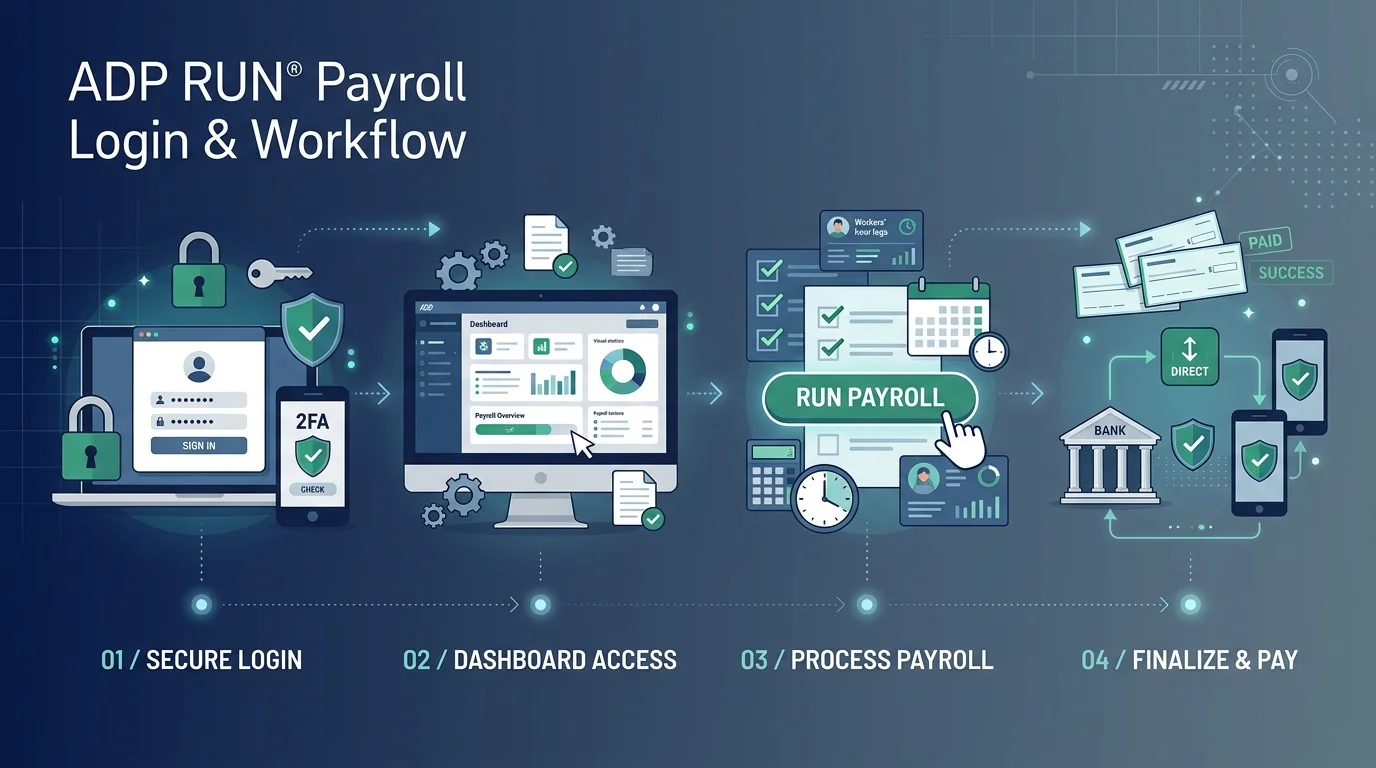
How to Run Your First Payroll (Step by Step)
You're logged in. Now the fun part.
Running payroll in RUN is more of a checklist than a puzzle. Here's the flow:
Click Run Payroll on the dashboard, as FitSmallBusiness explains.
Enter hours, salaries and any bonuses. If your team’s hours still come from paper timesheets, an employee time tracking app that feeds hours straight into payroll cuts typos and missed punches.
Fix anything RUN flags with its error detection.
Click Preview Payroll and check every total, as shown in this tutorial.
Approve before the payroll approval deadline.
Need to pay a bonus? Use off cycle payroll from the Payroll tab.
One catch: per ADP's mobile guide, add new employees and contractors on the web version, not the phone.
Protect Your Account From Fake ADP Login Pages
Here's the uncomfortable truth.
Payroll accounts are gold for criminals, and they love faking ADP login pages. They send emails about a ready W2 or a locked account. You click, you type, and they've got your credentials.
Cofense documented a campaign where a fake page even asked for a two factor code. ADP's own security alerts describe cloned login pages too.
So what should you do?
Never log in through an email link. Type the address or use a bookmark.
Turn on multifactor authentication wherever it's offered, as security researchers recommend.
Forward suspicious emails to the address in ADP's alerts (a 2020 alert named abuse@adp.com), then delete them. Check ADP's current guidance first.
Clicked already? Tell your IT support right away.
Watch for lookalike web addresses, too. This breakdown shows how convincing they've become. For another real world example of how scam emails work, read our post on the Geek Squad scam email.
RUN Powered by ADP vs Gusto vs Paychex
Let me save you some tabs. Here's how the three compare, using G2's comparison data.
Feature | RUN Powered by ADP | Gusto | Paychex |
|---|---|---|---|
G2 rating | 4.7 out of 5 (6,132 reviews) | 4.6 out of 5 (12,136 reviews) | 4.1 out of 5 (1,734 reviews) |
Entry price | Contact ADP | From $49 per month | Contact vendor |
Pricing model | Quote based | Published | Quote based |
Heads up: ratings shift between snapshots. Another G2 page shows RUN and Gusto both at 4.6. Always confirm current numbers before you decide.
Want something lighter? Roll by ADP starts at $29 a month plus $5 per payee.
Is RUN Powered by ADP Worth Buying? My Honest Take
I won't oversell it. I'll tell you what I'd tell a friend.
Yes, I think RUN Powered by ADP deserves a serious look if you want dependable payroll and HR software from a household name. You get automated tax filing, direct deposit, reports and an app that lets you approve payroll from anywhere. Reviewers on Capterra love running payroll from their phones.
The downsides?
ADP doesn't publish rates, and it explains why. Some reviewers call it pricey, and a few report support frustrations, like this one. Fair warning, I'd rather you hear it from me.
My advice: request a quote, try the demo, and compare it against one other provider. If the numbers fit, don't overthink it. Payroll is the one thing you can't afford to get wrong.
Frequently Asked Questions About ADP RUN Login
What is the ADP RUN login URL?
Use the official RUN login page. ADP's support guides also reference runpayroll.adp.com for registered users.
How do I reset my ADP RUN password?
Enter your user ID, click Next, then select Forgot Password? ADP sends a temporary password, and you create a permanent one after signing in.
How do I find my ADP RUN user ID?
Click FORGOT YOUR USER ID? on the login page and answer the security questions. Your ID is then displayed. If you also lost the email tied to your account, see our guide to recovering a Gmail password without a phone number.
Is there an ADP RUN mobile app?
Yes. Administrators use the free RUN Powered by ADP Mobile Payroll app with their web credentials. Employees use ADP Mobile Solutions.
How much does ADP RUN cost?
ADP quotes pricing individually. Tech.co reports plans starting around $79 per month plus $4 per employee, but your quote may differ.
How do I know if an ADP login page is fake?
Never reach the login through an email link, and check the web address carefully. ADP's security alerts describe cloned pages sent by email.
Final Thoughts
You now know how to register, sign in, recover a lost password, run payroll and spot a fake login page.
That's the whole game.
Bookmark the official login page, turn on multifactor authentication where available, and request your quote today. Your future self, staring at a smooth payday, will thank you.