
An employee time tracking app records when, where, and on what your team works, then sends those hours straight to payroll. It cuts payroll errors, helps you meet recordkeeping laws, and costs from free to roughly USD 18 per user per month, based on third party listings.
Let me be blunt.
If you still run payroll off paper sheets or a messy spreadsheet, you're probably overpaying someone right now. Maybe by a few minutes. Maybe by a lot.
I've seen small teams leak hours every week without noticing. The fix is simpler than you think. Below, I'll show you what to look for, which tools to compare, and how to roll one out this week.
Why Do You Need an Employee Time Tracking App?
You might be wondering whether this is really worth your money. Fair question. Inaccurate hours hit you in three places: payroll costs, legal risk, and team morale. Think of time tracking software as a seatbelt for your business. You hope you never need it, but you'd never drive without it. Here are the numbers behind that claim.
The compliance case
In the US, the Department of Labor says employers must keep records of hours worked each day and week for nonexempt staff. Any method is fine, as long as it's complete and accurate. A digital timesheet makes that easy.
In Europe, the rules are tighter. The EU's top court ruled that employers must set up a system to record each worker's daily working time.
And the money at stake is real. The ten biggest wage and hour settlements in 2024 added up to USD 614.55 million. Ouch.
The everyday leak
Then there's the quiet stuff. A Connecteam analysis of 500 companies found 39% reported missed punches and 15% reported buddy punching. That's the vendor's own data, so treat it as a signal, not gospel. Still, it matches what owners tell me all the time.
An OnTheClock survey of 800+ hourly workers found that 25% admitted to buddy punching in the past year, and 43% had adjusted their reported hours. Same caveat: it's vendor research.
The market is moving fast
You're also not early. Analysts put the global market at roughly USD 6 billion in 2025, with forecasts of around 13 to 14% yearly growth from Grand View Research. Estimates vary a lot depending on how each firm defines the category, so read them as a direction, not a precise number.
What Are the Main Types of Time Tracking Software?
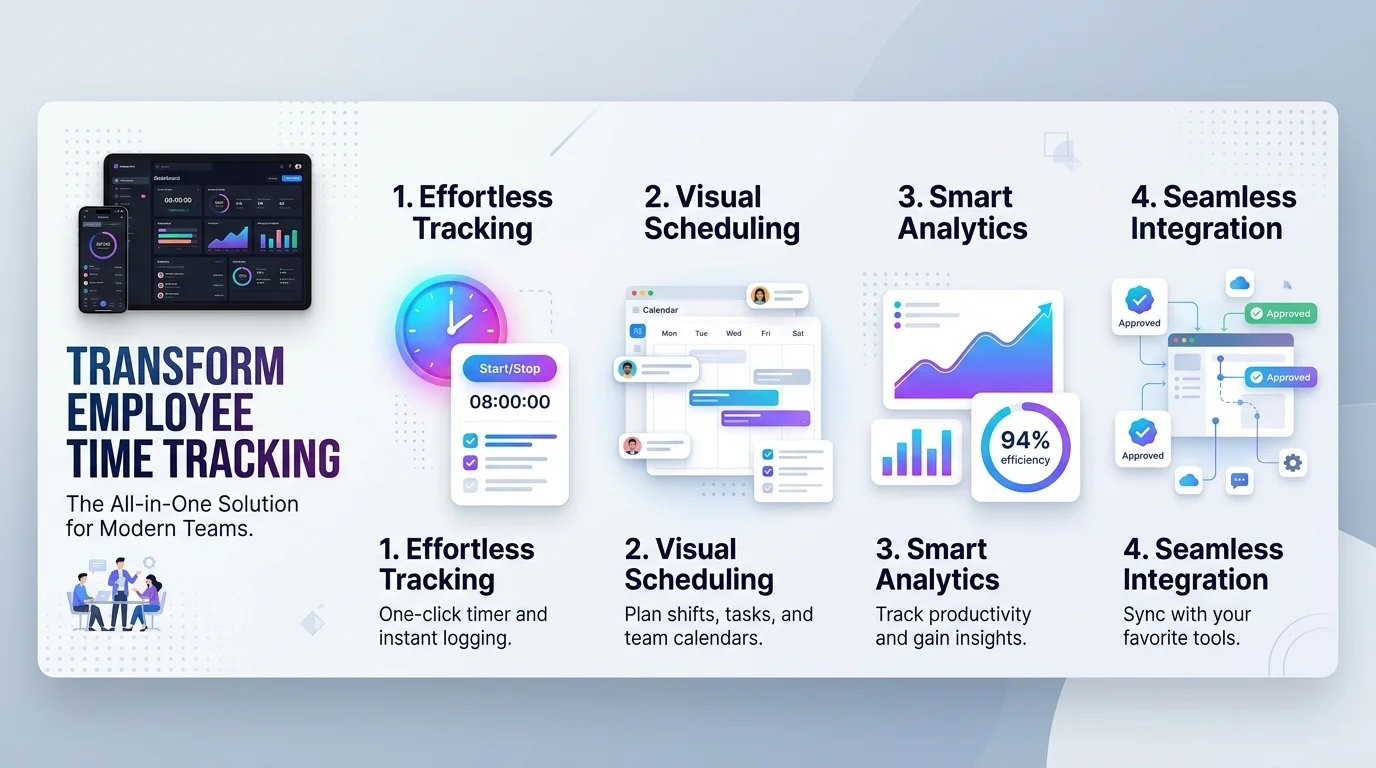
Before you compare brands, know the categories. People mix them up constantly, and that's how teams end up buying a surveillance tool when they only needed a time clock app. Each type solves a different problem, and the right choice depends on how your team works. Here's the quick breakdown so you can match your needs to the right category.
Clock in and clock out apps: Best for hourly staff. Think attendance tracking with GPS or a biometric time clock.
Project and billable time trackers: Best for agencies and freelancers who bill by the hour.
Automatic time trackers: They capture app and meeting time in the background, then you add task tags for context.
Employee monitoring software: It goes further, with screenshots and activity levels. Handle with care, more on that below.
Manual vs. automated: which wins?
Manual entry is cheap, but it's slow and error prone. Automated tracking costs a bit more, yet it saves your managers hours of cleanup. I'd pick automation for any team over five people. You'll see the payback in your first pay run.
Already juggling browser add ons? Our roundup of the best productivity Chrome extensions shows how lightweight tools can complement a full tracking app.
Pros and cons at a glance
Pros | Cons | |
|---|---|---|
Time tracking apps | Accurate payroll, audit trail, fewer disputes, lower admin time | Monthly cost, needs team onboarding |
Spreadsheets or paper | Free, familiar | Errors, no location checks, weak records |
What Features Should an Employee Time Tracking App Have?
Not every tool deserves your credit card. Some are bloated. Some are barely more than a digital punch clock. So before you start any free trial, know what separates a great time and attendance system from a mediocre one. Focus on features that protect accuracy and save admin time. Everything else is decoration, honestly.
Location and identity checks
Want to stop false punches? Use GPS time tracking with geofencing. A virtual boundary around a job site means people can only clock in when they're actually there. Platforms like TimeClock 365 also offer fingerprint, face recognition, and selfie on punch, so nobody can clock in for a friend.
Got a remote crew? Perfect. Remote attendance tools record location at every punch, even on a phone. If you're building a distributed team from scratch, start with our guide on how to work from home so your tracking policy matches how people actually work.
Payroll and approvals
Here's where you save real hours. Look for payroll integration, a timesheet approval workflow, and overtime tracking alerts. When hours flow straight into payroll, nobody retypes anything. No retyping means no typos.
Also check for break tracking, PTO requests, an audit trail, and offline mode. Trust me, your field team will hit dead zones.
Which Time Tracking App Is Best? A Quick Comparison
Choosing feels overwhelming because every vendor claims to be number one. Many "best apps" lists are written by the vendors themselves, so I lean on independent listings and each tool's own pricing page. The table below gives you a fast starting point for your shortlist. Prices change often, so confirm everything on the vendor's site before you buy.
Tool | Best for | Starting price (per user per month) | GPS or geofencing |
|---|---|---|---|
Toggl Track | Simple tracking without surveillance | Free tier; Starter about USD 9, Premium about USD 18 | Not listed |
Clockify | Budget teams | Free tier; paid roughly USD 3.99 to 14.99 | Listed on higher plans |
Hubstaff | Remote and field teams | From about USD 4.99 per seat, two seat minimum | Yes, on higher plans |
Connecteam | Deskless teams needing GPS, geofencing, biometrics | See vendor | Yes |
Prices come from third party listings (CostBench, G2) checked in 2026 and may differ from vendor pages.
How Do You Set Up a Time Tracking App? (6 Steps)
Ready to move? Good. Setup takes less time than most people fear. The hardest part is deciding to start. Below is the exact order I'd follow. Skip nothing, because each step prevents a headache later, and you can have your first clean pay run within a couple of weeks.
Define your goal. Payroll accuracy? Client billing? Compliance? Pick one main goal first.
List your rules. Write down overtime limits, breaks, and your rounding policy. In the US, rounding to 5 minutes, a tenth of an hour, or a quarter hour is allowed, but it must average out so employees are paid for all time worked.
Shortlist three tools. Use the table above and real review sites like G2.
Run a two week trial. Test with one real team. Watch the mobile app closely.
Tell your people first. Explain what's tracked, why, and who sees it. Then put it in writing.
Connect payroll and go live. Compare your first pay run against your old method. If you use ADP, this walkthrough of the ADP Run payroll login will help you get into your account and check that imported hours match.
Is Employee Time Tracking Private and Legal?
Here's the catch. A tool that feels like spying can wreck your culture, and some features carry legal risk. The good news is that you can avoid nearly all of it with a few smart choices. Let me walk you through the two biggest traps, so you can pick a tool that protects both your business and your people.
Trust and surveillance
An ExpressVPN survey found 46% of UK employees feel stress or anxiety about their boss monitoring online activity. That's a vendor run poll, but the message is clear: heavy surveillance backfires. So, track hours, not keystrokes. Keep it transparent.
GDPR and biometrics
Time data is personal data. The UK regulator publishes guidance on monitoring workers, including a section on biometrics for time and attendance.
Using fingerprints in Illinois? Be careful. The state's BIPA law triggered waves of class actions over fingerprint time clocks because employers skipped written notice and consent. Pick a tool with privacy controls, audit logs, and clear consent options, and you're covered.
What Are the 2026 Time Tracking Trends?
The rules and the tech are both shifting this year. If you buy now, you want a tool that keeps up. Three changes matter most, and each one affects what you should look for in a vendor. Let me give you the short version of what's new, with an honest note on what's still only a proposal.
AI and automatic tracking. Hubstaff data shows 85% of professionals use AI at work, but it makes up just 4% of tracked time. Expect tools to focus on work patterns, not just hours.
UK recordkeeping. Since 6 April 2026, the Employment Rights Act 2025 requires adequate holiday and holiday pay records, kept for six years per London Loves Business. That covers holiday records, not daily hours.
Germany. A June 2026 draft bill would regulate electronic time recording. It's still a draft, so watch it.
FAQ: Employee Time Tracking Apps
Is employee time tracking legal?
Yes. In the US, the DOL requires records of hours worked each day and week for nonexempt staff. EU courts have ruled employers must record daily working time. Rules differ by country and state, so confirm local requirements before you roll anything out.
Do I need to track breaks?
Short rest breaks, like coffee breaks, count as time worked under US rules, so your app should record them correctly. Longer meal breaks follow your local law and policy. Set break rules in the app, then check them with an employment lawyer.
Can I round employee time?
Yes, in the US you may round to the nearest 5 minutes, tenth of an hour, or quarter hour. But it must average out so employees are paid for all time worked. Paying exact minutes is the safest option.
Are biometric time clocks legal?
Often, but with conditions. Illinois's BIPA requires written notice and consent before collecting fingerprints, and the UK ICO has specific guidance on biometrics for attendance. Selfie or GPS verification can be a simpler alternative.
How much does a time tracking app cost?
Many tools have free tiers, and paid plans commonly run from about USD 4 to USD 18 per user per month, based on third party listings. Prices change, so confirm on each vendor's page.
What's the difference between time tracking and employee monitoring?
Time tracking records when and where people work. Employee monitoring goes further, capturing screenshots, app use, and activity levels. Monitoring raises bigger privacy and trust issues, so use it only with a clear reason and written notice.
Ready to Stop Overpaying for Hours?
Here's my honest take: waiting costs more than buying. Every pay period without accurate records is another chance for error, and the rules are getting stricter every year. A few dollars per person is nothing next to one disputed overtime claim or six months of repeated payroll mistakes.
So here's what I'd do today. Pick your top three tools from the table, start a free trial, and put one team on it Monday. By the next pay run, you'll know.
Start your free trial today, and give your employee time tracking app the first week it deserves. Your time is money. Start tracking it.
Want more ways to run a tighter team? Browse our business productivity guides.