

A Google Sheets budget template is a free, customizable spreadsheet that tracks your income and expenses and shows what's left each month. Pick a method first (50/30/20 for beginners, zero-based for tight control). Then set up four columns, add SUM and SUMIF formulas, and review monthly.
Why a Google Sheets Budget Template Beats Fancy Apps
Budgeting apps come and go, and many lock their useful features behind a subscription. A spreadsheet doesn't. It's free, flexible, and you control every cell. I switched years ago and never looked back, and here's why you might too.
Zero cost. All you need is a free Google account, and Google's template gallery already includes a monthly budget.
Real time collaboration. Your partner can track expenses with you from any phone.
Total customization. Add or delete budget categories whenever life changes.
Wide coverage. Tiller's 2026 roundup lists 35+ free templates, covering budgeting, debt payoff and small business.
Does it matter? Well, Bankrate's survey found 36% of Americans say they're living paycheck to paycheck. That figure is from 2024, so check for a newer one before you quote it. A clear system helps.
Which Google Sheets Budget Template Fits You?
Here's the mistake I see constantly: people download a template first and choose a method second. Flip that order. Your budgeting method decides which layout will actually work for your income and goals. Use this table to match the two. It's adapted from UI Bakery's June 2026 guide.
Template type | Best for | Complexity |
|---|---|---|
Monthly | Regular household planning | Easy |
Weekly | Variable weekly spending | Easy |
Biweekly | Pay period budgeting | Medium |
Zero-based | Giving every dollar a job | Medium |
50/30/20 | Simple category planning | Easy |
Business | Revenue, expenses, cash flow | Medium |
The 50/30/20 Rule (Best for Beginners)
You split your after tax income into three buckets: 50% for needs, 30% for wants, and 20% for savings goals and debt. The idea was popularized by Elizabeth Warren and Amelia Warren Tyagi in their 2005 book All Your Worth. Acorns calls it a flexible starting point, not a strict rule. If you're unsure how to set that 20%, it helps to separate short term and long term goals first.
Here's a worked example (my own math, not from a source). Say your take home pay is $3,000:
Needs (50%): $1,500
Wants (30%): $900
Savings and debt (20%): $600
Zero-Based Budgeting (Best for Tight Control)
Income minus expenses equals zero. Every dollar gets a job. That doesn't mean you spend everything. It means you assign fixed expenses, variable expenses, savings and debt repayment on purpose. Vertex42 offers a free zero-based worksheet if you want to see one in action.
Step by Step: How to Build a Budget in Google Sheets
Now for the fun part. Follow these steps in order, and you'll have a working monthly budget before your coffee gets cold. I'm keeping it practical, because theory never paid anyone's rent.
Set up your layout. Create four columns: Category, Budgeted Amount, Actual Amount, and Difference. List every income source first, then group expenses into fixed and variable. Want a clean title row? You can merge cells in a spreadsheet to center your headers. Someka's walkthrough shows this layout visually.
Add your formulas. Use =SUM() for totals and =C2-B2 for the budget variance in each row.
Automate category totals. Log purchases on a separate Transactions tab, then pull totals with SUMIF. This guide explains the setup.
Add dropdowns and alerts. Use data validation for category dropdowns, then add conditional formatting so overspending turns red. Google's Workspace tutorial covers both features.
Review monthly. Compare real numbers with your projections and adjust.
Pro tip: Type =SUM(F5:F) instead of =SUM(F5:F100). The formula keeps counting as you add rows, so you'll never fix a broken total again.
Mistakes That Quietly Kill Your Budget
Even a great template can't save you from bad habits. I've made every one of these, so learn from my pain instead.
Overcomplicating it. Start with ten categories, not forty.
Skipping the review. The CFPB advises tweaking and trying again, because nobody nails it in month one.
Forgetting irregular costs. Car repairs and annual subscriptions don't announce themselves, so add a sinking fund line.
Google Sheets Budget Template FAQ
Is there a free Google Sheets budget template?
Yes. Google's template gallery includes a free monthly budget, and sites like Vertex42 and Tiller offer more. Open Google Sheets, click Template gallery, and choose one.
What is the best budget template for beginners?
The 50/30/20 template. It tracks only three categories, so you can start in minutes.
How do I calculate expenses automatically?
Use SUMIF to total transactions by category. Log each purchase with a category dropdown, and your budget tab updates itself.
Can two people share one budget sheet?
Yes. Share the file from Google Sheets and both of you can edit it in real time.
How often should I update my budget?
Log spending weekly and review monthly. Variable income earners may prefer a weekly or biweekly layout.
Why You Should Grab My Google Sheets Budget Template Today
You can build all of this from scratch, and I just showed you how. But will you? Be honest with yourself.
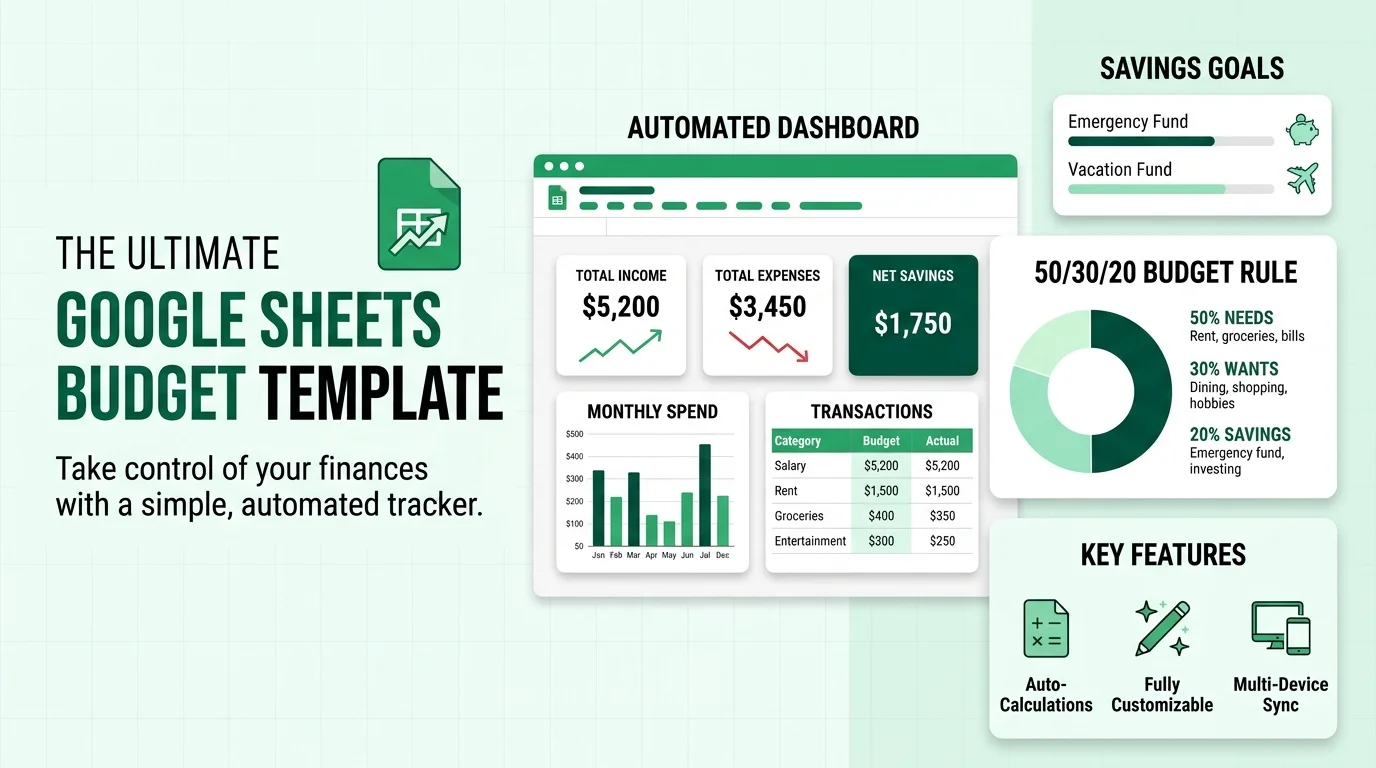
Building takes hours of fiddling with formulas, formatting and charts. My ready made budget planner template gives you the finished version in one click. Your income and expense tracker, dashboard, savings tracker and category dropdowns all work from minute one.
Here's what you're really buying:
Time back. Skip setup and start tracking today.
Fewer errors. The formulas are already built, so your totals stay right.
Clarity. You'll see exactly where your cash flow goes each month.
One forgotten subscription can cost more than a template does, so the template can pay for itself fast. Get the template now and take control before next month's bills land.
Final Thoughts: Start Small, Start Today
A Google Sheets budget template won't fix your finances by magic. But it gives you a clear system, and a clear system changes behavior. Pick a method, set up your columns, add your formulas, and review monthly.
Once your budget runs smoothly, take the next step and learn how to read a balance sheet. It shows you how assets and liabilities fit into the bigger money picture.
You've got the roadmap. Now go build the habit.