
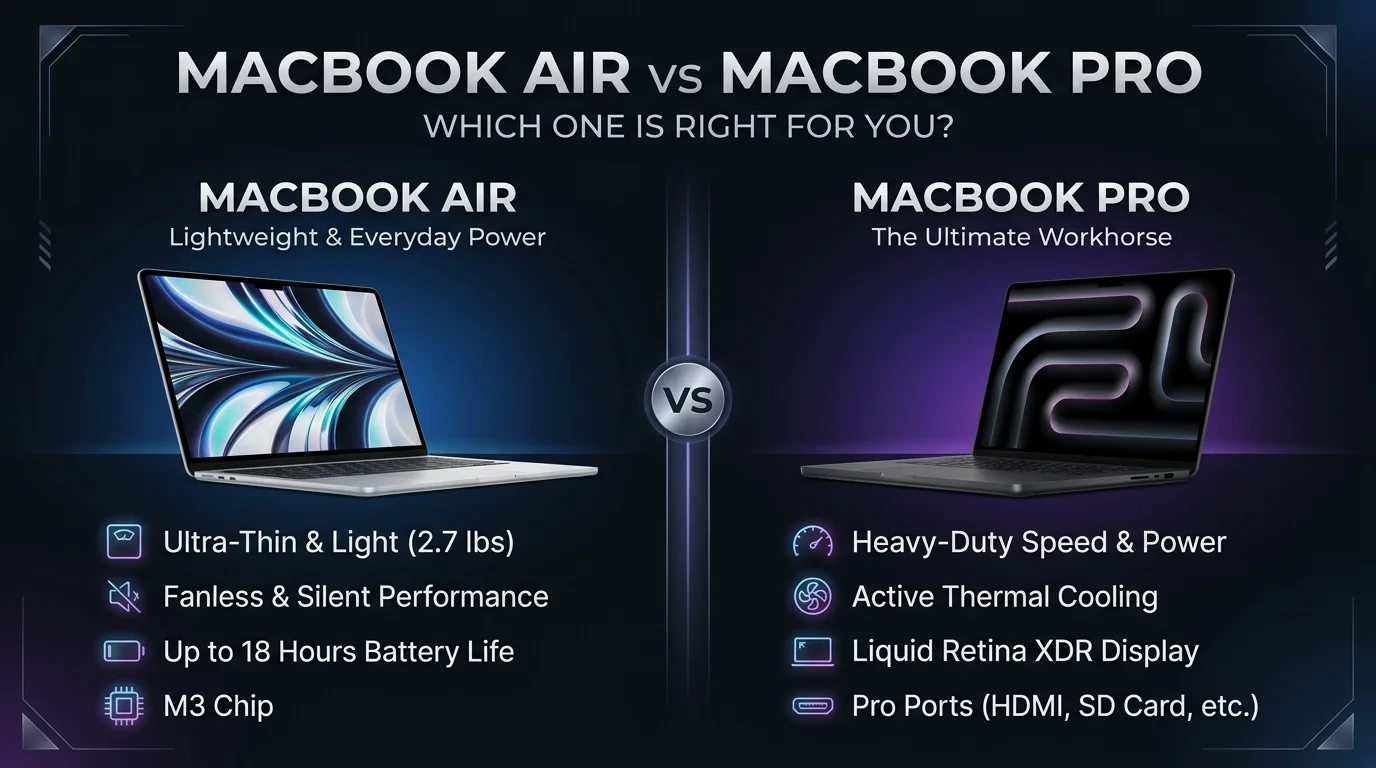
MacBook Air vs MacBook Pro, For most people, the MacBook Air M5 is the better buy. Choose the MacBook Pro if you edit 4K video, compile large codebases, or need a brighter Liquid Retina XDR display and more ports. Both use the same Apple M5 chip family, so the real difference is cooling, screen, and connectivity.
The Big Differences at a Glance
You're probably comparing tabs right now, so I'll make this easy. This table pulls the numbers from Apple's spec pages and Macworld's 2026 buying guide. Prices reflect Apple's June 2026 increase, which added hundreds of dollars to some models.
Feature | MacBook Air (M5) | MacBook Pro (M5 / M5 Pro / M5 Max) |
|---|---|---|
Starting price | $1,299 (13 inch), $1,499 (15 inch) | $1,999 (14 inch M5), $2,499 (14 inch M5 Pro) |
Display | Liquid Retina, 500 nits, 60Hz | Liquid Retina XDR, 1,000 nits sustained, 1,600 peak, 120Hz |
Cooling | Fanless | Active fan |
Battery (Apple's rating) | Up to 18 hours | Up to 24 hours (M5) |
Ports | 2x Thunderbolt 4, MagSafe | 3x Thunderbolt, HDMI, SDXC, MagSafe |
Max RAM | 32GB | 128GB (M5 Max) |
Max storage | 4TB | 8TB |
Weight (13 and 14 inch) | 2.7 lb | 3.4 lb |
Shopping for school? Our guide to the best laptops for students in 2026 shows where the Air fits among other options.
Performance: Does the Fan Really Matter?
Here's the honest truth: for everyday work, you won't feel a difference. Both laptops fly through browsing, spreadsheets, and light editing. The gap only appears when you push the chip for a long stretch. The Air's fanless design keeps it silent, but the chip eventually slows down to stay cool. That's called thermal throttling, and it's the Pro's main selling point.
If you've ever wondered why a laptop slows down when it gets hot, our breakdown of laptop overheating causes and fixes explains it in plain English.
What the Benchmarks Say
I like numbers, so here's one. Tom's Hardware scored the Air at 1,005 in 3DMark Steel Nomad versus 1,122 for the cooled M5 in the MacBook Pro. That's roughly a 10% gap.
It also compiled a large codebase on the Air in 165 seconds. Macworld noticed gaming performance dipping on the Air after about ten minutes.
Short tasks? Nearly identical. Long renders? The Pro pulls ahead.
Display, Battery, and Ports
This is where the Pro starts to feel like a premium laptop. The screen is brighter, smoother, and better for color critical work. The battery life is longer on paper. And the connectivity is far more flexible. Let me break down each piece so you know what you're actually paying for.
Screen Quality
The Air's panel is sharp and supports wide color, but it's capped at 500 nits with no ProMotion. The Pro adds mini LED, HDR, and 120Hz scrolling, and you can order an optional nano texture display to cut glare.
Real World Battery
Apple claims 18 hours for the Air. In testing, Notebookcheck measured just over 16 hours of WiFi browsing. That's still a full workday and then some.
Ports and External Displays
The Air gives you two Thunderbolt 4 ports and supports two external displays. The Pro adds HDMI and an SD card slot, and M5 Pro and M5 Max models jump to Thunderbolt 5.
Price: What You'll Actually Pay
Let's talk money, because it matters. At launch in March, the Air started at $1,099 and the base Pro at $1,699. Then Apple raised prices in June. Today the Air starts at $1,299 and the Pro at $1,999.
So you'll pay about $700 more for the entry Pro.
How to Spend Smarter
Don't pay for specs you'll never touch. A common mistake is overbuying RAM and storage. Still, memory and SSD storage can't be upgraded later, so start at 16GB and 512GB.
Also check Apple's refurbished store. Macworld spotted an M5 Air there for $1,099.
What About the MacBook Neo?
You might've seen Apple's budget option and wondered if it's enough. The MacBook Neo starts at $699 with an A18 Pro chip and 8GB of RAM. It's fine for browsing, streaming, and schoolwork. But it has a weaker display and fewer ports, and Macworld's review notes its limits.
If you can stretch your budget, the Air is the safer long term buy.
Which MacBook Is Best for Your Work?
Different jobs need different machines, so here's a quick way to match yours.
Writers and bloggers: The Air is plenty. It's quiet, light, and the battery lasts all day. Our roundup of the best laptop for writers goes deeper.
Students: The 13 inch Air is the sweet spot for price and portability.
Video editors and 3D artists: Go Pro. The cooling and XDR screen pay off daily.
Developers: Light web work suits the Air. Big builds and virtual machines suit the Pro.
Your Step by Step Buying Guide
Still unsure? Follow these steps. It takes five minutes.
Name your heaviest task. A 4K export? Or 40 browser tabs?
Count your sustained load hours. Hours of rendering or compiling every day? Lean Pro.
Check your screen needs. Color critical work deserves the XDR panel.
List your gear. Need HDMI or an SD slot? That's the Pro.
Set a budget ceiling. Then pick the cheapest model that passes steps one to four.
Choose your size. The 13 inch Air is lightest, and the 15 inch gives you room without Pro pricing.
Should You Wait for the M6?
I get it. Rumors about an M6 and a touchscreen redesign are everywhere, and Macworld's wait or buy guide covers them. But Apple hasn't confirmed anything. If you need a laptop now, buy now. A great MacBook that you use today beats a perfect one you wait on.
After You Buy: Protect Your New MacBook
Got your new Mac? Smart move to set it up right on day one.
First, back up your MacBook so your files are safe if anything goes wrong. Then check our list of the best antivirus for Mac to keep it secure.
Why I'd Buy the Air (And When I Wouldn't)
If I were buying for school, an office job, or travel, I'd grab the Air without hesitation. It's quiet, light, and now ships with 16GB of RAM and 512GB of storage standard. Notebookcheck's review agrees it's excellent for most people.
But if you edit video, code all day, or render 3D, buy the MacBook Pro. The cooling and memory headroom will pay you back daily.
You can't really lose either way. Pick the one that fits your workload, then order it.
Frequently Asked Questions
Is the MacBook Air powerful enough?
Yes. For work, school, browsing, and light creative tasks, the Air's M5 chip is more than enough.
Does the MacBook Air throttle?
Under long, heavy loads, yes, because it has no fan. For everyday use, you won't notice.
Which MacBook has the best battery life?
The 14 inch MacBook Pro with M5 is rated for up to 24 hours. The Air is rated for 18.
Is 16GB of RAM enough?
For most buyers, yes. Creators and gamers should aim for 24 to 32GB.
Is the Pro worth the extra $700?
Only if you use the sustained performance, XDR screen, or extra ports. Otherwise, the Air is better value.