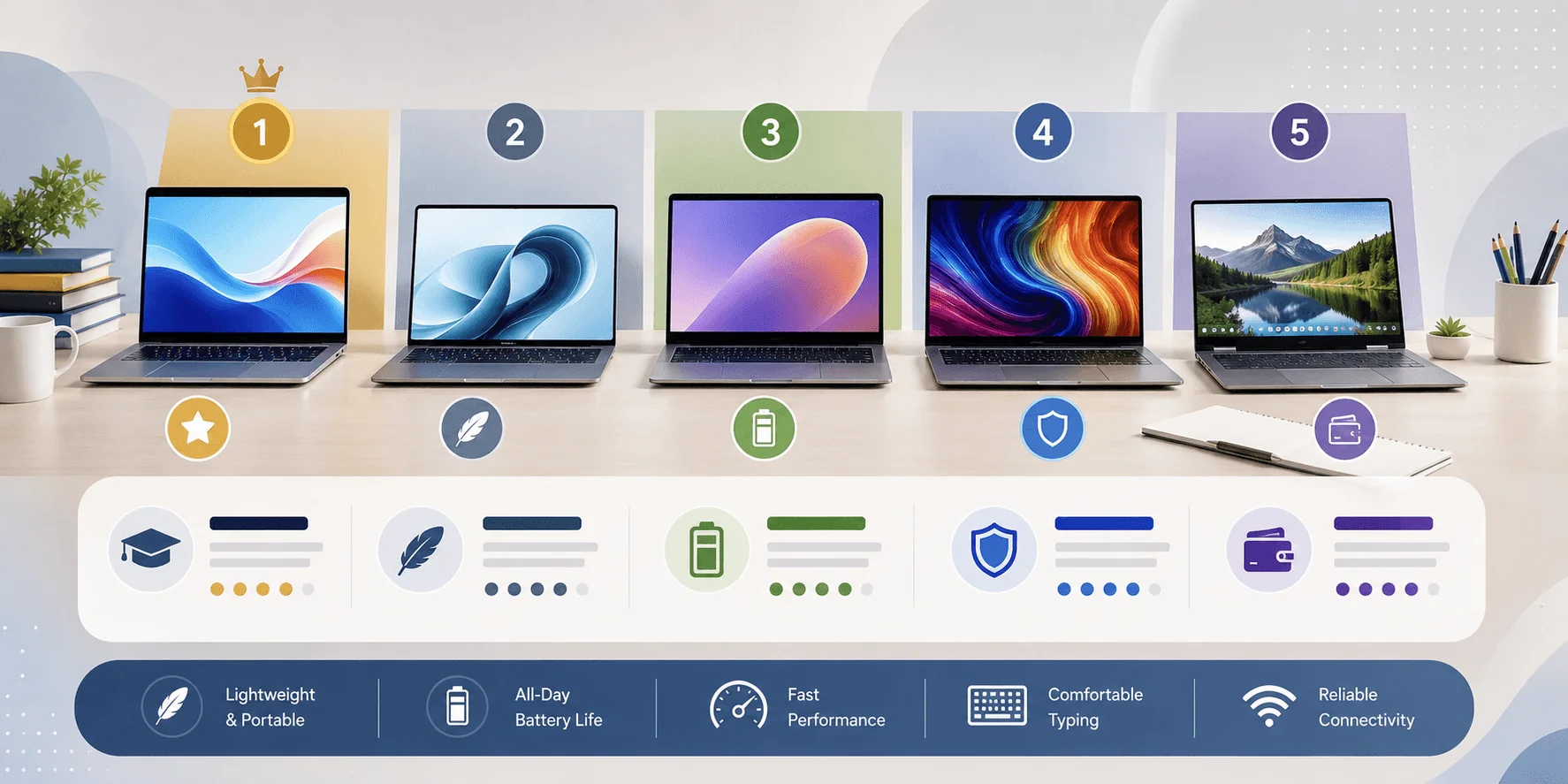
The best laptops for students in 2026 are the Apple MacBook Air 13" (M4) for all-around use, the ASUS Zenbook 14 OLED for best value, and the Lenovo ThinkPad X1 Carbon Gen 13 for STEM and engineering majors. Most students should budget $500–$900 for a laptop with 16GB RAM, an SSD, and 8+ hours of battery life. Below, I'll break down exactly which laptop fits your major, your budget, and how to choose one without wasting hours comparing spec sheets.
Let's be honest for a second — buying a laptop for college feels like it should be simple. It's not.
You open a browser, type "best laptops for students," and BOOM — fifty tabs later, you're more confused than when you started.
I get it. I've been there.
So here's what I did. I spent hours digging through hands-on reviews from RTINGS, PCWorld, and a handful of other trusted testing labs to find out which laptops actually hold up for real student life — not just spec-sheet bragging rights.
Ready? Let's dive in.
Quick Comparison: Best Laptops for Students in 2026
Here's the fast version, if you're short on time. Full breakdowns are below.
Laptop | Best For | Processor | RAM | Battery Life | Starting Price |
|---|---|---|---|---|---|
Apple MacBook Air 13" (M4) | Best overall | Apple M4 | 16GB | 12+ hrs | ~$1,099 |
ASUS Zenbook 14 OLED | Best value | Intel Core Ultra 7 | 16GB | 12+ hrs | ~$799 |
Lenovo ThinkPad X1 Carbon Gen 13 | STEM/Engineering | Intel Core Ultra 7 | up to 32GB | 10+ hrs | ~$1,399 |
ASUS ROG Zephyrus G14 | Creative/CS majors | Intel + Nvidia RTX | 16–32GB | 8+ hrs | ~$1,599 |
Budget Chromebook (N100/N150) | Tight budgets | Intel N100/N150 | 8GB | 10+ hrs | Under $300 |
Why Choosing the Right Student Laptop Actually Matters
Your laptop isn't just a tool. It's your study partner for the next 2–4 years.
You'll write papers on it. Cram for finals on it. Sit through 8 AM Zoom lectures on it (ugh). And if you're in a technical major, you might run CAD software or Python environments on it daily.
Pick wrong, and you're stuck with a sluggish machine that dies mid-lecture. Pick right, and it just works — quietly, reliably, every day.
According to Newegg's 2026 college laptop guide, most students land in the $500–$900 range and can still get a laptop with a modern Intel Core Ultra or AMD Ryzen AI processor, 16GB of RAM, and 12+ hours of battery life. And it's not just anecdotal — a widely-cited EDUCAUSE student technology survey has found that battery life and portability consistently rank above raw processing power when students are asked what matters most in a laptop, which lines up with everything I found in this research. And once you've got your new laptop, it's worth thinking about how you'll actually use it for coursework — recording lectures, for instance, is a lot more useful when you can turn them into searchable text. Our AI transcription tool for students is built exactly for that.
If you're also outfitting your setup beyond the laptop itself, check out our guide to must-have laptop accessories for students and our breakdown of the best external monitors for dorm setups for the extras that actually get used.
What to Look for Before You Buy a Student Laptop
Here's exactly what matters, ranked by importance — no jargon, just the checklist.
1. Processor and RAM
This is the heart of your laptop.
For most students, an Intel Core Ultra or AMD Ryzen 5/7 chip paired with 16GB of RAM is the sweet spot. If you're doing heavier work — video editing, 3D modeling, machine learning — bump that up to 32GB.
Adorama's buying guide confirms a modern processor plus at least 8GB of RAM is the baseline for smooth multitasking, though 16GB is more comfortable if your budget allows it.
2. Battery Life
You know that feeling when your laptop dies right before you hit "save"? Never again.
Look for 8+ hours of battery life at minimum — 12+ hours if you can swing it. Long lecture days, library marathons, coffee shop study sessions — your battery needs to keep up with you.
3. Storage (SSD, Always)
Non-negotiable: get an NVMe SSD, not a traditional hard drive.
SSDs boot faster, transfer files quicker, and feel snappier for everything. Aim for 256GB minimum, though 512GB–1TB gives you breathing room if you shoot video, design, or hoard PDFs.
4. Portability and Weight
You're going to carry this thing every day — between buildings, in your backpack, up stairs.
Look for something under 4 pounds with a 13–15-inch screen, per multiple buying guides I reviewed. If you're deciding between screen sizes, our 13-inch vs 15-inch laptop guide breaks down the trade-offs in more detail.
5. Display Quality
You'll stare at this screen for hours — reading, writing, streaming lectures.
An OLED display (like on the ASUS Zenbook 14) makes a noticeable difference in eye comfort and color accuracy versus a basic IPS panel.
6. Durability
Drops happen. Spills happen. College is chaos.
If durability matters to you, look for MIL-SPEC tested laptops — increasingly common even in mid-range models like the Lenovo ThinkPad line.
Best Laptops for Students in 2026 (By Category)
I broke this down by what you actually need it for, because "best laptop" means something different for an art major versus an engineering major.
Best Overall: Apple MacBook Air 13" (M4)
RTINGS' hands-on testing, last updated in 2026, ranks the MacBook Air 13" (M4) as the best laptop for college overall. It's fast, fanless (silent, always), and battery life for everyday writing and browsing is excellent.
The catch: the display is still a 60Hz IPS panel, which feels dated at this price. If your coursework requires Windows-only software, confirm compatibility first.
Best Value: ASUS Zenbook 14 OLED
You get a 14-inch OLED display, an Intel Core Ultra 7 chip, 16GB of RAM, a 1TB SSD, and over 12 hours of battery life — all under 1.4kg.
Per Newegg's testing, this is one of the best all-around picks across almost every major, without forcing you to overspend.
Best for STEM & Engineering Students: Lenovo ThinkPad X1 Carbon Gen 13
If you're running MATLAB, coding environments, or simulation software, you need something that won't buckle under pressure.
The ThinkPad X1 Carbon delivers a Core Ultra 7 processor, up to 32GB of RAM, and a keyboard that genuinely spoils you for typing comfort. It's also MIL-SPEC tested.
Best for Creative & CS Majors: ASUS ROG Zephyrus G14
It pairs a powerful Intel processor with Nvidia graphics in a portable 14-inch frame. According to BestLaptop.deals, the 2026 model brings lower surface temperatures, a brighter screen, and longer battery life over last year's version.
Fair warning: it's expensive and offers more horsepower than most students need. If you're not doing heavy creative work, gaming, or local AI workloads, save your money.
Best Budget Pick: Chromebooks Under $300
If you mainly do web browsing, Google Docs, and basic research, a Chromebook running an Intel N100 or N150 chip with 8GB of RAM is genuinely enough. Adorama's budget roundup highlights solid options here — just know you're trading raw power for a lower price and often longer battery life.
My Honest Take: Which One Would I Actually Buy?
I'll be straight with you — after going through all of this, here's where I'd personally land, and why.
If you're an undecided major or doing mostly writing, research, and browsing, I'd pick the ASUS Zenbook 14 OLED over the MacBook Air. It's roughly $300 cheaper, and unless you're deep into the Apple ecosystem already (iPhone, iCloud, AirPods), the OLED screen and expandable storage options make it the better everyday value.
Where I'd break that rule: if you're doing any kind of iOS app development, or you already own other Apple devices and want everything to sync seamlessly, the MacBook Air earns its premium.
And if you're an engineering student reading this wondering whether you really need the ThinkPad's extra RAM — yes, you probably do. I've seen too many students underbuy RAM in year one and regret it by year two when their course load gets heavier.
How to Choose the Right Student Laptop (Step-by-Step)
Step 1: Define your major's actual needs. Be honest — do you need a gaming-grade GPU, or are you mostly browsing Canvas and writing essays?. Most schools also run a grade and attendance portal alongside Canvas, so check that your laptop handles it smoothly. Here’s our StudentVUE guide on logging in and fixing common access problems.
Step 2: Set a real budget. Decide your ceiling before browsing. This alone saves you from decision paralysis.
Step 3: Check software compatibility. Some programs — especially engineering and architecture software — are Windows-only. Confirm this before falling in love with a MacBook.
Step 4: Prioritize battery and weight over raw specs. Unless you're doing serious creative or technical work, a laptop that lasts all day and doesn't wreck your back wins over slightly better benchmarks.
Step 5: Read recent, hands-on reviews. Don't just trust spec sheets — check RTINGS and PCWorld for real-world 2026 testing data.
Step 6: Buy from a retailer with a solid return policy. Because sometimes a laptop looks perfect on paper and just doesn't feel right in hand.
Once your laptop arrives, a few smart browser extensions can make it feel even more purpose-built for coursework — see our roundup of the best productivity Chrome extensions for students.
Common Mistakes Students Make When Buying a Laptop
Mistake #1: Buying too little RAM. 8GB feels fine on day one. It won't feel fine by midterms, once you've got 30 browser tabs, a PDF reader, and Spotify running at once.
Mistake #2: Ignoring battery life for specs. A slightly faster processor means nothing if your laptop dies halfway through a 3-hour lecture block. Read Also: Laptop Overheating: Causes & Fixes (2026 Guide)
Mistake #3: Overbuying for "just in case." Not every student needs an RTX-powered gaming laptop. Be realistic about your coursework.
Mistake #4: Skipping the return policy fine print. Laptops feel different in person. Make sure you can return or exchange if it's not right.
Frequently Asked Questions
What is the best laptop for college students in 2026?
The Apple MacBook Air 13" (M4) and the ASUS Zenbook 14 OLED are consistently ranked among the top picks in 2026, offering strong all-around performance, long battery life, and portability for most majors.
How much RAM do I need for college?
At least 8GB, but 16GB is the more comfortable sweet spot for multitasking between research, streaming, and coursework apps.
Is a Chromebook good enough for college?
Yes, if your work is mostly browser-based (Google Docs, research, email). Chromebooks are budget-friendly but not ideal for students needing CAD or advanced coding environments.
Do I need a Windows laptop for engineering programs?
Often, yes. Many CAD and simulation programs are Windows-only, so confirm software compatibility with your department before buying a Mac.
How much should I budget for a student laptop?
Most students land comfortably in the $500–$900 range for a solid mid-range laptop, though budget Chromebooks start well under $300.
Is battery life or processor speed more important?
Battery life matters more day-to-day for most students. A laptop that dies at 2 PM isn't useful no matter how fast its processor is.
What screen size is best for students?
13 to 15 inches strikes the best balance between usability and portability for carrying between classes.
Final Thoughts
There's no single "best" laptop for every student — there's the best laptop for you, based on your major, budget, and how you actually work.
For a safe, all-around pick, go with the MacBook Air 13" (M4) or the ASUS Zenbook 14 OLED. For engineering or CS, the ThinkPad X1 Carbon won't let you down. And if money's tight, a solid Chromebook genuinely gets the job done.
Whatever you choose, make sure it fits how you actually study — not how a spec sheet says you should.