AI video transcription converts a video's audio into searchable text using automatic speech recognition, typically at 6–12% word error rate on real-world audio. It now costs between $0.0036 and $0.006 per minute — roughly 250x cheaper than human transcription. Publishing transcripts on-page makes your video content indexable by search engines and compliant with WCAG 2.1 AA captioning requirements.
Now, let me be blunt with you.
For years, I ignored my video transcripts. I treated them like a chore — something you tick off after the "real" work is done.
That was a mistake. And it cost me thousands of organic sessions.
Because search engines can't watch your video. They can only read what surrounds it. So when you skip video transcription, you're publishing content Google is functionally blind to.
Here's exactly how AI video transcription works in 2026, what it really costs, and the process I use to turn one video into a page that ranks.
What Is AI Video Transcription (And Why It Suddenly Got Good)
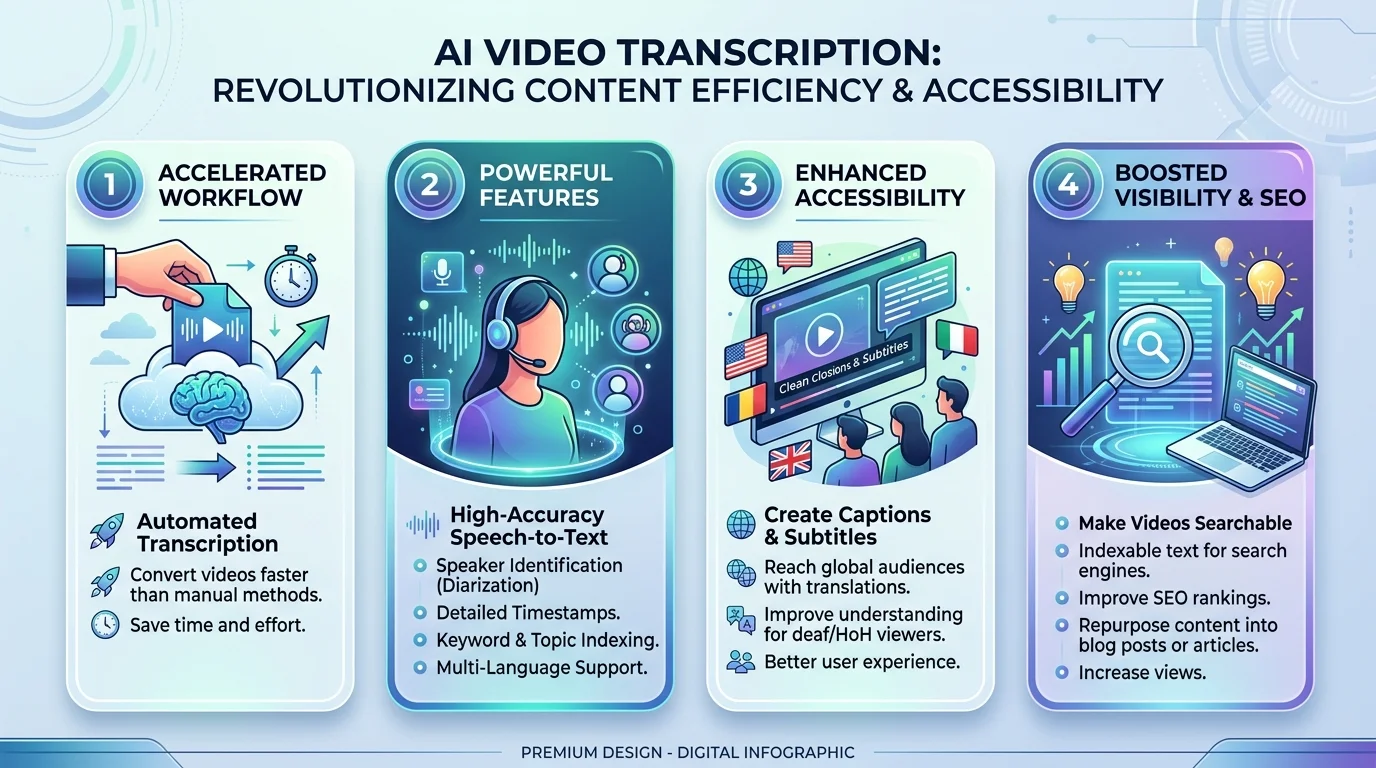
Let me define this properly, because people confuse transcription with captioning, and the difference matters for your SEO. AI video transcription is the automated conversion of a video's audio track into written text using automatic speech recognition and natural language processing. No human typist. No hourly rate. Just a model that listens, segments, and writes — usually in a fraction of the runtime.
If you want to see the mechanics end to end before you commit budget, our free video transcription walkthrough covers the upload-to-export flow in detail.
So what changed?
Two things. First, OpenAI's Whisper made multilingual speech-to-text essentially free. Second, purpose-built engines caught up and passed it.
The result? A market worth around $4.5 billion in 2024, projected to hit $19.2 billion by 2034 — a 15.6% compound growth rate.
That's adoption, not hype.
The Features That Actually Matter
You don't need to be an engineer to buy well. But four capabilities separate usable transcription software from a toy, and knowing them stops you overpaying for things you'll never touch.
Speaker diarization — labels Speaker 1, Speaker 2. Essential for interviews and panels.
Word-level timestamps — auto-generates SRT files and VTT subtitle formats without manual timing.
Custom vocabulary boosting — teaches the model your brand names and jargon.
PII redaction — strips sensitive data. Non-negotiable in healthcare and legal.
If you're just publishing marketing video, you need the first two. Skip the rest.
How Accurate Is AI Transcription, Really?
This is where most articles quietly lie to you. Every vendor homepage says "99% accurate." That figure comes from clean, single-speaker, studio-grade audio — nothing like the Zoom call you actually need transcribed. The honest metric is word error rate (WER): substitutions plus deletions plus insertions, divided by total reference words. Lower is better.
Here's the real July 2026 data:
Model | Benchmark WER | Real-world WER | Languages | Open source |
|---|---|---|---|---|
Whisper Large-v3 | 2.7% (LibriSpeech clean) | 8–12% | 99+ | Yes (MIT) |
Speechmatics Melia-1 | 6.4% (aggregate, 16 datasets) | — | 50+ | No |
AssemblyAI Universal-3.5 Pro | 7.0% (aggregate) | — | 99+ | No |
Deepgram Nova-3 | ~7–10% (English) | — | 36+ | No |
Granite Speech 4.1 2B | 5.33% (Open ASR mean) | — | English | Yes |
GPT-4o Transcribe | varies | up to 43.8%* | 99+ | No |
Figures drawn from the Hugging Face Open ASR Leaderboard and independent July 2026 benchmarking across 16 datasets. *The 43.8% figure is specific to long-form financial earnings calls. Where a real-world column is blank, no independently verified figure exists — treat benchmark WER as a floor, not a guarantee.
For context, human transcribers sit at 2–4% on clean speech and above 10% on noisy conversational audio.
Translation: good AI now matches a tired human at a fraction of the cost.
The Open-Source Plot Twist
This genuinely surprised me, and you should know it before signing an annual contract. Open models have overtaken paid ones on raw accuracy. NVIDIA's Parakeet-TDT-0.6B-v3 — a quarter of Whisper's size — posts lower average WER at dramatically higher throughput.
One caveat, though. Most leaderboard datasets are read speech or broadcast audio — not the messy, overlapping audio you're actually uploading.
Benchmarks are a floor, not a promise.
The SEO Case: Why Transcripts Print Traffic
Video SEO is a text game played on a visual medium, and transcripts bridge the gap. Crawlers index words. Publishing your transcript on-page turns every spoken sentence into a potential query match — which means the questions your video answers become keywords it can rank for. This is the highest-leverage content repurposing move available to you.
The evidence backs it up.
Liveclicker studied 37 pages before and after adding transcripts and found those pages earned 16% more revenue on average. This American Life transcribed their archive and found 6.26% of all unique search visitors landed on a transcript page.
One detail people constantly miss: closed captions are indexable because they live in a separate text file. Open captions — burned into the video — are invisible to search bots.
Choose accordingly.
Compliance Is a Deadline, Not a Suggestion
File this under "reasons your boss approves the budget." The DOJ's Title II rule made WCAG 2.1 Level AA the enforceable federal standard, and synchronized captions are explicitly required. Most articles still cite April 2026 — that's outdated. On April 17, 2026, the DOJ issued an Interim Final Rule extending the dates to April 26, 2027 for entities serving 50,000+ people, and April 26, 2028 for smaller ones.
Private business? Not off the hook. Codifying WCAG 2.1 AA strengthens plaintiff arguments in Title III lawsuits, and federal web accessibility suits already exceed 4,000 per year.
What AI Video Transcription Costs in 2026
Transcription cost per minute used to block anyone with a real content library. Not anymore — and I don't think enough people have updated their mental model.
Provider | Per minute | Per hour | Diarization included | Best for |
|---|---|---|---|---|
Deepgram Nova-3 (batch) | $0.0036 | ~$0.22 | Add-on | Real-time, call center |
AssemblyAI Universal | $0.0037 | ~$0.22 | Add-on | Built-in AI summaries |
ElevenLabs Scribe | $0.0040 | ~$0.24 | Yes | Simple flat pricing |
OpenAI whisper-1 | $0.0060 | ~$0.36 | No | Multilingual default |
Rev (human) | $1.50 | $90.00 | Yes | Legal, medical, broadcast |
Rates per published vendor pricing, 2026. Verify live rates before quoting a client.
Two traps: add-ons stack separately, and streaming costs roughly double batch. If you don't need live captions, don't pay for them.
If you're not ready for API-level pricing at all, the no-cost tier is better than it has any right to be — we compare the current options in our roundup of the best free AI transcription tools.
Your Step-by-Step Transcription Workflow
Here's the actual process I run on every video I publish. Under twenty minutes per asset. Follow it in order — each step feeds the next.
Steps 1–2: Prepare and choose
Clean your source audio. Ten minutes of noise reduction beats an hour of correction. Our audio transcription guide breaks down the prep checklist if you're starting from raw recordings.
Pick your engine. Need real-time transcription? Deepgram. Need summaries? AssemblyAI. Need 99+ languages cheaply? Whisper.
Steps 3–4: Process and verify
Enable diarization and timestamps before uploading. Retrofitting means re-paying.
Proofread the first 90 seconds. Clean? The rest usually is. Messy? Your audio is the problem.
Steps 5–7: Publish and multiply
Export both formats. SRT for the player, plain text for the page.
Publish the transcript on-page, under the embed, with H2s at topic shifts.
Repurpose it. One webinar becomes a blog post, a newsletter, five LinkedIn posts, and a lead magnet. Already have a back catalogue on YouTube? Start there — here's how to turn a YouTube video into a transcript without re-uploading the file.
Frequently Asked Questions
How accurate is AI video transcription?
On clean, single-speaker English audio, expect 95–98% accuracy. On real-world meetings, podcasts, and phone calls, expect 88–94% — a word error rate of roughly 6–12%. Accuracy drops further with heavy accents, background noise, or low-resource languages.
How much does it cost to transcribe an hour of video?
Between $0.22 and $0.36 per hour using an AI transcription API in 2026. Human transcription costs around $90 per hour. Consumer tools typically bundle this into monthly subscriptions starting near $10–20.
Do video transcripts actually help SEO?
Yes. Transcripts give crawlers indexable text that video alone doesn't provide. Liveclicker found pages with transcripts earned 16% more revenue on average, and transcript pages frequently become organic entry points in their own right.
What's the difference between closed and open captions?
Closed captions load from a separate text file and can be toggled off — search engines can read them. Open captions are burned into the video frames permanently and are invisible to crawlers, offering no SEO benefit.
Is AI transcription good enough for legal or medical use?
Not without human review. For regulated verbatim records, use AI for a first pass, then human verification. Specialized models with medical vocabulary and PII redaction narrow the gap but don't close it.
My Honest Recommendation
If you're still transcribing manually, you're burning hours you'll never recover — and leaving indexable text on the table every week. Start with a pay-as-you-go tool this week. Run three existing videos through it — you can transcribe audio to text in a couple of clicks — then publish the transcripts and check Search Console in 30 days.
I think you'll be annoyed you waited. The tech is finally good enough, the price is functionally zero, and the compliance clock is already running.
Read More: Free AI Transcription: 7 Best Tools Tested (2026)