You just finished a two-hour Zoom call, and now the thought of writing notes feels exhausting. This is exactly where free video transcription steps in and saves your afternoon. It listens to spoken words and turns them into clean, readable text within minutes. No typing required, no guessing what was said, and no paying someone else to do it for you. Whether you are a student catching up on a missed lecture or a business professional documenting a client call, a reliable free transcription tool changes how you work daily. This guide walks through everything you need, from speech to text basics to real use cases worth knowing.
What Is Free Video Transcription?
Free video transcription is simple. You upload a video. An AI listens to it. Then it writes down every word as text. That's it. No manual typing. No paying a human transcriber. Just fast, AI-powered transcription running quietly in the background while you do something else. If you want the full mechanics explained step by step, this audio transcription guide breaks it down clearly.
This process relies on speech to text technology. The tool detects sound patterns, breaks them into words, and builds full sentences. Some tools even handle real-time transcription on live calls. The result is a usable transcript in minutes, not hours.
How AI converts speech to text
The AI listens to sound waves first. It breaks them into tiny sound units called phonemes. Then it matches those sounds to words using a language model. This is how video to text conversion actually works behind the scenes. Background noise or overlapping voices can lower transcription accuracy, so a quiet recording always helps.
Why it's free and no sign-up required
Most tools offer a free tier because it builds trust first. Users try before they buy. Many platforms skip account creation completely. This "no sign-up required" model is popular because people want speed. If that matters to you, check out this free audio to text converter with no signup for a hands-on look.
Key Features of Our Free Video Transcriber
A good free video transcriber does more than convert speech into words. It should work fast, support many file types, and stay accurate even with tricky audio. These features separate a great tool from an average one, and they matter more than people expect.
Speed and accuracy usually top the list. But identifying speakers and supporting many languages matter just as much. A transcript is only useful if it's readable, organized, and correct. Let's break down each feature one by one.
Fast, accurate video-to-text conversion
Fast transcription matters when deadlines are tight. Most modern tools handle a one-hour video in under two minutes. Combine that with strong transcription accuracy, and you get a transcript worth trusting the first time. No second-guessing every sentence.
Supports YouTube, Zoom, MP4, and more formats
A flexible tool accepts many file types. This includes MP4, MOV, MKV, WMV, and even audio files like MP3, WAV, and FLAC. It should also support links directly, meaning YouTube video transcription or a Zoom call transcription takes just a paste, not a download.
Speaker recognition
Speaker recognition, sometimes called speaker identification or speaker labeling, tags who said what. This matters most during interviews or group meetings. Instead of one wall of text, you get clear speaker turns, which saves serious editing time later.
Multiple accuracy modes
Some jobs need speed. Others need precision. That's why tools offer multiple modes. A fast mode works for casual notes. A high-accuracy mode suits legal or medical content, where every word truly counts.
Multilingual support (100+ languages)
Multilingual transcription opens doors for global users. Good tools support over 100+ languages, some claim up to 200+ languages. This includes strong accent recognition, so regional speech patterns don't confuse the system.
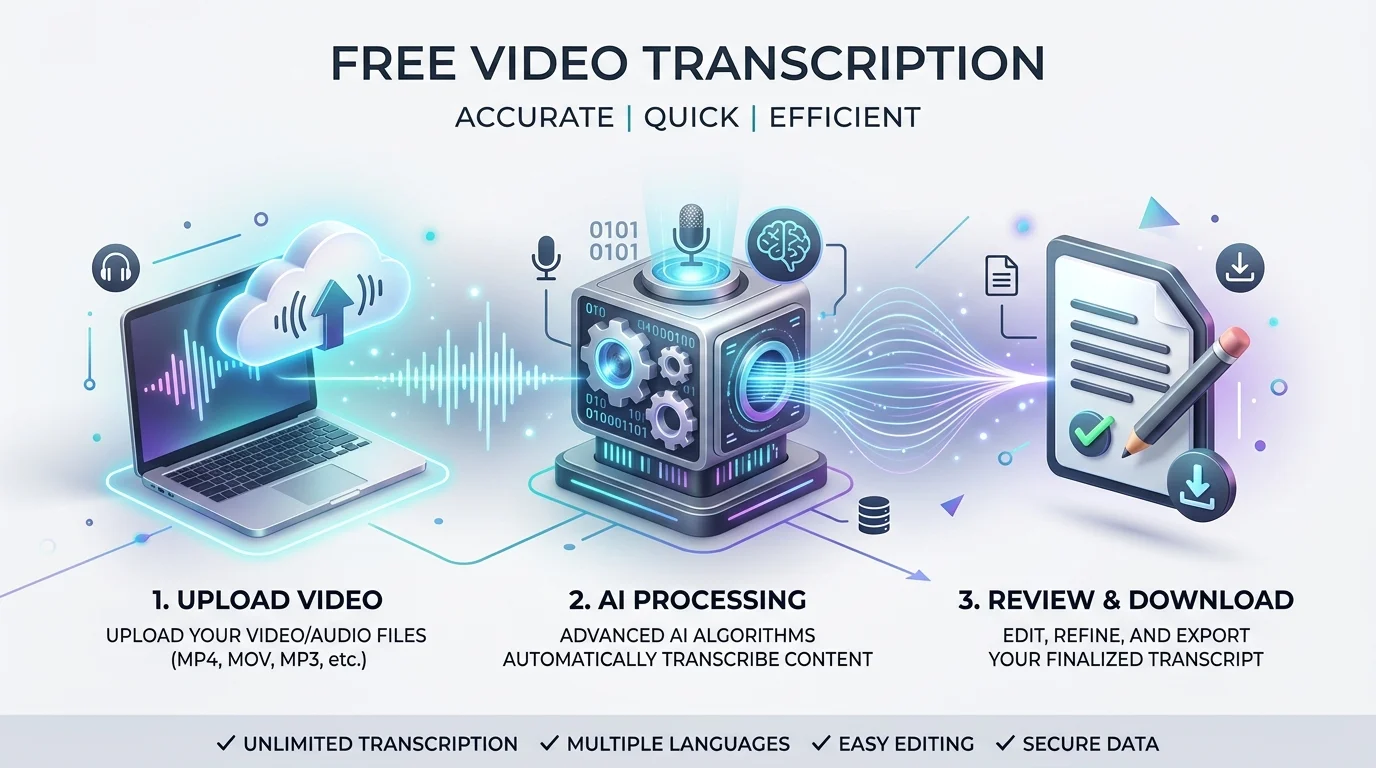
How to Transcribe a Video to Text in 3 Simple Steps
Nobody wants a complicated process. The best free video transcription tools reduce everything down to three steps. Upload, wait, and export. That's the whole workflow, and it should never feel harder than that.
Here is a quick breakdown of what each step actually involves, from file upload to final transcript delivery.
Step | Action | Typical Time |
|---|---|---|
1 | Upload or paste your video/link | Instant |
2 | AI transcribes automatically | 1–3 minutes per hour of video |
3 | Edit, export, or share transcript | Instant |
Step 1: Upload or paste your video/link
Drag your file into the upload box, or paste a YouTube or Zoom link directly. Most platforms accept files up to several gigabytes, covering formats like 3GP, TS, and WEBM without extra conversion steps. For YouTube specifically, this YouTube to transcript guide covers the exact process.
Step 2: Let AI transcribe automatically
Once uploaded, the AI gets to work. This stage uses speech to text models trained on huge language datasets. You can grab a coffee here. A one-hour file usually finishes in just a couple of minutes.
Step 3: Edit, export, or share your transcript
When done, you can copy transcript text straight into your notes. You can also download transcript files as PDF, DOCX, TXT, or CSV. Need to collaborate? Just share transcript link with a teammate instead.
Who Uses Free Video Transcription?
People assume transcription only helps journalists or office workers. That's simply wrong. Students and learners, teachers and trainers, and even hobbyist podcasters rely on this daily. The use cases stretch far wider than most people realize.
Below is a closer look at how different groups actually use these tools in their daily routines.
Students and researchers
A grad student recording a two-hour seminar doesn't want to relisten to all of it. Lecture transcription turns long recordings into searchable notes. Researchers and writers also use this for interviews, quotes, and citation accuracy. This AI transcription tool for students shows exactly how learners use it day to day.
Teachers and trainers
Educators use transcripts for handouts and accessibility. A teacher recording a lesson can transcribe it for students who missed class. This also supports closed captioning requirements in many schools.
Content creators and podcasters
Content creators repurpose transcripts into blog posts, captions, or social snippets. Podcast transcription turns audio into searchable show notes. This is a smart form of content repurposing that saves hours of manual writing. This best AI transcription tool for podcasters breaks down the top picks for creators.
Journalists and media professionals
Journalists and media workers face tight deadlines constantly. Interview transcription helps them pull accurate quotes fast, without replaying tape repeatedly. Speed here directly affects how quickly a story gets published.
Business teams and professionals
Business professionals use this for meeting transcription across departments. A Zoom call transcription ensures nothing important gets lost after a client call. It also helps remote teams stay aligned without extra note-taking effort.
Beyond Transcripts — Summaries, Mind Maps & Key Points
A plain transcript is useful, but a forty-page document is hard to skim. Nobody wants to read that just to find three good quotes. This is where extra tools step in, turning raw text into something genuinely digestible.
Good platforms now offer summary generation, a mind map generator, and key points extraction built right in. Some even add timestamped chapter markers, letting you jump straight to the moment you need instead of scrolling endlessly through text.
Supported Languages
Language support decides whether a tool works for a global audience or just a local one. A strong online transcription service should never limit itself to one region. Real accents, dialects, and speech patterns all need proper handling.
Here are common languages supported by most leading transcription platforms today.
Language | Common Use Case |
|---|---|
English | Business, education, media |
Spanish | Content creation, education |
French | Business, academic research |
German | Corporate meetings, media |
Italian | Podcasts, tourism content |
Dutch | Business documentation |
Polish | Regional business use |
Portuguese | Includes Portuguese (BR) variant |
Vietnamese | Growing creator market |
Hungarian | Niche academic use |
Russian | Media and journalism |
Some services support up to 63 languages, while others push past 100+ languages entirely. If Spanish content is your focus, this Spanish audio to text guide is worth a look.
Free vs. Paid Plans — What You Get
Every good tool needs a free plan option. But free plans always come with limits. Understanding these limits early prevents frustration later, especially once your transcription minutes run out mid-project.
Paid tiers unlock more room to grow, and knowing when to upgrade saves both time and money long term.
Free plan limits
Most free plans cap monthly minutes, often around 120 transcription minutes. File length usually maxes out near 30 minutes per upload. This works fine for casual users, but heavy users hit the ceiling fast.
When to upgrade (large files, more minutes, team use)
Upgrade once you need longer files, higher transcription accuracy modes, or team collaboration features. Pricing plans typically scale from a basic monthly tier up to bulk minute packages for agencies and larger teams.
What Our Users Say
Real feedback builds real trust. Customer reviews and testimonials show how a tool performs outside a sales page. One tool, UniScribe, holds a 4.8 out of 5 rating on Trustpilot, based on thousands of verified reviews.
"It is exactly what I'm looking for. It's quick and simple with a nice vibe."
That kind of feedback matters because it comes from real daily users, not marketing copy. Platforms like Riverside and Video Transcriber AI report serving over 100K+ users, with some claiming over 10 million minutes transcribed collectively.
Frequently Asked Questions
Is it really free?
Yes, most core features are free. You get a set number of transcription minutes monthly with no sign-up required. Heavier use may require a paid plan.
What file formats/sizes are supported?
Most tools support MP4, MOV, MKV, WMV, MP3, WAV, and more. File size limits vary but often reach several gigabytes per upload.
How accurate is the transcription?
Leading platforms claim 99% accuracy, with some reaching 99.9% accuracy under ideal audio conditions. Background noise can still lower results slightly.
Can it detect multiple speakers?
Yes. Speaker recognition technology labels each voice separately, which helps enormously during interviews or group meeting playback.
Which languages are supported?
Most tools cover major world languages, and some support up to 200+ languages including regional dialects and accents.
Can I export or share my transcript?
Absolutely. You can export as PDF, DOCX, TXT, SRT, VTT, or CSV, or simply share a live transcript link with others.
Is my data secure and private?
Reputable platforms follow strict data privacy and security standards. Some even hold certifications like AICPA SOC, and payments often run through secure processors like Stripe.
Best Practices & Related Guides
Getting the best transcript often means preparing your file properly first. A few small habits make a noticeable difference in output quality, especially for longer recordings or noisy environments.
Below are three practical guides worth exploring next.
How to extract audio from video for transcription
Tools like VLC let you strip audio from any video file quickly. This reduces file size and often speeds up processing time before transcription begins.
Converting audio to SRT subtitles for free
A subtitle generator turns transcripts into SRT or VTT files instantly. This works great for YouTube video transcription projects needing captions for accessibility.
Best free tools compared
Popular options include HappyScribe, Evernote, Descript, Any2Text, Restream, and TurboScribe. Each offers different strengths, so comparing accuracy, pricing, and export formats helps you pick the right fit. For a direct comparison, see Audiototextify vs Otter AI.
Free video transcription is simple. You upload a video. An AI listens to it. Then it writes down every word as text. That's it. No manual typing. No paying a human transcriber. Just fast, AI-powered transcription running quietly in the background while you do something else. If you want the full mechanics explained step by step, this audio transcription guide breaks it down clearly.
This process relies on speech to text technology. The tool detects sound patterns, breaks them into words, and builds full sentences. Some tools even handle real-time transcription on live calls. The result is a usable transcript in minutes, not hours.
How AI converts speech to text
The AI listens to sound waves first. It breaks them into tiny sound units called phonemes. Then it matches those sounds to words using a language model. This is how video to text conversion actually works behind the scenes. Background noise or overlapping voices can lower transcription accuracy, so a quiet recording always helps.
Why it's free and no sign-up required
Most tools offer a free tier because it builds trust first. Users try before they buy. Many platforms skip account creation completely. This "no sign-up required" model is popular because people want speed. If that matters to you, check out this free audio to text converter with no signup for a hands-on look.
Key Features of Our Free Video Transcriber
A good free video transcriber does more than convert speech into words. It should work fast, support many file types, and stay accurate even with tricky audio. These features separate a great tool from an average one, and they matter more than people expect.
Speed and accuracy usually top the list. But identifying speakers and supporting many languages matter just as much. A transcript is only useful if it's readable, organized, and correct. Let's break down each feature one by one.
Fast, accurate video-to-text conversion
Fast transcription matters when deadlines are tight. Most modern tools handle a one-hour video in under two minutes. Combine that with strong transcription accuracy, and you get a transcript worth trusting the first time. No second-guessing every sentence.
Supports YouTube, Zoom, MP4, and more formats
A flexible tool accepts many file types. This includes MP4, MOV, MKV, WMV, and even audio files like MP3, WAV, and FLAC. It should also support links directly, meaning YouTube video transcription or a Zoom call transcription takes just a paste, not a download.
Speaker recognition
Speaker recognition, sometimes called speaker identification or speaker labeling, tags who said what. This matters most during interviews or group meetings. Instead of one wall of text, you get clear speaker turns, which saves serious editing time later.
Multiple accuracy modes
Some jobs need speed. Others need precision. That's why tools offer multiple modes. A fast mode works for casual notes. A high-accuracy mode suits legal or medical content, where every word truly counts.
Multilingual support (100+ languages)
Multilingual transcription opens doors for global users. Good tools support over 100+ languages, some claim up to 200+ languages. This includes strong accent recognition, so regional speech patterns don't confuse the system.
How to Transcribe a Video to Text in 3 Simple Steps
Nobody wants a complicated process. The best free video transcription tools reduce everything down to three steps. Upload, wait, and export. That's the whole workflow, and it should never feel harder than that.
Here is a quick breakdown of what each step actually involves, from file upload to final transcript delivery.
Step | Action | Typical Time |
|---|---|---|
1 | Upload or paste your video/link | Instant |
2 | AI transcribes automatically | 1–3 minutes per hour of video |
3 | Edit, export, or share transcript | Instant |
Step 1: Upload or paste your video/link
Drag your file into the upload box, or paste a YouTube or Zoom link directly. Most platforms accept files up to several gigabytes, covering formats like 3GP, TS, and WEBM without extra conversion steps. For YouTube specifically, this YouTube to transcript guide covers the exact process.
Step 2: Let AI transcribe automatically
Once uploaded, the AI gets to work. This stage uses speech to text models trained on huge language datasets. You can grab a coffee here. A one-hour file usually finishes in just a couple of minutes.
Step 3: Edit, export, or share your transcript
When done, you can copy transcript text straight into your notes. You can also download transcript files as PDF, DOCX, TXT, or CSV. Need to collaborate? Just share transcript link with a teammate instead.
Who Uses Free Video Transcription?
People assume transcription only helps journalists or office workers. That's simply wrong. Students and learners, teachers and trainers, and even hobbyist podcasters rely on this daily. The use cases stretch far wider than most people realize.
Below is a closer look at how different groups actually use these tools in their daily routines.
Students and researchers
A grad student recording a two-hour seminar doesn't want to relisten to all of it. Lecture transcription turns long recordings into searchable notes. Researchers and writers also use this for interviews, quotes, and citation accuracy. This AI transcription tool for students shows exactly how learners use it day to day.
Teachers and trainers
Educators use transcripts for handouts and accessibility. A teacher recording a lesson can transcribe it for students who missed class. This also supports closed captioning requirements in many schools.
Content creators and podcasters
Content creators repurpose transcripts into blog posts, captions, or social snippets. Podcast transcription turns audio into searchable show notes. This is a smart form of content repurposing that saves hours of manual writing. This best AI transcription tool for podcasters breaks down the top picks for creators.
Journalists and media professionals
Journalists and media workers face tight deadlines constantly. Interview transcription helps them pull accurate quotes fast, without replaying tape repeatedly. Speed here directly affects how quickly a story gets published.
Business teams and professionals
Business professionals use this for meeting transcription across departments. A Zoom call transcription ensures nothing important gets lost after a client call. It also helps remote teams stay aligned without extra note-taking effort.
Beyond Transcripts — Summaries, Mind Maps & Key Points
A plain transcript is useful, but a forty-page document is hard to skim. Nobody wants to read that just to find three good quotes. This is where extra tools step in, turning raw text into something genuinely digestible.
Good platforms now offer summary generation, a mind map generator, and key points extraction built right in. Some even add timestamped chapter markers, letting you jump straight to the moment you need instead of scrolling endlessly through text.
Supported Languages
Language support decides whether a tool works for a global audience or just a local one. A strong online transcription service should never limit itself to one region. Real accents, dialects, and speech patterns all need proper handling.
Here are common languages supported by most leading transcription platforms today.
Language | Common Use Case |
|---|---|
English | Business, education, media |
Spanish | Content creation, education |
French | Business, academic research |
German | Corporate meetings, media |
Italian | Podcasts, tourism content |
Dutch | Business documentation |
Polish | Regional business use |
Portuguese | Includes Portuguese (BR) variant |
Vietnamese | Growing creator market |
Hungarian | Niche academic use |
Russian | Media and journalism |
Some services support up to 63 languages, while others push past 100+ languages entirely. If Spanish content is your focus, this Spanish audio to text guide is worth a look.
Free vs. Paid Plans — What You Get
Every good tool needs a free plan option. But free plans always come with limits. Understanding these limits early prevents frustration later, especially once your transcription minutes run out mid-project.
Paid tiers unlock more room to grow, and knowing when to upgrade saves both time and money long term.
Free plan limits
Most free plans cap monthly minutes, often around 120 transcription minutes. File length usually maxes out near 30 minutes per upload. This works fine for casual users, but heavy users hit the ceiling fast.
When to upgrade (large files, more minutes, team use)
Upgrade once you need longer files, higher transcription accuracy modes, or team collaboration features. Pricing plans typically scale from a basic monthly tier up to bulk minute packages for agencies and larger teams.
What Our Users Say
Real feedback builds real trust. Customer reviews and testimonials show how a tool performs outside a sales page. One tool, UniScribe, holds a 4.8 out of 5 rating on Trustpilot, based on thousands of verified reviews.
"It is exactly what I'm looking for. It's quick and simple with a nice vibe."
That kind of feedback matters because it comes from real daily users, not marketing copy. Platforms like Riverside and Video Transcriber AI report serving over 100K+ users, with some claiming over 10 million minutes transcribed collectively.
Frequently Asked Questions
Is it really free?
Yes, most core features are free. You get a set number of transcription minutes monthly with no sign-up required. Heavier use may require a paid plan.
What file formats/sizes are supported?
Most tools support MP4, MOV, MKV, WMV, MP3, WAV, and more. File size limits vary but often reach several gigabytes per upload.
How accurate is the transcription?
Leading platforms claim 99% accuracy, with some reaching 99.9% accuracy under ideal audio conditions. Background noise can still lower results slightly.
Can it detect multiple speakers?
Yes. Speaker recognition technology labels each voice separately, which helps enormously during interviews or group meeting playback.
Which languages are supported?
Most tools cover major world languages, and some support up to 200+ languages including regional dialects and accents.
Can I export or share my transcript?
Absolutely. You can export as PDF, DOCX, TXT, SRT, VTT, or CSV, or simply share a live transcript link with others.
Is my data secure and private?
Reputable platforms follow strict data privacy and security standards. Some even hold certifications like AICPA SOC, and payments often run through secure processors like Stripe.
Best Practices & Related Guides
Getting the best transcript often means preparing your file properly first. A few small habits make a noticeable difference in output quality, especially for longer recordings or noisy environments.
Below are three practical guides worth exploring next.
How to extract audio from video for transcription
Tools like VLC let you strip audio from any video file quickly. This reduces file size and often speeds up processing time before transcription begins.
Converting audio to SRT subtitles for free
A subtitle generator turns transcripts into SRT or VTT files instantly. This works great for YouTube video transcription projects needing captions for accessibility.
Best free tools compared
Popular options include HappyScribe, Evernote, Descript, Any2Text, Restream, and TurboScribe. Each offers different strengths, so comparing accuracy, pricing, and export formats helps you pick the right fit. For a direct comparison, see Audiototextify vs Otter AI.
Read more: Transcribe MP3 to Text Free — Fast AI Converter