An audio to script converter turns spoken recordings into clean, readable text using speech to text technology powered by artificial intelligence. Instead of typing every word by hand, you upload a file and let the AI handle punctuation, paragraph breaks, and formatting automatically. This process, known as AI-powered transcription, usually finishes in minutes rather than hours. Podcasters use it for show notes, students use it for lecture reviews, and businesses use it for meeting records. With features like speaker diarization and multi-language support, modern tools go far beyond basic transcription, giving you a script that is ready to read, edit, and share right away.
Audio to Script Converter
Turning a recording into readable text used to take hours. You would sit with headphones on, pause, rewind, and type every word by hand. That process is now outdated. An audio to script converter does the same job in minutes, sometimes seconds, using AI-powered transcription instead of your own two hands. This guide walks you through how the tool works, what makes it accurate, and why so many people now rely on it daily. You can try it directly on the AudioToTextify homepage.
Whether you record podcasts, run sales calls, or sit through long lectures, you need your spoken words turned into clean, usable text. That is exactly what this tool does. Below, you will find every detail worth knowing before you upload your first file.
What Is an Audio to Script Converter?
An audio to script converter is software that listens to spoken audio and turns it into a written script. It uses speech to text technology, powered by artificial intelligence, to recognize words, add punctuation, and organize the result into readable paragraphs. Unlike a plain transcription, a script is formatted to be read back easily. It often includes speaker labels, paragraph breaks, and sometimes timestamps.
This matters because a raw wall of text is hard to use. A proper script, on the other hand, reads like a document you could hand to a colleague. Podcasters use it to draft show notes. Students use it to review lectures. Businesses use it for meeting notes. In every case, the goal is the same. You speak, the AI listens, and you get a clean script back. This is the heart of any solid online transcription tool. For a broader look at how this process works, see our full audio transcription guide.
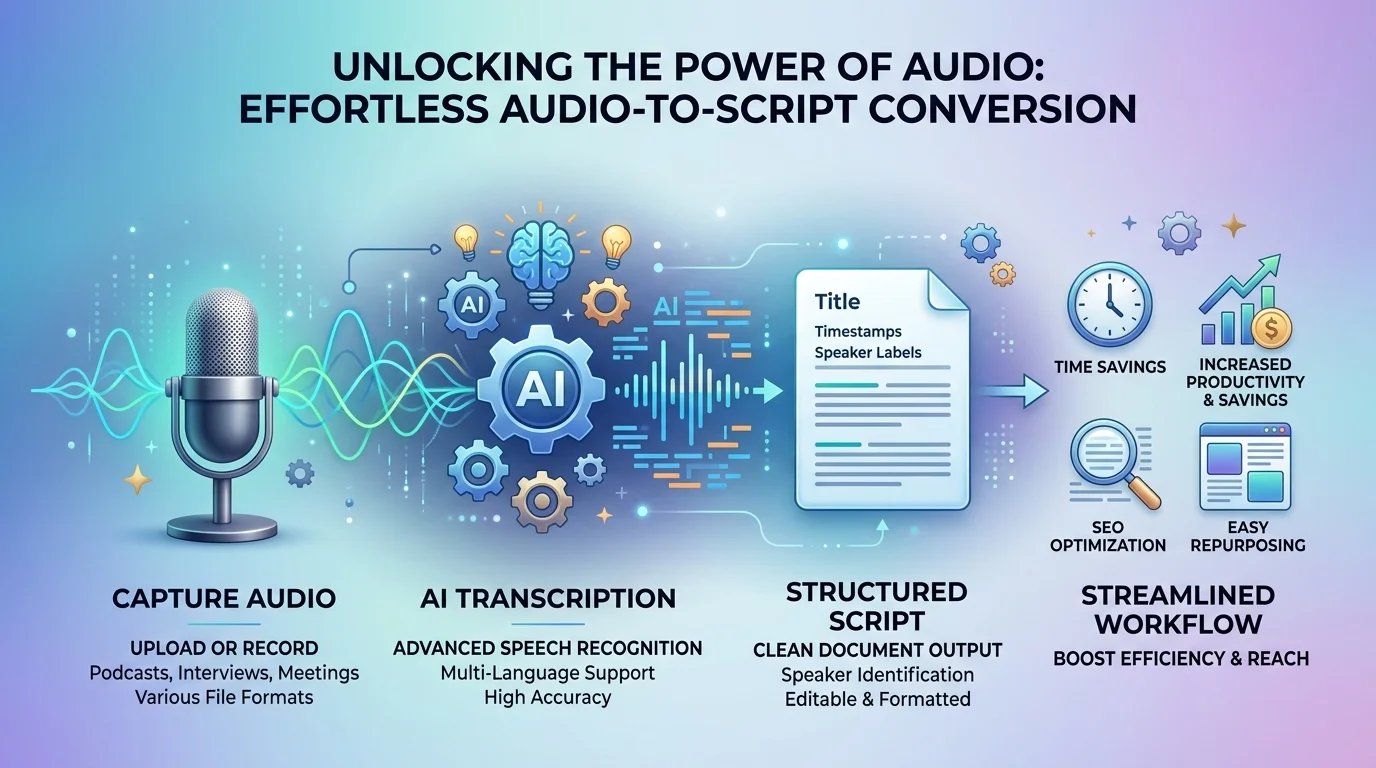
How to Convert Audio to Script in 3 Simple Steps
Converting audio into a finished script is simpler than most people expect. You do not need software installed on your computer. You do not need any technical skill. The entire process happens inside your browser, and most files finish processing in under a minute.
Below are the three steps that take you from raw recording to finished, editable script.
Upload Your Audio or Video File
Start by uploading your file. You can use file upload through a simple drag and drop window, or paste a link/URL if your content lives online, including YouTube link transcription support. The tool accepts audio and video alike, so you are not limited to one type of recording.
Let AI Transcribe & Format Instantly
Once uploaded, the AI gets to work. It applies automatic transcription, listens closely to every word, and adds proper punctuation along the way. This step includes punctuation & paragraph detection, so the output does not read like one giant run-on sentence. Most tools finish this stage using fast, lightning-fast processing, often converting a full hour of audio in about 2 minutes per 1-hour audio.
Edit, Export & Download Your Script
After transcription finishes, you can review the script inside the editor. Fix any small errors, adjust speaker names, then choose your export formats. Common choices include TXT, SRT, VTT, DOCX, PDF, CSV, and even Markdown or Word for more polished sharing.
Why Choose Our Audio to Script Converter
Not every audio to script converter performs the same. Accuracy, speed, and privacy vary widely between tools. Below, we break down the core strengths that matter most when choosing one for regular use.
Each of these features solves a real, everyday problem. Together, they turn a basic transcription tool into something you can rely on for serious work.
99% Accurate AI Transcription
Transcription accuracy is the single biggest factor that decides whether a tool is worth using. Leading tools now reach 99% accuracy, while others report a strong 95%+ accuracy rate. This level of accurate transcription comes from high-fidelity audio recognition models trained on millions of hours of real speech, including different accents and speaking styles.
Lightning-Fast Processing
Nobody wants to wait around for a transcript. Modern tools use real-time transcription engines that work up to 10x faster than older, manual methods. A file that once took an hour to type by hand can now finish while you make a cup of coffee.
Speaker Diarization & Timestamps
When more than one person speaks, the script needs to show who said what. This is called speaker diarization, sometimes labeled speaker identification or speaker recognition. Alongside this, timestamps create time-synced text, which is essential for referencing an exact moment in a long recording.
Privacy-First & Secure
Data privacy matters more than ever. A trustworthy tool uses end-to-end encryption for every upload, along with secure file handling practices throughout. Many tools also apply automatic file deletion after a set period, and offer access with no sign-up required, so you are never forced to hand over personal details just to transcribe a file. Learn more about this approach in our guide to the free audio to text converter with no signup.
Multi-Format Export (TXT, SRT, DOCX, PDF)
Format | Best For |
|---|---|
TXT | Quick reading and plain notes |
DOCX | Editing and sharing formatted documents |
SRT / VTT | Subtitle generation and caption generation for video |
Archiving or printing a finished script | |
CSV | Importing data into spreadsheets or research tools |
Supported Audio & Video Formats
A good audio to script converter should not care what device you recorded on. Whether you used a phone, a professional microphone, or an old recorder, the tool should still handle the file without any conversion headaches.
Most modern platforms support well over 20+ input formats, and some go beyond 30+ formats in total. This flexibility means you rarely need to convert a file yourself before uploading it.
MP3, WAV, M4A, FLAC to Text
These four are the most common formats you will run into. If your file is an MP3, our dedicated MP3 to text converter handles it directly. WAV offers higher quality, often used in professional settings, and you can use our WAV to text converter for that format specifically. M4A is standard for iPhone voice memos. FLAC is a lossless format favored by audio professionals who care about sound clarity.
OGG, AAC, WMA, AIFF to Text
Beyond the common four, most tools also support OGG, AAC, WMA, and AIFF. These formats show up less often, but they still matter if you work with older recordings, streaming platforms, or specific software exports.
Convert Video Files to Script Too
Many tools go beyond audio entirely, allowing video transcription as well. Files like MP4, MOV, and WebM can be uploaded directly, and the tool pulls the audio track automatically before transcribing it. For a closer look at this process, check out our guide on free video transcription online.
Multi-Language Transcription Support
Spoken language is never one-size-fits-all, and neither should your transcription tool be. Strong multi-language support allows the same platform to serve a much wider audience, from international teams to language learners.
Some platforms support as few as 14+ languages, while stronger options reach 63 languages, and a few ambitious tools claim 90+ languages in total. Most also include auto-detect language, so you do not need to manually select the spoken language before uploading.
Language | Common Use Case |
|---|---|
English | Business calls, podcasts, lectures |
Spanish | Bilingual content across the US market |
French | Interviews, academic research |
German | Business documentation |
Italian | Media and journalism |
Dutch | Localized content teams |
Polish | Growing international user base |
Portuguese | Content for Brazil and Portugal |
Mandarin | Large-scale business transcription |
Japanese | Media, tech, and research content |
Chinese | Regional business communication |
Hungarian | Niche but growing demand |
One detail worth mentioning: even within English, accents vary heavily across the United States. Southern accents, coastal accents, and regional slang all challenge a weaker system. Strong accent recognition, paired with solid background noise handling, is what separates a great tool from an average one. If Spanish is your primary language, our dedicated Spanish audio to text guide covers this in more depth.
Smart Features Beyond Transcription
A basic audio to script converter stops at text. A smarter one gives you tools to act on that text right away. This is where many platforms now compete hardest, since raw transcription alone is no longer enough to stand out.
These smart features save time after the transcript is done, not just during the conversion itself.
AI-Generated Summaries
AI summarization condenses a long recording into a few clear sentences. Instead of rereading an hour-long call, you scan a short AI summary and immediately understand what happened.
Key Takeaways & Mind Maps
Beyond a summary, some tools generate key takeaways and even mind map generation, turning spoken content into a visual structure. This helps visual thinkers grasp complex conversations faster than plain text ever could.
To-Do Lists & Action Items
For business use, action items and a clear to-do list pulled directly from the conversation save real time. No more listening back to a call just to remember what you promised to follow up on.
Time-Synced Subtitles
For video creators, time-synced text turns directly into subtitles. These sync perfectly with the original recording and export cleanly into editing software like Premiere Pro.
Who Uses Our Audio to Script Converter?
People from very different fields rely on the same core tool for very different reasons. Understanding these use cases helps you see where this technology fits into your own routine, even if you have never used one before.
Below are the groups who benefit most from a reliable audio to script converter, along with how each one applies it in daily work.
Podcasters & Content Creators
Podcast transcription turns a single episode into blog posts, show notes, and social captions. This is content repurposing at its most efficient, stretching one recording across several platforms without extra recording time. We cover this in detail in our post on the best AI transcription tool for podcasters.
Students & Researchers
Lecture transcription and interview transcription turn long academic sessions into searchable notes. This supports research documentation, making it far easier to quote sources accurately later. Our guide on the AI transcription tool for students goes deeper into this use case.
Video Creators & Captioners
Fast, accurate subtitle generation helps video creators publish faster on YouTube and beyond. Captions also widen the audience, reaching viewers who watch with sound off.
Business & Sales Teams
Sales call transcription keeps a written record of every conversation. Paired with meeting minutes, teams stay aligned without relying on memory alone.
Journalists & Media Professionals
Under deadline pressure, journalists need quotes fast. Accurate interview transcription lets them pull exact wording without replaying a recording five times over.
What Our Users Are Saying
Real feedback tells you more than any feature list ever could. Below are a few example reviews that reflect the kind of results people typically report after switching to an AI-based transcription workflow. These are illustrative and meant to show common use cases, not verified public reviews.
"I used to spend hours typing up interview notes. Now it takes minutes, and the accuracy is honestly better than I expected." — J.M., Freelance Journalist
"The speaker diarization feature alone saved me so much time during client calls. I always know exactly who said what." — R.T., Sales Manager
"As a student, I record every lecture. Having a searchable script afterward changed how I study completely." — A.K., Graduate Student
Platforms like this are often rated on review sites such as Trustpilot, where ratings commonly range between 4.4/5 and 4.8/5 based on speed, accuracy, and ease of use.
Frequently Asked Questions
How does an audio to script converter work?
It uses AI-powered transcription to listen to your file, convert speech into written words, then format the result with punctuation and paragraph breaks. Most tools finish this process in a couple of minutes for a standard file.
Is it free to use?
Many tools offer a free tier with no sign-up required, though longer files or advanced features like AI summarization may require a paid plan. Always check the file size limit, since free tiers often cap uploads around 100MB or shorter file lengths.
What audio/video formats are supported?
Most platforms support common formats like MP3, WAV, M4A, FLAC, OGG, AAC, WMA, AIFF, WebM, MP4, and MOV. This wide format support means you rarely need to convert your file before uploading it.
How accurate is the transcription?
Accuracy typically ranges from 95%+ accuracy rate up to 99% accuracy, depending on audio quality, accents, and background noise. Clear recordings with minimal background noise usually produce the highest accuracy.
Is my data private and secure?
Reputable tools apply end-to-end encryption and automatic file deletion after a short retention window. Always check the privacy policy before uploading sensitive recordings, especially for business or legal use.
Can I export as a subtitle (SRT) file?
Yes, most tools support SRT and VTT export specifically for subtitle generation, making it easy to add captions directly inside video editing software.
Does it support multiple languages?
Yes, strong platforms offer multi-language support ranging from 14+ languages on smaller platforms up to 63 languages or more on larger ones, often including auto-detect language for convenience.
Can I edit the script after conversion?
Yes, nearly every tool includes a built-in editor. You can fix small errors, rename speakers, and adjust formatting before exporting your final file.
Does it work on mobile devices?
Most platforms work through a mobile browser, and some offer a dedicated iOS App or Android App for a smoother experience on the go.
Who can benefit from this tool?
Podcasters, students, journalists, sales teams, researchers, and video creators all benefit. Essentially, anyone who regularly deals with spoken content can save hours using an audio to script converter instead of manual note-taking.
Related Tools & Resources
Beyond basic transcription, a few connected tools round out a complete workflow for handling spoken content. You can browse all of them on our blog.
AI Note Taker
An AI Note Taker joins your meetings directly and produces meeting notes automatically, without you lifting a finger during the call itself.
Video to Text Converter
A dedicated Video to Text Converter focuses specifically on pulling text from video files, useful when your source material is always video rather than plain audio.
Live Transcription Tool
For real-time needs, a Live Transcription tool converts speech into text as it happens, ideal for live events, classrooms, or ongoing meetings.
Voice Recorder
A built-in voice recorder lets you capture audio directly inside the platform, skipping the need for a separate recording app before uploading.
Best Practices for Transcription
Clear audio always produces better results. Reducing background noise, speaking clearly, and using a decent microphone all improve transcription accuracy before the AI even begins processing your file.
Final Thoughts
An audio to script converter turns hours of manual typing into a task that finishes in minutes. Between speech to text accuracy, multi-language support, and smart features like AI summarization, this technology has quietly become essential for anyone working with spoken content.
Read more: Voice Message to Text Fast AI Transcription