Finding real free transcription software online can feel like searching for a needle in a haystack. Many tools claim to be free, then hide strict limits behind confusing pricing pages. Others promise accuracy but stumble over background noise, accents, or multiple speakers talking at once. This guide cuts through the noise and shows you real, tested options for speech-to-text, meeting transcription, and audio to text converter needs. Whether you want offline transcription for privacy, real-time dictation for quick notes, or a reliable transcript editor for cleanup, you will find a tool built for your exact workflow. No guesswork, no hidden catches, just clear answers before you commit any time.
This guide covers real accuracy scores, real free-plan limits, and real use cases. You will learn which free transcription software online option fits meetings, interviews, YouTube videos, or daily dictation. If you want a broader starting point before diving in, our audio transcription guide covers the fundamentals in more depth. By the end of this article, you will know exactly which tool to open first.
Top Free Transcription Tools at a Glance
You are busy. You want an answer now, not a ten-minute read. Here is the short version. This table lists the best free transcription software online picks, sorted by what they do best.
Tool | Best For | Accuracy | Free Limit |
|---|---|---|---|
VoiceDash | Real-time dictation | High | 1,000 words/month |
Otter.ai | Meeting transcription | Good | 300 min/month |
OpenAI Whisper | Offline, unlimited use | Very high | Unlimited (local) |
MacWhisper | Mac users, privacy | Very high | Free version available |
Notta | Short recordings | Good | 120 min/month |
oTranscribe | Manual interview work | Depends on typist | Unlimited |
Deepgram | Developer API | High | Free starting credit |
Each tool solves a different problem. A journalist doing interview transcription needs something different than a student doing lecture transcription. Keep this table close. You will refer back to it as we go deeper.
What Counts as "Free" Transcription Software (and What's the Catch)
The word "free" gets used loosely in this space. Some apps are truly free forever. Others are free trials wearing a friendly mask. Before you commit time to any tool, you should know the difference. This matters more than most reviews admit.
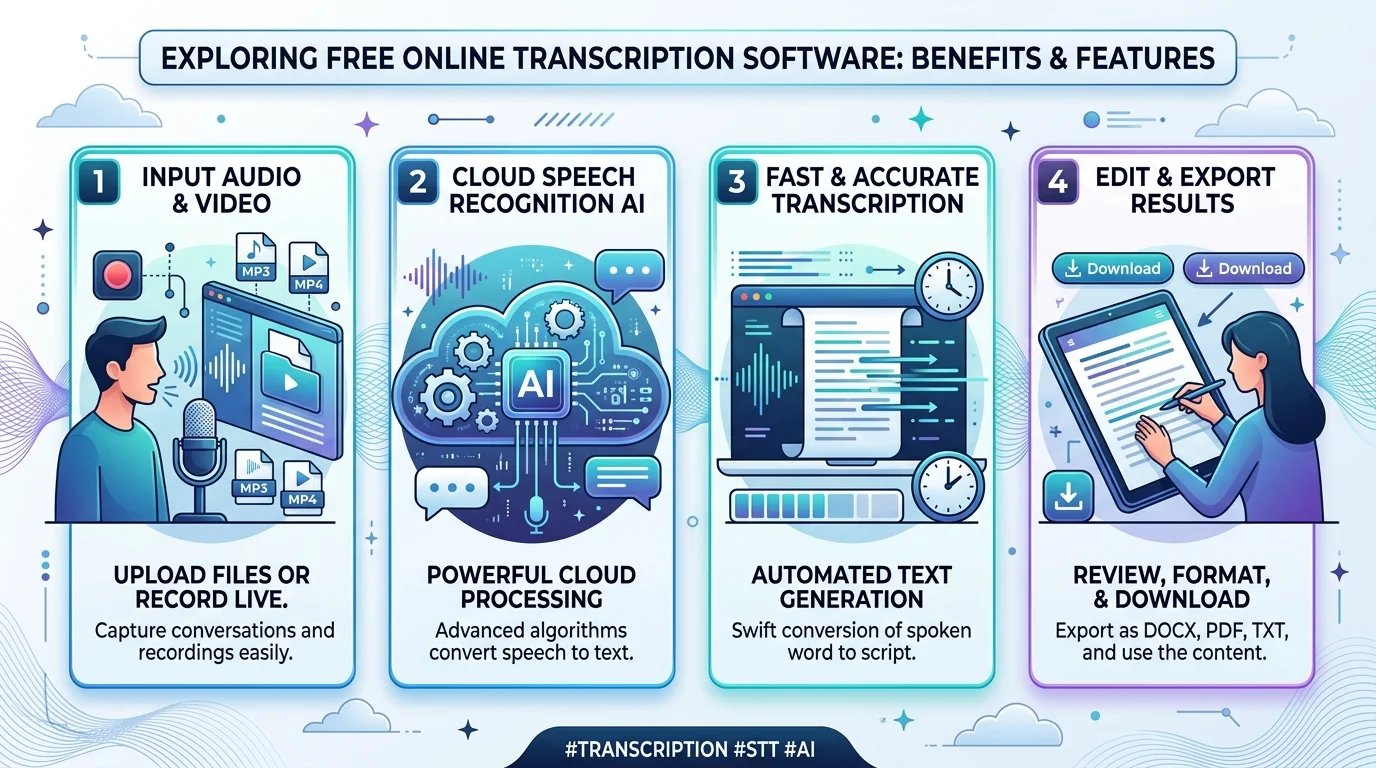
Truly free tools usually run through open-source transcription engines like OpenAI Whisper or Vosk. You install them yourself. There is no monthly cap. The tradeoff is setup time, since many require basic use of the command line. Freemium tools work differently. They offer a free plan vs paid plan split, where you get limited minutes, shorter file caps, or blocked exports until you upgrade. Watch for hidden limits like a 30-minute session cap or a locked export button. That is the real test of the freemium model.
How We Tested These Tools
We did not just read marketing pages. We uploaded real files: noisy office recordings, two people talking over each other, and technical vocabulary that trips up most engines. Every tool listed here went through the same process.
We scored each tool on five things. First, raw transcription accuracy across accents and background noise. Second, processing speed. Third, how many languages it supports for multilingual transcription. Fourth, how easy it felt for a first-time user. Fifth, whether it worked offline or only through cloud transcription. This gives you an honest, tested view of the best free transcription software online available right now, not just a list copied from a press release.
The Best Free Transcription Software Compared (2026)
Here is the full lineup. Ten tools, tested side by side, ranked by real usefulness rather than hype. Some are built for speed. Some are built for privacy. A few are built for developers who want raw power through an API.
Each one earns its spot here for a clear reason. Read through the list, then match the tool to your actual workflow. Do not just pick the most popular name. Pick the one built for your specific job. If you want a closer look at how a dedicated converter stacks up against a general tool, our free audio to text converter with no signup comparison is worth a read too.
1. Otter.ai
Otter.ai remains one of the most popular tools for meeting transcription and lecture transcription. It works inside Zoom, Google Meet, and Microsoft Teams, giving you searchable notes with speaker labels attached to each line.
The free plan gives 300 minutes per month, but caps each session at 30 minutes. That cap hurts if your meetings run long. Still, for students and small teams, it remains one of the easiest ways to get instant meeting notes without paying anything. Curious how it compares to a purpose-built converter? Read our full Audiototextify vs Otter.ai breakdown.
2. OpenAI Whisper
OpenAI Whisper is the gold standard for free, open-source transcription. It runs locally on your machine, which means unlimited use and full privacy and data security. There are no monthly limits because you are not renting cloud time from anyone.
The catch is setup. You need some comfort with Python and the command line to get it running. Once installed, though, Whisper handles multilingual transcription better than most paid tools. It is a favorite among researchers, journalists, and anyone doing batch transcription on large audio libraries.
3. MacWhisper
MacWhisper takes the power of Whisper and wraps it in a clean interface built for Mac and iOS users. You skip the command line completely. Drag a file in, and it transcribes locally on your device.
Because everything runs offline, this is a strong pick for private interviews, legal notes, or sensitive client calls. The free version covers most needs, though a few advanced features sit behind a paid upgrade. If you own a Mac, this is one of the smoothest local transcription experiences you will find.
4. whisper.cpp
whisper.cpp is a lightweight build of Whisper made for speed. It runs on Windows, Mac, and Linux, and it processes audio faster than the full Whisper model on lower-powered machines.
This tool is not for beginners. You will need to download model files and run commands manually. But if you want fast, free, and fully private offline transcription, and you do not mind a technical setup, whisper.cpp delivers strong results without any subscription fee.
5. HappyScribe
HappyScribe blends a manual transcript editor with optional AI-assisted drafts. You can import video directly from YouTube or Vimeo, add speaker labels, and insert timestamps automatically as you type.
The manual editor is genuinely useful for people who want full control over accuracy. It includes an auto-loop feature during playback, which rewinds a few seconds every time you pause. That small detail saves real time during long transcript cleanup sessions.
6. oTranscribe
oTranscribe is a completely free, browser-based tool built for manual work. It places your audio player and text editor side by side, with keyboard shortcuts for play, pause, and rewind.
There is no automatic speech recognition here. You type everything yourself. That sounds slow, but for journalists doing careful interview transcription, manual control often beats a rushed AI draft. No sign-up is required, and there are no usage limits at all.
7. Descript
Descript treats transcription as part of a bigger content editing workflow. You edit audio and video by editing the text transcript directly, which is a huge time-saver for podcasters and video creators.
The free plan comes with limits on export minutes. If you already produce regular video or podcast transcription content, the editing speed alone may justify moving to a paid tier eventually. For a deeper dive into podcast-specific tools, check our guide to the best AI transcription tool for podcasters.
8. Notta
Notta works across web, iPhone, and Android, supporting both live recording and file uploads. It includes AI-powered transcription and short automatic summaries.
The free plan is generous in monthly minutes but strict per session, often capping individual recordings at just a few minutes. This makes Notta better suited for short calls than long interviews or extended lectures.
9. Deepgram
Deepgram is built for developers, not casual users. It offers a developer API for speech-to-text, supporting real-time dictation and batch transcription at scale.
New accounts get free starting credit, enough to test integration before committing to a paid tier. If you are building an app or automation pipeline, Deepgram gives you a serious voice recognition API without demanding payment upfront.
10. Azure AI Speech
Azure AI Speech, from Microsoft, is another strong enterprise speech-to-text option. It plugs into the wider cloud infrastructure many businesses already use.
The free tier is limited but functional for testing. This tool is not built for someone who just wants a quick transcript. It is built for teams embedding speech recognition engine technology into a larger product.
Best Free Transcription Software by Use Case
Different tasks call for different tools. A tool built for meetings will frustrate you if you need long interview transcripts. Matching the right tool to the right job saves hours of wasted effort later.
Below, we break down the smartest pick for five common situations. This section alone answers most of the "which tool should I use" questions people search for daily.
Best for Meetings
Otter.ai, Tactiq, and Fireflies.ai lead here. All three plug directly into Microsoft Teams, Zoom, and Google Meet, turning spoken conversation into searchable meeting notes with speaker identification built in.
Best for YouTube/Video
Descript and Sonix handle video-based work best. Both support direct video to text converter workflows, including caption export formats ready for upload to YouTube or Vimeo. If YouTube is your main source, our dedicated YouTube to transcript guide walks through the fastest method.
Best for Interviews
oTranscribe and Express Scribe give you full manual control. Express Scribe even supports foot pedal transcription, letting you pause and rewind without touching the keyboard during long review sessions.
Best for Windows / Mac / iPhone / Android
MacWhisper and whisper.cpp suit Windows and Mac users chasing free local transcription. Otter.ai and Notta work well on iPhone and Android, and if you want device-specific steps, see our guides on transcribing audio on iPhone and transcribing audio on Android. Google Recorder is a strong pick for Pixel owners specifically.
Best Free Transcription API (for Developers)
Deepgram, Azure AI Speech, and Google Cloud Speech-to-Text all offer developer-friendly access. Each supports real-time dictation, integration through Zapier or Make, and scalable cloud computing power for larger products.
How to Transcribe Audio or Video to Text for Free (Step-by-Step)
You do not need special training to get a usable transcript today. There are three practical paths, and each fits a different comfort level. Pick the one that matches your priorities, whether that is speed, privacy, or convenience.
Below, we walk through each method in plain steps. None of these require paying anything, and each works with common formats like MP3, WAV, M4A, and MP4. For a full walkthrough with screenshots, our transcribe MP3 to text guide covers the most common format in detail.
Using a Browser-Based Tool
Open a tool like oTranscribe or HappyScribe in your browser. Upload your audio file directly from your device. Wait while the tool processes the file, then review the draft. Clean up any errors, add speaker labels if needed, and export the finished transcript.
Using Whisper/Local AI
Download OpenAI Whisper or MacWhisper onto your computer. Load your audio file into the tool. Run the transcription process locally, without uploading anything to the cloud. Once finished, review the text for accuracy, then save or copy the final version. This method protects privacy since nothing leaves your device.
Using Real-Time Dictation
Open a real-time dictation tool like VoiceDash or Google Docs (Voice Typing). Speak directly into your document or app. Watch as your voice turns into text on screen instantly. Review the output, fix any awkward phrasing, then continue writing or send the final draft.
Free vs. Paid Transcription Software: When to Upgrade
Free tools work great, until your workload grows past what they can handle. Knowing when to switch saves you both time and frustration. This decision usually comes down to volume, accuracy needs, and whether you work alone or with a team.
If you transcribe occasionally, short files, and can tolerate minor cleanup, free transcription software online is likely enough. But if transcription becomes part of your daily job, and you need longer files, better exports, or team collaboration through tools like Notion or OneNote, a paid plan usually pays for itself quickly. The hidden cost of staying free is often your own time spent fixing rough drafts.
Tips to Improve Transcription Accuracy for Free
Most transcription problems start before the software even opens the file. A better recording almost always beats switching tools. This section covers the habits that quietly fix most accuracy complaints.
Record close to the speaker, and use an external microphone whenever possible, since microphone quality affects results more than people expect. Reduce echo and apply background noise reduction where you can. Avoid speaker overlap by asking people to take turns talking. After transcription finishes, always do a quick transcript cleanup pass, checking names, numbers, and technical terms by hand. These small steps improve accuracy far more than any single software upgrade.
Frequently Asked Questions
Is Google's transcription feature free?
Yes. Google Docs (Voice Typing) offers free dictation built into the browser, though it works best for straightforward speech rather than noisy recordings.
Is there a truly free AI transcription tool?
Yes. OpenAI Whisper and Vosk are both fully free and open-source, with no monthly limits when run locally on your own machine.
What's the most accurate free transcription software online?
OpenAI Whisper and MacWhisper consistently score highest for transcription accuracy, especially across accents and technical vocabulary.
Can I transcribe in bulk for free?
Yes, through Whisper or whisper.cpp, both of which support batch transcription without any file-count restriction, since everything runs locally.
Final Verdict — Which Free Transcription Tool Should You Use?
There is no single winner here. The right choice depends entirely on your workflow. If you want unlimited, private, offline transcription, choose OpenAI Whisper or MacWhisper. If your priority is fast meeting transcription with searchable notes, choose Otter.ai.
If you build software and need a developer API, choose Deepgram or Azure AI Speech. If you just want to speak your thoughts and get clean writing instantly, a real-time dictation tool like VoiceDash fits best. The smartest move is matching the tool to the task in front of you, not chasing whichever name is most popular. That single decision will save you more time than any feature list ever could.
For more tested comparisons and step-by-step guides like this one, visit our blog, or head back to the Audiototextify homepage to try a free transcription online right now.
Read more: Online Audio Transcriber: Convert Audio Fast