Got a video link and just want the sound? You're not alone. Every day, thousands of people search for a fast way to convert a video URL into a playable audio file. Maybe it's background music from a clip, or a lecture you want for offline listening later. Whatever the reason, a reliable link to audio converter solves the problem in seconds. Simply paste the link, extract the audio, and download your file, no software installation, no signup, no hassle. This guide breaks down exactly how the process works, which formats you can choose, and where a solid audio converter genuinely comes in handy for everyday use. Let's get started.
What is a Link to Audio Converter?
A link to audio converter is a simple online tool. You paste a URL, and it pulls the sound out of that video or webpage. Think of it as a translator. It takes video data and turns it into a clean, playable audio file.
The whole process happens through extraction. The tool scans the link, finds the audio stream, and prepares it for download. No coding skills needed. No manual editing. Just paste and go. Once your file is ready, some users also like to run it through a transcription tool to turn spoken audio into written text for notes or captions.
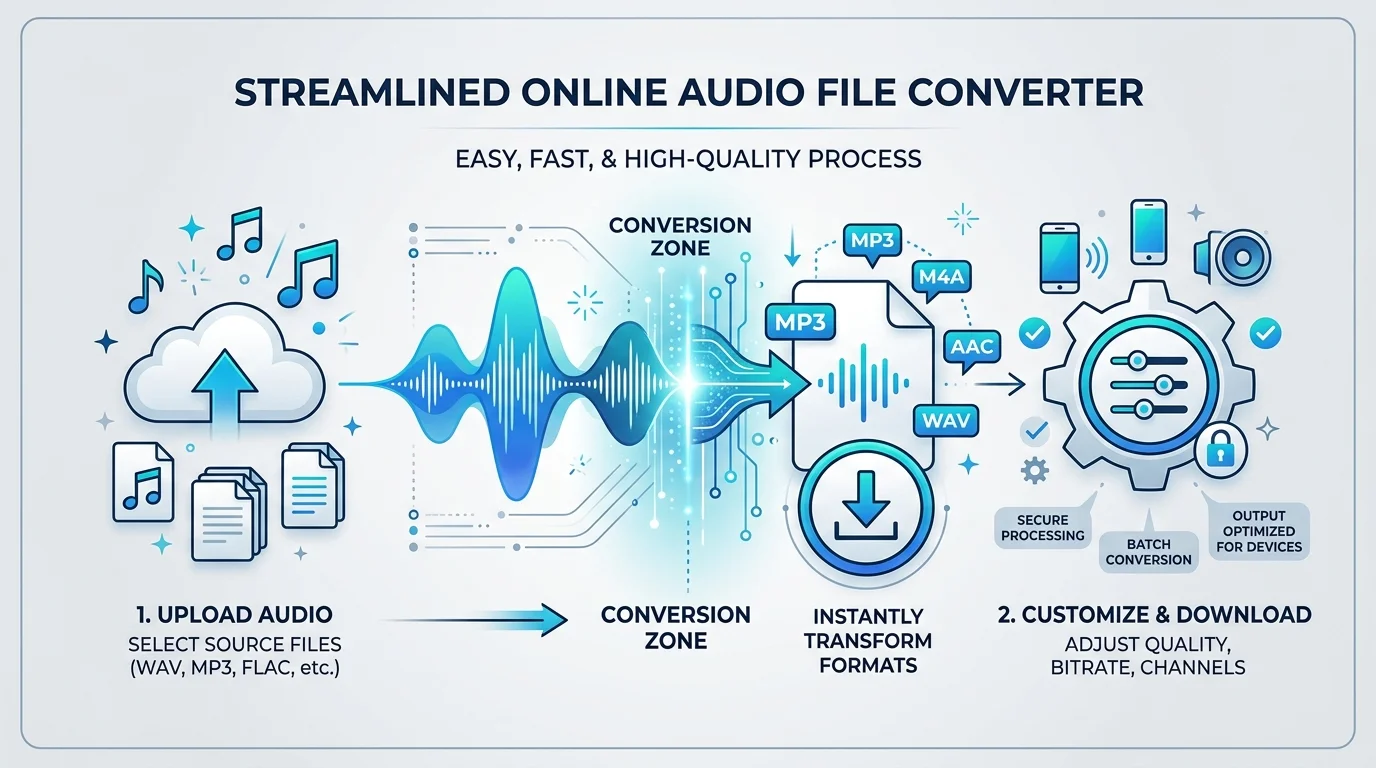
How to Convert a Link to Audio in 3 Simple Steps
Converting a link to audio does not need to be complicated. In fact, most people finish the entire job in under a minute. The steps below break it down so even first-time users feel confident right away.
Here is a quick overview of the process before we dive into each step.
Step | Action | Time Needed |
|---|---|---|
1 | Paste the link/URL | 5 seconds |
2 | Extract and preview audio | 10-15 seconds |
3 | Download audio file | 5 seconds |
Step 1 – Paste the Link
Start by copying the video URL from your browser's address bar. Then, paste the link into the converter's search box. It really is that simple. The tool accepts links from most major platforms, including YouTube, TikTok, and Facebook.
Step 2 – Extract and Preview the Audio
Once you hit convert, the AI-powered engine gets to work. It runs a smart analysis on the link and pulls out the available audio track. You can preview it right there in your browser before committing to a download.
Step 3 – Download Your Audio File
Happy with the preview? Great. Click download, and your save audio file action begins instantly. The finished file lands directly in your device's downloads folder, ready for offline use whenever you need it.
Key Features of Our Free Link to Audio Converter
Not every converter is built the same. Some bury you in ads. Others demand an account before you can even test the tool. Ours strips away every annoying barrier so you can focus on what matters: getting your audio fast.
Below, we break down the standout features that make this free online converter worth bookmarking. Each one solves a real frustration that users run into with clunkier, older tools.
100% Free, No Registration Required
There is no sign-up here, and there never will be. You do not need to hand over your email or create a password just to grab an MP3. This is a genuinely free online converter, similar in spirit to our free audio to text converter with no signup, built for people who value their time.
Fast Conversion Speed with AI Link Analysis
Speed matters, especially when you are juggling ten browser tabs. This tool runs 5X faster than many older converters, thanks to its AI-powered backend. The system performs an AI smart analysis on every link to pick the cleanest audio source automatically.
Supports 500+ Websites
Whether your link comes from SoundCloud, Vimeo, Instagram, or Bandcamp, this converter has you covered. It supports over 500+ websites, spanning both major video streaming sites and niche music streaming platforms like Mixcloud and Jamendo.
Safe, Secure & Ad-Free
Nobody likes clicking a link only to get bombarded with pop-ups. This is a secure conversion tool through and through, with zero intrusive ads. Every session runs through encrypted connections, so your safe conversion experience stays private from start to finish.
Anonymous Conversion (No Data Stored)
Privacy is not an afterthought here, it is the default. Every anonymous conversion happens without logging your IP, your file history, or your personal details. Once your download finishes, the record disappears from our servers.
Supported Audio Formats & Quality Options
Not every audio file needs the same treatment. A podcast does not need the same quality as a studio recording. That is why this converter gives you real choice instead of forcing one-size-fits-all output.
Understanding formats and bitrate helps you avoid wasted storage space and disappointing sound quality. Let's break down what each option actually means for your files.
Format | Best For | Typical File Size |
|---|---|---|
MP3 | Everyday listening, wide compatibility | Small |
WAV | Studio-quality editing, no compression | Large |
FLAC | Lossless audio, audiophiles | Medium-Large |
AAC | Streaming, Apple devices | Small-Medium |
OGG | Open-source projects, gaming audio | Small |
MP3, WAV, AAC, FLAC & More
The MP3 format remains the most popular choice, and for good reason. It balances high-quality audio with a small file size, making it perfect for phones with limited storage. But if you need studio precision, WAV, FLAC, AAC, and OGG are all available too. If you ever need the spoken content transcribed too, check our audio transcript guide for format tips that apply to both conversion and transcription.
Convert Links to MP3 in 320kbps
Audio bitrate directly affects how your file sounds. This tool lets you choose between 128kbps, 192kbps, or the premium 320kbps option. Higher bitrate means richer sound, though it also means a slightly bigger file to store.
Where Can You Use Our Link to Audio Converter?
Once you have your file, what next? Turns out, the uses stretch far beyond just saving a song. This section covers the everyday situations where a reliable link to audio converter genuinely makes life easier.
From your morning commute to your weekend content project, these use cases show just how flexible converted audio can be.
Offline Listening
Long flights. Subway tunnels. Dead zones on a road trip. Offline listening solves all of it. Convert your favorite tracks before you leave Wi-Fi behind, and you will never stare at a spinning loading wheel again.
Study & Lecture Notes
Students love this one. Turning a recorded lecture into study material means you can review complex topics while walking, cooking, or commuting. Pair this with our audio transcription guide if you also want a written copy of the lecture. It also works beautifully for language tutorials, letting you practice pronunciation anywhere.
Content Creation & Podcast Clips
Creators need raw material fast. Whether you are building a highlight reel or handling podcast creation, pulling audio from a reference video saves serious editing time. Many creators also convert a YouTube link into a transcript for repurposing video content into blog posts or captions. It is also a favorite trick for music practice, letting musicians loop a tricky passage.
Background Music & Ambiance
Working from a coffee shop or hosting a small gathering? Extracted background music and ambiance tracks set the mood instantly. Some users even repurpose short clips for ringtone creation, giving their phone a personal touch.
Why Choose Us Over Other Online Converters
The internet is packed with converters promising the world and delivering headaches instead. Slow servers, hidden fees, and shady pop-ups plague far too many competitors. We built this tool differently, prioritizing speed, safety, and simplicity above everything else.
Compared to tools like OKmusi, AceThinker, or AmoyShare, our converter focuses on a cleaner interface and broader platform support. You get the reliability of a paid MP3 Downloader without ever opening your wallet.
Upgrade to Pro – Batch Conversion & Unlimited Downloads
Free tools are great for casual use, but power users often need more muscle. That is where the Pro version steps in, offering serious upgrades for anyone converting audio regularly, whether for work or a growing content library.
Think of Pro as trading a bicycle for a car. Same destination, much faster ride. Here is what changes once you upgrade.
Convert Links to Audio in Batches
Why convert one link at a time? Batch conversion lets you queue up multiple URLs and walk away. The tool processes everything in the background, saving you hours over a busy week.
Unlimited Downloads, No Daily Limits
The free version works great for occasional use. But heavy users benefit from unlimited downloads, with zero daily caps holding them back. It is built for people who convert audio as part of their daily routine.
Priority Speed & Higher Bitrate Options
Pro users get priority server access, meaning faster processing during peak hours. You also unlock every audio bitrate option, including full 320kbps output, without ever hitting a paywall mid-download.
Explore More Audio & Video Tools
A link to audio converter is just one piece of the puzzle. Once you have your file, you might want to trim it, merge it, or shrink it down for easier sharing. These companion tools round out your entire audio workflow.
Think of them as your toolbox. Each one solves a specific problem, and together, they cover almost everything a casual or professional user might need.
Audio Trimmer
Got a ten-minute file but only need thirty seconds? An Audio Trimmer, like our free online audio cutter, cuts out the noise, literally. It is perfect for grabbing just the clip you need without touching the rest of the file.
Audio Merger
Building a playlist or compiling interview clips? An Audio Merger (sometimes called an Audio Joiner) stitches multiple files into one smooth track, saving you from juggling a dozen separate downloads.
Audio Compressor
Big files eat up storage fast. An Audio Compressor shrinks file size while keeping sound quality intact, which is a lifesaver when dealing with strict file size limitations on messaging apps or upload forms.
Video to Audio Converter
Sometimes you already have the video file saved locally, not just a link. A Video Converter designed for audio extraction handles that job directly, no URL required at all.
FAQs About Link to Audio Converter Online
Still have questions? You are probably not the only one. Below are the most common things people ask before trying a link to audio converter for the first time. Quick, honest answers, no runaround.
Is it free to convert a link to audio?
Yes. This is a genuinely free online converter, with no registration required and no hidden charges. You can convert as many links as you like within the daily free limit, no credit card needed.
What websites are supported?
The tool supports 500+ websites, ranging from YouTube and TikTok to Twitter, Reddit, and Twitch. Some premium tools even reach 1,000+ websites for broader platform coverage.
Is it safe and legal to use?
The converter itself runs on secure conversion technology, protecting your privacy throughout. Legally, always stick to personal use and copyright compliance. Only convert content you own or have clear permission to use.
Do I need to install software?
No. This is a browser-based tool, meaning no software installation is required at all. It works directly through your web browser on any Windows 11/10/8 machine, no downloads needed for the basic version.
What audio quality should I choose?
For everyday listening, 128kbps works fine. For music you care about, aim for 192kbps or the full 320kbps option. Higher bitrate always means better high-quality audio, at the cost of a larger file.
How do I convert a link from TikTok, YouTube, or similar sites?
Simply copy the video URL from TikTok, YouTube, Instagram, or nearly any supported platform. Paste it into the converter, hit extract, and download your finished file within seconds.
Can I use this converter on mobile devices?
Absolutely. The tool works smoothly across PC, Mac, and Android devices, right through your mobile browser. There is no separate app required, making it genuinely convenient for on-the-go use.
User Ratings & Reviews
Don't just take our word for it. Thousands of users rely on this tool daily, and the feedback speaks for itself. Current ratings sit around 4.8 to 4.9 stars, based on real usage from people just like you.
Enjoyed the experience? Leave a rating of your own. Every review helps us keep improving the tool, and it helps other users trust the service before they even hit convert.
Read more: How to Transcribe Audio File for Free 2026 Guide